
Crosstab
Extract data from any website in one click
As of June 2026, Crosstab has 109 users and a 5.00/5 rating from 2 reviews in the Workflow & Planning category.
Usersup 62.7 percent+62.7%
109
109
Ratingno change0%
5.00
2 reviews
Reviewsno change0%
2
Version
0.0.2
Manifest V3
History
5 snapshotsTracking since Apr 18, 2026.
View as table
| Date | Users | Rating | Reviews | Version |
|---|---|---|---|---|
| Apr 18, 2026 | 67 | 5.00 | 2 | 0.0.2 |
| May 3, 2026 | 69 | 5.00 | 2 | 0.0.2 |
| May 12, 2026 | 70 | 5.00 | 2 | 0.0.2 |
| May 24, 2026 | 65 | 5.00 | 2 | 0.0.2 |
| Jun 6, 2026 | 77 | 5.00 | 2 | 0.0.2 |
| Now | 109 | 5.00 | 2 | 0.0.2 |
Permissions & access
- Permissions
- scriptingcookiesstorageactiveTab
- Host access
- https://api.crosstab.app/*, https://clerk.crosstab.app/*
Screenshots


About
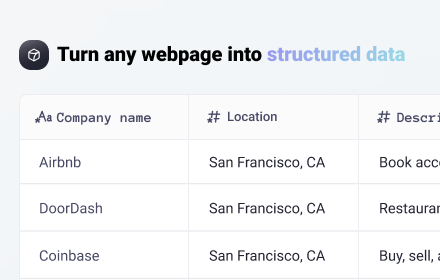
Export Structured Data From Any Website in a Single Click

Crosstab is a powerful Chrome Extension that transforms your web browsing into a seamless data collection experience. Effortlessly export data from any website and convert it into ready-to-use, custom datasets with just one click. Say goodbye to tedious manual data entry and hello to streamlined, automated research.

Key Features:

Define Your Dataset with Natural Language: Simply describe the data you want to export and its desired structure using plain English. Crosstab's intuitive interface understands your requests, making data extraction easier than ever.

Export Across Multiple Pages: Seamlessly navigate and extract information from multiple pages, consolidating it all into a single, clean dataset.

Powerful Search Mode: Automate your research tasks by enriching existing data. Crosstab's Search Mode can process hundreds of rows of data, intelligently searching for and selecting the most relevant results based on your prompts. Let it run in the background and save valuable time.

Instant AI Integration: Send your extracted data directly to your preferred AI language model. With one-click integration for ChatGPT, Claude, and Grok, you can instantly analyze, process, or enrich your data using your existing AI workflow.

Flexible Export Options: Export your data in CSV, JSON, or XML format for easy use in other applications, or instantly copy it to your clipboard for quick access.

Simple, Transparent Pricing:

Crosstab offers a range of plans to suit your needs, from a free option for light users to comprehensive team and enterprise solutions. All our plans are designed with clear, upfront pricing and no surprises.

Free: Get started with 10 export credits per month and access to all core features.

Plus: For more regular use, with 500 export credits per month.

Pro: For heavy users, offering 2,000 export credits per month.

Teams: Includes 4,000 export credits, seat management, priority support, and SSO for your entire team.

Secure and Private:

Your privacy is our top priority. Crosstab is built with a "zero data retention" policy. We never store or log the data you process. Page data is handled only for the minimum amount of time necessary to fulfill your request and is never saved on our servers. All data is always encrypted in transit, ensuring your information remains confidential and secure.

Your path to effortless online research starts here. Install Crosstab today and turn any webpage into structured, usable data in a single click!
Technical
- Version
- 0.0.2
- Manifest
- V3
- Size
- 1.81MiB
- Min Chrome
- 88
- Languages
- 1
- Featured
- No
Metadata
- ID
- hlcalcmdckckkhfeiongaefblfibhkcn
- Developer ID
- u85a29018fec2f856a40b9bf8ea3ce090
- Developer Email
- [email protected]
- Created
- Oct 2, 2025
- Last Updated (Store)
- Oct 6, 2025
- Last Scraped
- Jun 6, 2026
- Website
- getcrosstab.com
- Support URL
- https://support.crosstab.app
- Privacy Policy
- https://www.crosstab.app/privacy-policy
Similar extensions
Alternatives to Crosstab, ranked by description similarity.

Click and Scrape
A simple tool to click and scrape data from web pages to JSON or CSV in seconds, no coding required
45

Scribed Scraper — Extract Any Website with AI
Extract leads, products, jobs, and more from any website. Just describe what you need — AI does the rest.
43
★ 5.0

Web Data Scraper - Extract & Export to CSV/Excel/JSON
Web Data Scraper - no-code internet scraping. Extract and export to CSV, Excel, JSON, Google Sheets, and Webhook.
1.0K
★ 5.0

Snapsheet - 1-Click HTML Table to CSV Exporter
Automatically detects HTML tables and injects a floating 'Export to CSV' button.
8
★ 5.0
Easy web scraper by Databar
A simple, no-code extension to collect data from any website.
1.0K
★ 4.8

OneClick Data Extractor – Scrape Tables, Emails & Lists
Extract data from any website. Scrape tables, emails, lists, images. Auto-pagination, CSV/JSON export.
8
★ 5.0

Super Tab Exporter
Export your open browser tabs to PDF, CSV, or XLSX in one click. No sign-up. No servers. Fully private.
75
★ 5.0

TableClipper
Copy any website table to your clipboard & paste into Google Sheets in one click.
14
Data sourced from the Chrome Web Store · last verified Jun 6, 2026.