
DynamicScreen Digital Signage platform 1.2.21
Keep your teams aligned and focused on what matters. This Chrome App let's you connect a new Chromebox to your DynamicScreen space.
As of May 2026, DynamicScreen Digital Signage platform 1.2.21 has — users.
Usersno change0%
—
—
Ratingno change0%
—
— reviews
Reviewsno change0%
—
Version
1.2.21
Manifest V2
History
1 snapshotsTracking since Apr 24, 2026.
Not enough history yet for this metric — the chart fills in as we collect more snapshots.
View as table
| Date | Users | Rating | Reviews | Version |
|---|---|---|---|---|
| Apr 24, 2026 | — | — | — | 1.2.21 |
| Now | — | — | — | 1.2.21 |
Permissions & access
- Permissions
- webviewpowerstorageenterprise.deviceAttributesunlimitedStoragesystem.displaysystem.storagesystem.cpusystem.memoryaudioCapturevideoCapturenetworking.oncserial
- Host access
- <all_urls>
Screenshots


About
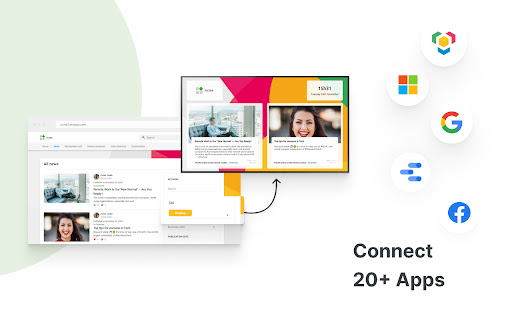
DynamicScreen helps you connect your screens with your Google Workspace. Keep your teams aligned wherever they work. No coding or design skills required! It's Digital Signage. Simpler and smarter.

It's simple to install—and to use. Set up your screens in no time. DynamicScreen is compatible with almost any Chromebox. The user-friendly interface makes it simple to connect your Google Workspace and start sharing your most recent company news.

It's blazingly fast. Share your Google Docs, Slides, and Sheets to your screens instantly. The best part? It keeps in-sync, so you don't have to worry. You can even preview your content and schedule it in advance to display the right content at the right time.

It's engaging. Display on-brand screen-ready Data Studio reports at the speed of the light with our simplest editor. No design skills are required. Choose one of our Templates or create your own and edit it any time for quick and easy content changes.

DynamicScreen works with organizations of all sizes and industries worldwide, from fast-growing startups to Fortune 500 companies, including Google, Samsung, Spendesk, and Veolia.

How To Get Started

It's easy as 1, 2, 3.
* Login to your DynamicScreen account, and click on Displays in the side panel.
* Click on Enroll, then follow the instructions.
* You're all set!

Do you have any question? Feel free to send us an email at [email protected]. We'd be happy to help!
Technical
- Version
- 1.2.21
- Manifest
- V2
- Size
- 877KiB
- Min Chrome
- 23
- Languages
- 1
- Featured
- No
Metadata
- ID
- clbgknjcblogheibmcbbdlpkollmgofh
- Developer ID
- u622f3c1481df0347ad876082b7326828
- Developer Email
- [email protected]
- Created
- Dec 12, 2018
- Last Updated (Store)
- Apr 25, 2021
- Last Scraped
- May 19, 2026
- Website
- dynamicscreen.com
- Support URL
- https://help.dynamicscreen.fr
- Privacy Policy
- —
Similar extensions
Alternatives to DynamicScreen Digital Signage platform 1.2.21, ranked by description similarity.
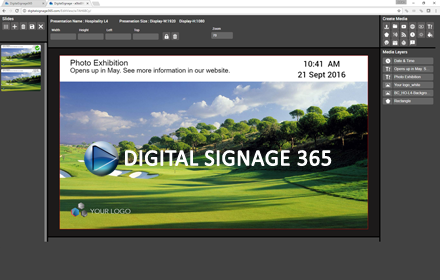
DigitalSignage 365
A web based digital signage solution for restaurants, schools, internal communications and retail.
125
★ 3.0
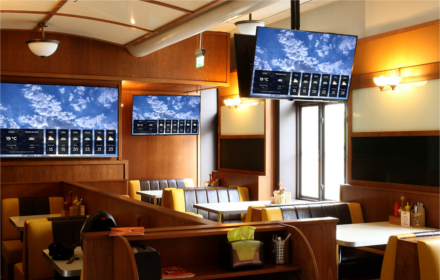
SocialScreen
Digital Signage made easy!
—

SalesScreen TV
Surpass Your Sales Goals with SalesScreen!
—
★ 5.0

Showcases Player
Transform any display into an interactive experience
—

CloudPixel Player
Digital Signage transforms the way you reach your current and prospective customers. It facilitates the transition
from the dull,…
—

Hypersign
Hypersign Chrome Extension
—

HelloScreen Screen Sharing for Chrome
Instant, multi-cursor screen sharing for Chrome.
7.0K
★ 4.4

ScreenDynamics.com v1.39
Screen Dynamics...
—
Data sourced from the Chrome Web Store · last verified May 19, 2026.