
NoteOp Snippet
Snip text from any webpage and save it to NoteOp as a new note
As of June 2026, NoteOp Snippet has 6 users in the Productivity category.
Usersup 20.0 percent+20.0%
6
6
Ratingno change0%
—
— reviews
Reviewsno change0%
—
Version
1.0.2
Manifest V3
History
6 snapshotsTracking since Apr 11, 2026.
View as table
| Date | Users | Rating | Reviews | Version |
|---|---|---|---|---|
| Apr 11, 2026 | 5 | — | — | 1.0.2 |
| Apr 21, 2026 | 4 | — | — | 1.0.2 |
| May 16, 2026 | 5 | — | — | 1.0.2 |
| May 23, 2026 | 7 | — | — | 1.0.2 |
| May 29, 2026 | 6 | — | — | 1.0.2 |
| Jun 5, 2026 | 5 | — | — | 1.0.2 |
| Now | 6 | — | — | 1.0.2 |
Permissions & access
- Permissions
- contextMenusactiveTabscriptingstoragenotifications
- Host access
- https://noteop.com/*
Screenshots


About
Save snippets from any website straight into NoteOp

NoteOp Snippet is a Chrome extension that allows you to capture selected text from any webpage and instantly turn it into a new note in NoteOp using a simple right-click. It keeps the original formatting intact (such as bold, italics, links, and lists) and automatically attaches the source link to each snippet.

Highlights:
- Quickly save text using the right-click menu
- Maintains original formatting and embedded links
- Displays your 10 latest snippets in the extension popup
- Built with privacy in mind: no tracking or data collection
- Compatible with both Free, Pro and AI Pro NoteOp plans

About NoteOp:
NoteOp is an all-in-one focused workspace for online note-taking, to-do lists, kanban boards, invoices, quotes, and AI. Work faster, collaborate more easily—no need to switch between multiple tools

- Option to lock documents with a password
- Easy sharing through direct links
- Export options: PDF, Word, Markdown, and HTML
- Plans available: Free (up to 10 notes), Pro (unlimited notes), AI Pro (unlimited notes with AI tools)

Visit https://noteop.com to learn more and get started!
Technical
- Version
- 1.0.2
- Manifest
- V3
- Size
- 88.88KiB
- Min Chrome
- 88
- Languages
- 1
- Featured
- No
Metadata
- ID
- chokiofonmgdfhkacnmgdkdoledcclbk
- Developer ID
- ub3edca26e477262d3871797054e0470f
- Developer Email
- [email protected]
- Created
- Mar 19, 2026
- Last Updated (Store)
- Mar 25, 2026
- Last Scraped
- Jun 12, 2026
- Website
- noteop.com
- Support URL
- https://noteop.com/feedback
- Privacy Policy
- https://noteop.com/privacy
Similar extensions
Alternatives to NoteOp Snippet, ranked by description similarity.

ZenMarker
Save text snippets from any website with optional notes and tags.
1

Snipets
Adds a context menu for selected text and stores it in your Snipets account.
1

ThinkClip
A simple note-taking extension that clips thoughts from the web
—

Quick Note
Save long notes and copy them quickly using keywords.
4

CleverClip — Snippet Saver & Clipboard Manager
Save any text from the web with one right-click. Tag, search & copy snippets instantly. 100% local — no account, no tracking.
10
★ 5.0
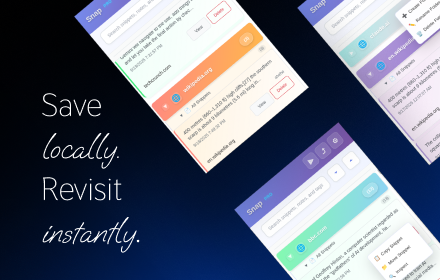
Snap - Smart Text Snippet Manager
Highlight and save text snippets with professional note-taking capabilities. Privacy-first, local storage.
14

SideNote - Quick save notes in Sidepanel
# SideNote - Your Smart Note-Taking Assistant
## Description
SideNote is a powerful Chrome extension that helps you save and…
48
★ 5.0

Snippet Saver
Save selected text snippets and export as TXT.
17
★ 5.0
Data sourced from the Chrome Web Store · last verified Jun 12, 2026.