
Play & Transcribe Voicemail in Gmail – Fix Audio Attachments
Play & transcribe voicemail in Gmail. WAV, GSM, AMR & VoIP supported. No downloads required.
As of June 2026, Play & Transcribe Voicemail in Gmail – Fix Audio Attachments has 172 users and a 5.00/5 rating from 4 reviews in the Productivity category.
Usersup 79.2 percent+79.2%
172
172
Ratingno change0%
5.00
4 reviews
Reviewsup 100.0 percent+100.0%
4
Version
2.0.1
Manifest V3
90-day change · In the last 90 days this extension 2 version updates.
History
11 snapshotsTracking since Apr 1, 2026.
View as table
| Date | Users | Rating | Reviews | Version |
|---|---|---|---|---|
| Apr 1, 2026 | 96 | 5.00 | 2 | 1.1.1 |
| Apr 10, 2026 | 112 | 5.00 | 2 | 2.0.0 |
| Apr 20, 2026 | 126 | 5.00 | 2 | 2.0.1 |
| Apr 27, 2026 | 152 | 5.00 | 4 | 2.0.1 |
| May 4, 2026 | 160 | 5.00 | 4 | 2.0.1 |
| May 10, 2026 | 159 | 5.00 | 4 | 2.0.1 |
| May 15, 2026 | 167 | 5.00 | 4 | 2.0.1 |
| May 21, 2026 | 169 | 5.00 | 4 | 2.0.1 |
| May 27, 2026 | 163 | 5.00 | 4 | 2.0.1 |
| Jun 3, 2026 | 161 | 5.00 | 4 | 2.0.1 |
| Jun 9, 2026 | 170 | 5.00 | 4 | 2.0.1 |
| Now | 172 | 5.00 | 4 | 2.0.1 |
Changelog
- Apr 10, 2026description
Gmail Audio Player — Play Voicemails Instantly in Gmail
Gmail can't play many voicemail and audio attachments. Gmail Audio Player fixes this by enabling instant playback directly inside Gmail — no downloads, no external apps, no leaving your inbox.
Trusted by medical practices, law firms, and professional teams who manage voicemail-heavy inboxes every day.

Why Gmail won't play your voicemails
Gmail doesn't support the audio formats used by most phone carriers and VoIP systems. This forces you to download every attachment just to hear a message. Gmail Audio Player decodes these formats directly in your browser and adds an inline player right inside Gmail.

How it works

Install and pin Gmail Audio Player
Open Gmail and find an email with a voicemail or audio attachment
Press play — listen instantly without leaving Gmail

No setup. No configuration. No external apps required.

Supported formats
WAV (µ-law, A-law), GSM 6.10, AMR, MP3, MP4 (audio), WMA, and more. Covers all major telephony and VoIP voicemail formats.

Features

Inline audio player inside Gmail — no downloads required
Scrub, pause, control volume, and adjust playback speed (0.5x–2x)
AI transcription — convert voicemails to text instantly (Pro and Business)
AI summary — get a one-line summary and action item for every voicemail (Pro and Business)
Works for individual users and teams — multiple staff members can activate using their company email
Privacy-first — audio is decoded locally in your browser, attachments are never uploaded or stored


Gmail Audio Player is compatible with voicemails from all major VoIP and cloud phone systems that deliver voicemail by email. If your phone system emails you an audio attachment, Gmail Audio Player can play it.

Built for professional inboxes
Designed for anyone who receives voicemail by email and needs to respond fast. Common users include medical receptionists, legal assistants, real estate agents, recruiters, sales teams, and virtual assistants.

Team and organization support
Organizations can enable multiple seats so all staff members activate Gmail Audio Player using their company email — no individual Stripe checkout required per person.

Pricing
Free trial — 10 voicemail plays, no account required
Basic — $9.99/month, unlimited playback for all formats
Pro — $15/month, unlimited playback + AI transcription (120 min/month) + AI summaries
Business — $25/month, unlimited playback + AI transcription (600 min/month) + AI summaries

Privacy
All audio decoding happens locally in your browser. No email content or attachments are uploaded to any server. No Google account connection required.

Fix Gmail audio attachments that won't play. Install Gmail Audio Player and listen to your first voicemail in seconds.
Play & Transcribe Voicemails Instantly in Gmail

Gmail can't play most voicemail and audio attachments. If
you're downloading every attachment just to hear a message,
Gmail Audio Player fixes this — instant playback and AI
transcription directly inside Gmail, no downloads, no
external apps, no leaving your inbox.

Trusted by medical receptionists, legal assistants, law
firms, real estate agents, and professional teams who
live in their inbox.

━━━━━━━━━━━━━━━━━━━━━━━

WHY GMAIL WON'T PLAY YOUR VOICEMAILS

Gmail doesn't support the audio formats used by most phone
carriers and VoIP systems — WAV (µ-law, A-law), GSM 6.10,
AMR, and others. Gmail Audio Player decodes these formats
directly in your browser and adds an inline player right
inside Gmail.

━━━━━━━━━━━━━━━━━━━━━━━

HOW IT WORKS

1. Install and pin Gmail Audio Player
2. Open Gmail and find an email with a voicemail attachment
3. Press play — listen instantly without leaving Gmail

No setup. No configuration. No Google account connection
required.

━━━━━━━━━━━━━━━━━━━━━━━

SUPPORTED FORMATS

WAV (µ-law, A-law), GSM 6.10, AMR, MP3, MP4 audio, WMA,
and more. Covers all major telephony and VoIP voicemail
formats.

━━━━━━━━━━━━━━━━━━━━━━━

FEATURES

▸ Inline audio player — play voicemails without downloading
▸ Scrub, pause, volume control, playback speed (0.5x–2x)
▸ AI transcription — convert voicemails to text instantly
▸ AI summary — one-line summary + action item per voicemail
▸ Team support — multiple staff on one company email domain
▸ Privacy-first — audio decoded locally, nothing uploaded

━━━━━━━━━━━━━━━━━━━━━━━

BUILT FOR PROFESSIONAL INBOXES

If your phone system delivers voicemail by email, Gmail
Audio Player handles it. Built for:

- Medical receptionists and healthcare admin
- Legal assistants and law firm staff
- Real estate agents
- Recruiters and HR teams
- Sales teams and virtual assistants
- Anyone who manages a voicemail-heavy inbox

━━━━━━━━━━━━━━━━━━━━━━━

TEAM & ORGANIZATION SUPPORT

Enable multiple seats so all staff activate using their
company email — no individual Stripe checkout per person.
Email for pricing

━━━━━━━━━━━━━━━━━━━━━━━

PRICING

Free trial — 10 voicemail plays, no account required
Basic — $9.99/month, unlimited playback
Pro — $15/month, unlimited playback + AI transcription
(120 min/month) + AI summaries
Business — $25/month, unlimited playback + AI transcription
(600 min/month) + AI summaries

━━━━━━━━━━━━━━━━━━━━━━━

PRIVACY

All audio decoding happens locally in your browser. No
email content or attachments are uploaded to any server.
No Google account connection required.

━━━━━━━━━━━━━━━━━━━━━━━

Gmail not playing audio attachments? Gmail voicemail not
working? Can't play WAV or GSM files in Gmail? Install
Gmail Audio Player and listen to your first voicemail
in seconds.
- Apr 10, 2026short_description
Play voicemail attachments in Gmail instantly. Supports WAV, GSM, AMR and more. Pro includes AI transcription.
Play & transcribe voicemail in Gmail. WAV, GSM, AMR & VoIP supported. No downloads required.
- Apr 10, 2026name
Gmail Audio Player – Play Voicemail Attachments
Play & Transcribe Voicemail in Gmail – Fix Audio Attachments
- Apr 1, 2026description
Gmail can’t play many voicemail and WAV audio attachments. Gmail Audio Player fixes this by enabling instant playback directly inside Gmail

Trusted by professional teams and organizations that manage voicemail-heavy inbox workflows.

By adding the Gmail Audio Player Chrome extension, you gain immediate access to reliable audio playback for voicemail and audio attachments that Gmail cannot natively decode.

Gmail Audio Player fixes a common Gmail problem: many voicemail and audio attachments won’t play because Gmail doesn’t support common phone carrier and telephony formats. This forces users to download files just to hear a message. Gmail Audio Player solves this by enabling instant, inline playback directly inside Gmail, so you can listen without downloading files or leaving your inbox.

By adding the Gmail Audio Player Chrome extension, you gain immediate access to reliable audio playback for voicemail and audio attachments that Gmail cannot natively decode. The extension works seamlessly inside Gmail on desktop, keeping your workflow fast and focused. Gmail Audio Player works for both individual users and organizations, and team seats can be enabled so multiple staff members can activate the extension using their company email.

How to use Gmail Audio Player:

Install and pin the Gmail Audio Player Chrome extension.

Open Gmail and view an email with a voicemail or audio attachment.

Press play to listen instantly inside Gmail.

No setup, no configuration, and no external apps required.

Play voicemail attachments directly in Gmail:

Gmail Audio Player adds an inline audio player next to supported attachments, allowing you to play voicemail and audio files without downloading them. Playback happens directly in your browser so you can listen, pause, scrub, and control volume without leaving Gmail.

Supported voicemail and audio formats:

Gmail Audio Player supports many common voicemail and telephony formats used by phone systems and carriers, including WAV (µ-law and A-law), GSM 6.10, AMR, WMA, MP3, MP4 (audio), and more. Additional formats are added over time.

Built for professional inboxes:

Gmail Audio Player is designed for professionals who receive voicemail instructions or audio messages by email and need to respond quickly. Common use cases include recruiting, sales, real estate, legal, administrative, and virtual assistant workflows where voicemail is part of daily communication.

The extension also supports team deployments, allowing organizations to enable multiple seats so staff members can activate Gmail Audio Player using their company email.

Privacy-first design:

Audio playback and decoding occur locally in your browser. Email content and attachments are not stored, and no account is required to get started.

Fix Gmail audio attachments that won’t play.

Play voicemail and WAV files instantly inside Gmail with Gmail Audio Player.

Try it free — play your first 10 voicemail attachments instantly in Gmail.

Free trial: 10 voicemail plays, no signup required.
Basic: $9.99/month — unlimited playback.
Gmail Audio Player — Play Voicemails Instantly in Gmail
Gmail can't play many voicemail and audio attachments. Gmail Audio Player fixes this by enabling instant playback directly inside Gmail — no downloads, no external apps, no leaving your inbox.
Trusted by medical practices, law firms, and professional teams who manage voicemail-heavy inboxes every day.

Why Gmail won't play your voicemails
Gmail doesn't support the audio formats used by most phone carriers and VoIP systems. This forces you to download every attachment just to hear a message. Gmail Audio Player decodes these formats directly in your browser and adds an inline player right inside Gmail.

How it works

Install and pin Gmail Audio Player
Open Gmail and find an email with a voicemail or audio attachment
Press play — listen instantly without leaving Gmail

No setup. No configuration. No external apps required.

Supported formats
WAV (µ-law, A-law), GSM 6.10, AMR, MP3, MP4 (audio), WMA, and more. Covers all major telephony and VoIP voicemail formats.

Features

Inline audio player inside Gmail — no downloads required
Scrub, pause, control volume, and adjust playback speed (0.5x–2x)
AI transcription — convert voicemails to text instantly (Pro and Business)
AI summary — get a one-line summary and action item for every voicemail (Pro and Business)
Works for individual users and teams — multiple staff members can activate using their company email
Privacy-first — audio is decoded locally in your browser, attachments are never uploaded or stored


Gmail Audio Player is compatible with voicemails from all major VoIP and cloud phone systems that deliver voicemail by email. If your phone system emails you an audio attachment, Gmail Audio Player can play it.

Built for professional inboxes
Designed for anyone who receives voicemail by email and needs to respond fast. Common users include medical receptionists, legal assistants, real estate agents, recruiters, sales teams, and virtual assistants.

Team and organization support
Organizations can enable multiple seats so all staff members activate Gmail Audio Player using their company email — no individual Stripe checkout required per person.

Pricing
Free trial — 10 voicemail plays, no account required
Basic — $9.99/month, unlimited playback for all formats
Pro — $15/month, unlimited playback + AI transcription (120 min/month) + AI summaries
Business — $25/month, unlimited playback + AI transcription (600 min/month) + AI summaries

Privacy
All audio decoding happens locally in your browser. No email content or attachments are uploaded to any server. No Google account connection required.

Fix Gmail audio attachments that won't play. Install Gmail Audio Player and listen to your first voicemail in seconds.
- Apr 1, 2026short_description
Fix Gmail audio attachments that won’t play. Instantly play voicemail and WAV files directly inside Gmail without downloading.
Play voicemail attachments in Gmail instantly. Supports WAV, GSM, AMR and more. Pro includes AI transcription.
Permissions & access
- Permissions
- activeTaboffscreenstorage
- Host access
- https://mail.google.com/*, https://gmailaudioplayer.com/*
Screenshots


About
Play & Transcribe Voicemails Instantly in Gmail

Gmail can't play most voicemail and audio attachments. If
you're downloading every attachment just to hear a message,
Gmail Audio Player fixes this — instant playback and AI
transcription directly inside Gmail, no downloads, no
external apps, no leaving your inbox.

Trusted by medical receptionists, legal assistants, law
firms, real estate agents, and professional teams who
live in their inbox.

━━━━━━━━━━━━━━━━━━━━━━━

WHY GMAIL WON'T PLAY YOUR VOICEMAILS

Gmail doesn't support the audio formats used by most phone
carriers and VoIP systems — WAV (µ-law, A-law), GSM 6.10,
AMR, and others. Gmail Audio Player decodes these formats
directly in your browser and adds an inline player right
inside Gmail.

━━━━━━━━━━━━━━━━━━━━━━━

HOW IT WORKS

1. Install and pin Gmail Audio Player
2. Open Gmail and find an email with a voicemail attachment
3. Press play — listen instantly without leaving Gmail

No setup. No configuration. No Google account connection
required.

━━━━━━━━━━━━━━━━━━━━━━━

SUPPORTED FORMATS

WAV (µ-law, A-law), GSM 6.10, AMR, MP3, MP4 audio, WMA,
and more. Covers all major telephony and VoIP voicemail
formats.

━━━━━━━━━━━━━━━━━━━━━━━

FEATURES

▸ Inline audio player — play voicemails without downloading
▸ Scrub, pause, volume control, playback speed (0.5x–2x)
▸ AI transcription — convert voicemails to text instantly
▸ AI summary — one-line summary + action item per voicemail
▸ Team support — multiple staff on one company email domain
▸ Privacy-first — audio decoded locally, nothing uploaded

━━━━━━━━━━━━━━━━━━━━━━━

BUILT FOR PROFESSIONAL INBOXES

If your phone system delivers voicemail by email, Gmail
Audio Player handles it. Built for:

- Medical receptionists and healthcare admin
- Legal assistants and law firm staff
- Real estate agents
- Recruiters and HR teams
- Sales teams and virtual assistants
- Anyone who manages a voicemail-heavy inbox

━━━━━━━━━━━━━━━━━━━━━━━

TEAM & ORGANIZATION SUPPORT

Enable multiple seats so all staff activate using their
company email — no individual Stripe checkout per person.
Email for pricing

━━━━━━━━━━━━━━━━━━━━━━━

PRICING

Free trial — 10 voicemail plays, no account required
Basic — $9.99/month, unlimited playback
Pro — $15/month, unlimited playback + AI transcription
(120 min/month) + AI summaries
Business — $25/month, unlimited playback + AI transcription
(600 min/month) + AI summaries

━━━━━━━━━━━━━━━━━━━━━━━

PRIVACY

All audio decoding happens locally in your browser. No
email content or attachments are uploaded to any server.
No Google account connection required.

━━━━━━━━━━━━━━━━━━━━━━━

Gmail not playing audio attachments? Gmail voicemail not
working? Can't play WAV or GSM files in Gmail? Install
Gmail Audio Player and listen to your first voicemail
in seconds.
Technical
- Version
- 2.0.1
- Manifest
- V3
- Size
- 9.82MiB
- Min Chrome
- 88
- Languages
- 1
- Featured
- No
Metadata
- ID
- cefiahjpeammfjphoambpfioapkoifim
- Developer ID
- uf86665c282b9ed155417ec937c01deb5
- Developer Email
- [email protected]
- Created
- Jan 13, 2026
- Last Updated (Store)
- Apr 6, 2026
- Last Scraped
- Jun 9, 2026
- Website
- gmailaudioplayer.com
- Support URL
- gmailaudioplayer.com
- Privacy Policy
- https://www.gmailaudioplayer.com/privacy
Similar extensions
Alternatives to Play & Transcribe Voicemail in Gmail – Fix Audio Attachments, ranked by description similarity.

Gmail Attachments Top & Video Player
Moves Gmail attachments to the top of the message and includes a built-in video player for video files.
439
★ 4.8

Gmail Inbox
Gmail Inbox - manage multiple accounts, get notifications, read, or delete emails without opening Gmail app.
399
★ 5.0
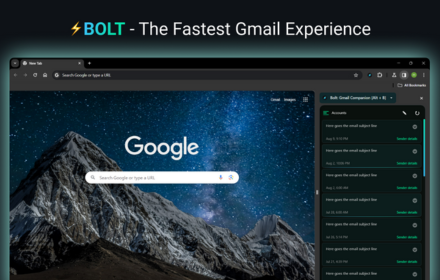
Gmail Inbox
A blazingly-fast Gmail Inbox Client that loads your Gmail Inbox before the blink of an eye!⚡
1.0K
★ 4.0

Gmail Thread Attachment Manager
Centralized attachment dashboard for Gmail threads - view and download all attachments from any email thread instantly.
26
★ 5.0

Mailto → Gmail
Opens Gmail compose for every mailto: link.
98

ImproveMail
Improve your B2B emails with a click of a button. Supports 12 most used B2B languages.
26
★ 5.0

Gmail Tracker Pro
Track incoming Gmails by email address and keywords, get notifications, and receive AI recommendations.
23

PDFMailer – Send to Gmail
Convert any webpage to PDF and send via Gmail in one click.
10
Data sourced from the Chrome Web Store · last verified Jun 9, 2026.