Screen Capture, Screenshot, Annotations
Enhance your screen captures! The top screen recorder and screen capture & screenshot tool for recording your screen.
As of June 2026, Screen Capture, Screenshot, Annotations has 10,000 users and a 4.74/5 rating from 247 reviews in the Workflow & Planning category.
Usersno change0%
10.0K
10,000
Ratingno change0%
4.74
247 reviews
Reviewsno change0%
247
Version
1.3.5
Manifest V3
History
2 snapshotsTracking since Apr 16, 2026.
View as table
| Date | Users | Rating | Reviews | Version |
|---|---|---|---|---|
| Apr 16, 2026 | 10.0K | 4.74 | 247 | 1.3.5 |
| Apr 26, 2026 | 10.0K | 4.74 | 247 | 1.3.5 |
| Now | 10.0K | 4.74 | 247 | 1.3.5 |
Permissions & access
- Permissions
- scriptingstorageunlimitedStorage
- Host access
- <all_urls>
Screenshots

About
Scrn.me is the most popular tool for your day to day. Whole page screenshot, sharing and much more.

All the missing features of Google Chrome™

Are you looking for the fastest way to share and save screenshots?
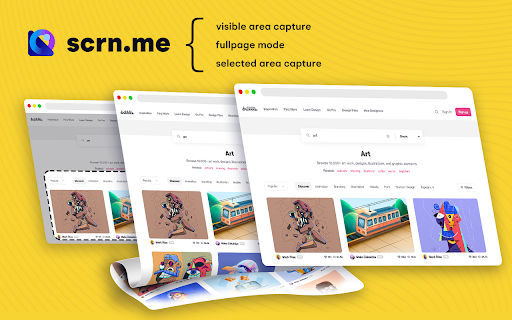
Entire page screenshot, or just the visible area?

Screen Capture
▸ Capture a screenshot of the page you visit, full page, selected area or visible part
▸ Capture a screenshot of your entire screen or a specific application window
▸ Capture visible part, entire screen or app window

Annotate Screenshot
▸ Resize or crop a screenshot to the size you need
▸ Annotate your screenshot with rectangles, circles, arrows, lines, etc.
▸ Add text to your screenshot with or without background color, change text font and font size
▸ Blur sensitive information on your screenshot
▸ Highlight important part on your screenshot
▸ Select a local image or paste a copied image from your clipboard to annotate

Save & Share Screenshot
▸ Save screenshot as image in PNG or JPG format, or download screenshot as PDF

This is a free extension for taking screenshots.

Best for
# Full page screenshot
# Desktop screenshot
# Screenshot editor
# Crop
# Highlight and paint
# Save local or share online

It is powerful and simple. It has more features than you can imagine in one place

This extension is able to capture 100% of both the vertical and horizontal content appearing on any webpage on the Internet.
It is very easy to save the captured file onto your computer or print it / or share it to any social network.
Technical
- Version
- 1.3.5
- Manifest
- V3
- Size
- 311KiB
- Min Chrome
- 88
- Languages
- 9
- Featured
- No
Metadata
- ID
- bmkgbgkneealfabgnjfeljaiegpginpl
- Developer ID
- u354023ad9fa5eede67786d0ecc10eae3
- Developer Email
- [email protected]
- Created
- Dec 7, 2021
- Last Updated (Store)
- Jan 16, 2026
- Last Scraped
- Jun 9, 2026
- Website
- —
- Support URL
- —
- Privacy Policy
- —
Similar extensions
Alternatives to Screen Capture, Screenshot, Annotations, ranked by description similarity.

Free Snipping Tool
Professional snipping tool with full page, selection, and scrolling capture capabilities
40.0K
★ 3.9

Full Page Screenshot - Screen Capture
Screenshot tool for making a full page or partial screen capture with further edit, text adding and download.
3.0K
★ 4.3

Screenshot - Webpage Screen Capture
Convenient screenshot tool. Capture, edit and save them to jpeg, gif or png, drop comments and share.
60.0K
★ 4.4

Screenshot and screen video recording - Screeny
The #1 screen recorder and screenshot tool! Full capture and video recording of your screen.
80.0K
★ 4.7

Screenshot-er
Screenshot & recording with annotations, beautify export, device frames, color presets, and presentation export
8

Screenshot Master: Full Page Capture
Easy, free and full-featured screenshot app to capture, edit and save your screenshots.
60.0K
★ 4.7

Screenety - Screen Recorder & Annotation Tool
Screenshot tool
154
★ 5.0

Simple Screen Capture: Full Page Screenshot
Simple Screen Capture is a handy Chrome Extension that allows you to effortlessly capture full page screenshots with just a click.
5.0K
★ 4.3
Data sourced from the Chrome Web Store · last verified Jun 9, 2026.