
YouTube Fast Forward & Rewind
Fast Forward and Rewind YouTube videos by a customizable amount of seconds!
As of June 2026, YouTube Fast Forward & Rewind has 801 users and a 4.57/5 rating from 7 reviews in the Functionality & UI category.
Usersup 32.0 percent+32.0%
801
801
Ratingno change0%
4.57
7 reviews
Reviewsno change0%
7
Version
4.4.4
Manifest V3
90-day change · In the last 90 days this extension 1 version update.
History
11 snapshotsTracking since Apr 1, 2026.
View as table
| Date | Users | Rating | Reviews | Version |
|---|---|---|---|---|
| Apr 1, 2026 | 607 | 4.57 | 7 | 4.4.3 |
| Apr 17, 2026 | 618 | 4.57 | 7 | 4.4.3 |
| Apr 22, 2026 | 794 | 4.57 | 7 | 4.4.4 |
| Apr 27, 2026 | 825 | 4.57 | 7 | 4.4.4 |
| May 4, 2026 | 733 | 4.57 | 7 | 4.4.4 |
| May 10, 2026 | 1.0K | 4.57 | 7 | 4.4.4 |
| May 15, 2026 | 972 | 4.57 | 7 | 4.4.4 |
| May 21, 2026 | 815 | 4.57 | 7 | 4.4.4 |
| May 28, 2026 | 819 | 4.57 | 7 | 4.4.4 |
| Jun 4, 2026 | 806 | 4.57 | 7 | 4.4.4 |
| Jun 10, 2026 | 784 | 4.57 | 7 | 4.4.4 |
| Now | 801 | 4.57 | 7 | 4.4.4 |
Permissions & access
- Permissions
- storagetabs
- Host access
- *://*.youtube.com/*
Screenshots


About
YouTube Fast Forward & Rewind

Enhance your YouTube playback with YouTube Fast Forward & Rewind. Add custom skip buttons and configure keyboard shortcuts for precise seeking control.

Custom Skip Buttons: Add fast-forward/rewind buttons to the player controls with your preferred skip times.

On-Screen Skip Indicator: When you use your keyboard's arrow keys (`←` / `→`) to skip, a sleek new indicator now appears on the video. It shows you exactly how many seconds you're skipping and has smooth animations to give you clear feedback.

Usage Statistics: Curious about how much time you've saved? A new "Statistics" panel in the Advanced Settings tracks your total skips. This data is **100% private**, stored only on your computer, and is never collected or viewed by me. You can reset your stats at any time.

Action Delay Control: Fine-tune player responsiveness with a new experimental setting to add a small delay (in ms) after a skip command. Perfect for preventing buffering on some systems.

Custom Keyboard Seeking: Set custom skip durations for the left/right arrow keys.

Integrated Controls: Buttons fit seamlessly into the YouTube player interface.

Auto-Save: Your custom skip time settings are saved automatically.

Control your YouTube navigation exactly the way you want.

View on GitHub: https://github.com/Laskco/YouTube-Fast-Forward-and-Rewind
Technical
- Version
- 4.4.4
- Manifest
- V3
- Size
- 51.75KiB
- Min Chrome
- 88
- Languages
- 1
- Featured
- No
Metadata
- ID
- bkhjomondpmkjohilihdldfjmhpgkhcm
- Developer ID
- ua15b12e66047d23872c1ae436f73b0c9
- Developer Email
- [email protected]
- Created
- Dec 1, 2024
- Last Updated (Store)
- Apr 15, 2026
- Last Scraped
- Jun 10, 2026
- Website
- —
- Privacy Policy
- —
Similar extensions
Alternatives to YouTube Fast Forward & Rewind, ranked by description similarity.

YtScroll
Add custom rewind and forward buttons to YouTube video player
3

YouTube Rewind & Fast Forward Buttons
Add Rewind & Fast Forward buttons to videos player in a YouTube site
10.0K
★ 4.6
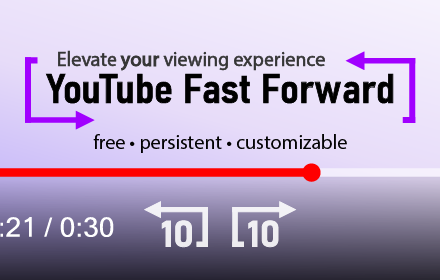
YouTube Fast Forward
Customizable Buttons to Skip Forward/Rewind and Seek Through videos on YouTube.
2.0K
★ 4.6

Seek Buttons for YouTube
Adds fast forward and rewind buttons to YouTube's video player
16
★ 5.0

Smart Video Controls
Keyboard shortcuts & position memory for streaming sites. Works where others don't — iframe video players supported.
310
★ 5.0

YouTube Speed Controller
Control YouTube video playback with just a click!
257
★ 5.0

YouTube Speed Control
Control YouTube playback speed with custom keyboard shortcuts. Easy-to-use popup interface for setting your preferred keys.
4

Swallow Video Control
Seek HTML5 video ±10s using WebHID Consumer Control buttons (0x00B3/0x00B4). Single-target tab, with hold-to-repeat.
8
Data sourced from the Chrome Web Store · last verified Jun 10, 2026.