
iSnips
Instantly capture web snippets and flash notes, preserve sources automatically.
As of June 2026, iSnips has 2 users in the Productivity category.
Usersdown 50.0 percent−50.0%
2
2
Ratingno change0%
—
— reviews
Reviewsno change0%
—
Version
1.0.5
Manifest V3
90-day change · In the last 90 days this extension 1 version update, changed permissions.
History
5 snapshotsTracking since Apr 16, 2026.
View as table
| Date | Users | Rating | Reviews | Version |
|---|---|---|---|---|
| Apr 16, 2026 | 4 | — | — | 1.0.1 |
| Apr 22, 2026 | 5 | — | — | 1.0.5 |
| Apr 27, 2026 | 3 | — | — | 1.0.5 |
| May 4, 2026 | 2 | — | — | 1.0.5 |
| May 28, 2026 | 3 | — | — | 1.0.5 |
| Now | 2 | — | — | 1.0.5 |
Changelog
- Apr 16, 2026permissions
storage, activeTab, tabs, sidePanel, alarms, identity, contextMenus
storage, unlimitedStorage, activeTab, tabs, sidePanel, alarms, identity, contextMenus
Permissions & access
- Permissions
- storageunlimitedStorageactiveTabtabssidePanelalarmsidentitycontextMenus
- Host access
- <all_urls>
Screenshots


About
What's New:

Fixed Google Drive sync authentication issue for published extension
Bug Fixes:

Resolved OAuth error "Custom URI scheme is not supported on Chrome apps" that prevented Google Drive sync from working after publishing to Chrome Web Store
Updated OAuth client configuration for proper Chrome extension authentication

---------------
iSnips – Capture web snippets & fleeting thoughts instantly

iSnips is a powerful yet lightweight browser extension designed for capturing fragments of knowledge and moments of inspiration while you browse. Save web snippets with one click, automatically preserve sources, and revisit your insights anytime.

🚀 Instant Capture
- Select any text on a webpage and press Alt+C to save it instantly
- Auto-records source URL, page title, and capture timestamp
- Create standalone notes for ideas not tied to any specific webpage
- Blacklist sites to keep your snippet library clean

🎨 Visual Highlights
- Persistent yellow highlights mark your captured content on web pages
- Click any card in your library to jump back to the original source

📚 Personal Snippet Library
- Beautiful masonry layout displays your thought fragments like a gallery
- Smart grouping: Today, Yesterday, This Week, and beyond
- Full-text search to find any snippet instantly
- Edit, delete, and recover snippets (30-day trash retention)

☁️ Cloud Sync
- Sync across devices with Google Drive or WebDAV (Nutstore, Nextcloud, etc.)
- Smart conflict resolution ensures you never lose data

🌍 Multi-Language Support
- Available in English, 中文, and 日本語

Keyboard Shortcuts:
- Alt+C – Capture selected text
- Alt+S – Open sidebar panel

Start building your personal knowledge universe today!
Technical
- Version
- 1.0.5
- Manifest
- V3
- Size
- 95.11KiB
- Min Chrome
- 88
- Languages
- 3
- Featured
- No
Metadata
- ID
- bjemnabegidmkbkdepanilbcidpbnpmj
- Developer ID
- u43286474c36a532e7522eee480533ae2
- Developer Email
- [email protected]
- Created
- Jan 26, 2026
- Last Updated (Store)
- Apr 2, 2026
- Last Scraped
- Jun 9, 2026
- Website
- —
- Support URL
- https://x.com/t_vorix
Similar extensions
Alternatives to iSnips, ranked by description similarity.

Easy Copy Paste Text
Easily copy and manage text snippets from web pages with rich text support and Google Drive sync.
312
★ 5.0

SnipSnap
Save copied text & screenshots. Auto-organized by domain and date so you never lose track. Lightweight, private, and always on
6
★ 5.0
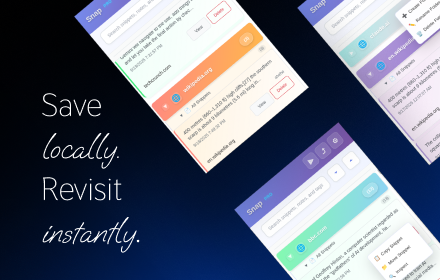
Snap - Smart Text Snippet Manager
Highlight and save text snippets with professional note-taking capabilities. Privacy-first, local storage.
14

SnapDrive - Capture & Share
The fastest way to capture screen snippets and share them instantly via Google Drive. Minimalist, secure, and ready for work.
18
★ 5.0

Snippets - Clippings Tool
Manage, import, export, and insert text snippets (Enhanced for large texts).
56

ZenMarker
Save text snippets from any website with optional notes and tags.
1

ClipSnap: Your Clipboard’s Best Friend
Save and manage clipboard content
3

PasteLibrary
Quick copy text snippets from library
7
★ 5.0
Data sourced from the Chrome Web Store · last verified Jun 9, 2026.