
ClipSnap: Your Clipboard’s Best Friend
Save and manage clipboard content
As of June 2026, ClipSnap: Your Clipboard’s Best Friend has 3 users in the Productivity category.
Usersdown 40.0 percent−40.0%
3
3
Ratingno change0%
—
— reviews
Reviewsno change0%
—
Version
1.0
Manifest V3
History
2 snapshotsTracking since Apr 23, 2026.
View as table
| Date | Users | Rating | Reviews | Version |
|---|---|---|---|---|
| Apr 23, 2026 | 5 | — | — | 1.0 |
| May 13, 2026 | 4 | — | — | 1.0 |
| Now | 3 | — | — | 1.0 |
Permissions & access
- Permissions
- storageclipboardReadclipboardWrite
- Host access
- None declared
Screenshots


About
ClipSnap: Your Clipboard’s Best Friend

Effortlessly capture, manage, and reuse your clipboard treasures with a snap!

Say goodbye to lost copy-pastes and hello to clipboard bliss! ClipSnap is the ultimate Chrome extension for anyone who juggles text snippets like a pro—or wishes they could. Whether you’re a coder grabbing snippets, a writer collecting quotes, or just someone tired of re-copying the same thing, ClipSnap has your back.

Why You’ll Love ClipSnap:

One-Click Capture: Snag whatever’s in your clipboard with a single tap—poof, it’s saved!
Manual Magic: Type or paste your own text and hit Enter to store it. No clipboard required.
Instant Access: View all your clips in a sleek, single-column list—each in its own tidy card.
Copy & Go: Hit the 📄 icon to copy any saved text back to your clipboard in a flash. (Yes, it says "Copied!" to cheer you on!)
Declutter with Ease: Trash unwanted clips with the 🚮 button—no mess, no stress.
Clear It All: Wipe the slate clean with one click when you’re ready to start fresh.
Perfect For:

Developers hoarding code snippets.
Students organizing research notes.
Anyone who’s ever muttered, “Where did I copy that from?!”
ClipSnap keeps your clipboard chaos under control with a simple, intuitive design that’s as fun as it is functional. Install it now and turn your fleeting copies into a permanent posse of productivity!

Built with love by [Your Name or Handle]—because great ideas deserve to stick around.

Tips for Publishing
Name: Replace "ClipSnap" with your extension’s actual name if different.
Length: This is ~280 characters, fitting nicely within Chrome Web Store norms (keep it under 4,000 characters).
Tone: Playful yet informative to grab attention and convey value.
Screenshots: Include images showing the popup with saved clips, the copy/delete icons, and manual entry in action.
Keywords: Add tags like "clipboard," "copy paste," "productivity," "text manager" in the store listing.
Let me know if you’d like a different vibe (e.g., more professional, quirky, or concise) or help with anything else for the store listing! Good luck with your launch!
Technical
- Version
- 1.0
- Manifest
- V3
- Size
- 330KiB
- Min Chrome
- 88
- Languages
- 1
- Featured
- No
Metadata
- ID
- ipohbeledhgbcfbdcohpnohmehhhbked
- Developer ID
- uda1e868f8d496e377dada7eed65a24fc
- Developer Email
- [email protected]
- Created
- Mar 7, 2025
- Last Updated (Store)
- Mar 7, 2025
- Last Scraped
- Jun 8, 2026
- Website
- —
- Support URL
- —
- Privacy Policy
- https://github.com/RamiDebs/clipboard-extentions/wiki
Similar extensions
Alternatives to ClipSnap: Your Clipboard’s Best Friend, ranked by description similarity.

SnipSnap
Save copied text & screenshots. Auto-organized by domain and date so you never lose track. Lightweight, private, and always on
6
★ 5.0

Snipwise
Smart clipboard manager with instant format conversion. Auto-captures everything you copy. 100% private, zero backend.
5
★ 5.0

Swiftclip
Fast clipboard manager with favorites context menu
7
★ 5.0

PasteIt
Capture multiple copied text snippets and use them to fill web forms.
83
★ 5.0

PasteLibrary
Quick copy text snippets from library
7
★ 5.0

Clipboard Manager
Effortlessly manage clipboard history — Save crucial snippets and access them anytime.
18
One-Click-Copy
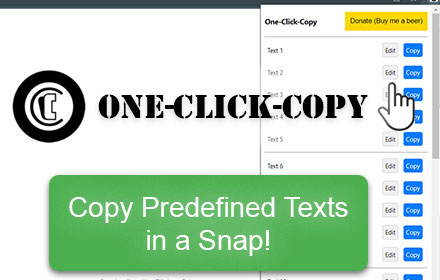
This One Click Copy extension will copy predefined text. Developed by Thomas Santiago
796
★ 4.3

SnipSnap - The ultimate selection tool
Makes text, image, and URL copying a breeze
31
Data sourced from the Chrome Web Store · last verified Jun 8, 2026.