Jumpshare: Free Screen Recorder & Screenshots
The best screen recorder, screenshot capture and annotation tool
As of May 2026, Jumpshare: Free Screen Recorder & Screenshots has 3,000 users and a 3.83/5 rating from 6 reviews in the Workflow & Planning category.
Usersno change0%
3.0K
3,000
Ratingdown 13.0 percent−13.0%
3.83
6 reviews
Reviewsup 20.0 percent+20.0%
6
Version
0.2.0
Manifest V3
History
1 snapshotsTracking since Apr 29, 2026.
View as table
| Date | Users | Rating | Reviews | Version |
|---|---|---|---|---|
| Apr 29, 2026 | 3.0K | 4.40 | 5 | 0.2.0 |
| Now | 3.0K | 3.83 | 6 | 0.2.0 |
Permissions & access
- Permissions
- desktopCaptureactiveTabtabCapturetabsstorageidentityscriptingcontextMenusdownloads
- Host access
- <all_urls>, https://jumpshare.com/*, https://jumptesting.com/*
Screenshots


About
Capture your screen and camera at the same time or separately, annotate, edit, and share with speed and ease, for free!

Any content you create is automatically uploaded to your Jumpshare library and opened within Jumpshare’s online viewer. From here, you can copy its link to your clipboard and share it anywhere in seconds.

Jumpshare is an all-in-one visual communication platform that aims to help you get your message across using instantly shareable screen recordings, screenshots, and GIF captures. Packed with powerful sharing features and a robust processing engine that can preview over 200 file formats online, Jumpshare is the fastest and easiest way to share your work and ideas.

Features:

🎥 Record your entire screen, a particular window, or Chrome tab with webcam, voiceover, system audio, and click-tracking
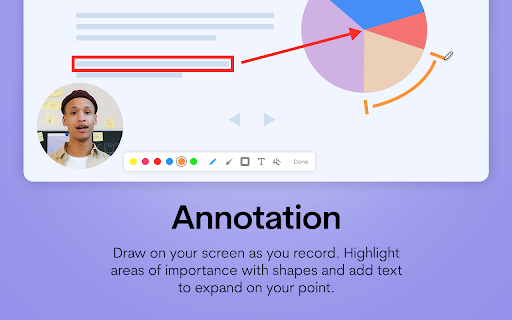
✏ Draw on your screen, add text, and highlight areas with shapes as you record
⌨ Start and stop screen recordings using customizable keyboard shortcuts
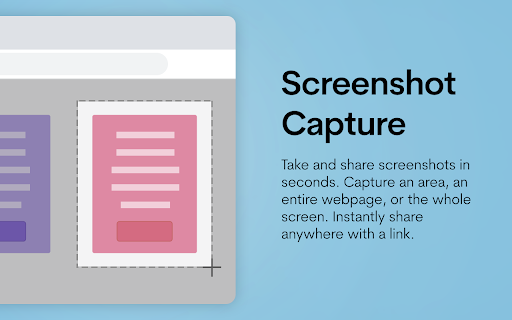
📷 Take screenshots of an area within the current tab, the entire web page, or the entire screen
🔗 Instantly share content using long or short URLs
💬 Add comments to shared content
📁 View the contents of your Personal Library and quickly reshare uploads
👁 Preview over 200 file formats online
📈 View who has accessed your content, from where and when

………………………………………………………………………………………………………

"I use Jumpshare probably 30+ times EVERY DAY! It is so helpful, I wouldn't know what to do without it. I like how it just gets out of the way and I don't even have to think about it. I can easily send screenshots and video recordings to people on our team and to clients with ease." — Nicholas Scalice, Growth Marketer at Earnworthy

"Jumpshare saves me a ton of time and allows me to work on my schedule. Customers love getting detailed screencasts from me and ask for them over and over. I especially like the option for a "call to action" link which lets people click on a link after the video - I link to my online calendar and let customers book time with me. It's a beautiful workflow. You cannot afford to NOT use Jumpshare.” — Dave Baxter, Estate Agent, DB Realty

"Jumpshare makes it significantly easier for me to work with my web developers. Instead of trying to describe what I am seeing with the site builds, I can show them what I am seeing and there's no miscommunication or misunderstanding. For some of my developers, English is not their native language so it's great to have this tool to show, not tell.” — Will Tams, Creative Director, The Collective Spark

………………………………………………………………………………………………………….

You can sign up to Jumpshare for free, without a credit card.

Jumpshare does offer paid plans with additional features, including but not limited to those mentioned below.

Get More with Jumpshare’s Premium Plans:

⏲ Unlimited Screen Recording Duration - Record for as long as you want
🔲 Video CTA - Add a customizable Call-to-Action button to videos
🖼 Custom Video Thumbnails - Choose a static or animated thumbnail for videos
💾 More Storage - A lot more space for your recordings and screenshots
👥 Workspaces - Set up multiple workspaces to collaborate with different teams
🔗 Temporary Links - Share links that expire after a custom number of days, views, or downloads
📅 Scheduled Sharing - Schedule your content to be shared via email at a certain date and time
🔒 Password Protection - Lock your files with a password for extra security
⬇ Disable Downloads - Ensure recipients can only preview shared files
⌛ Self-Destruct - Set your files to auto-delete after a set number of days
💬 Timed Comments - Add timed comments to videos and audio files
📈 Advanced Analytics - Monitor viewer statistics, downloads, and referrers for shared files
🔄 Version History - Roll files back to past versions
™ Custom Branding - Add your own logo to your shared files
🌐 Custom Domain - Give your shareable links a domain name that matches your brand
➕ And more!

For a complete rundown of our free and premium plans, visit https://jumpshare.com/pricing?src=chrome
Technical
- Version
- 0.2.0
- Manifest
- V3
- Size
- 5.92MiB
- Min Chrome
- 88
- Languages
- 1
- Featured
- Yes
Metadata
- ID
- bhfhdidbcclahddgkikdccfidjbcmibi
- Developer ID
- uc6afc194e3c89e55167b3db4535e5e4f
- Developer Email
- [email protected]
- Created
- Jul 25, 2022
- Last Updated (Store)
- Jul 31, 2024
- Last Scraped
- May 26, 2026
- Website
- https://jumpshare.com/
- Support URL
- https://support.jumpshare.com
- Privacy Policy
- https://jumpshare.com/privacy
Similar extensions
Alternatives to Jumpshare: Free Screen Recorder & Screenshots, ranked by description similarity.

Sendspark Video and Screen Recorder
Record and share professional-looking videos for business
10.0K
★ 4.9

Screencastify - Screen Video Recorder
An easy-to-use screen recorder for your browser. Capture, edit and share videos in seconds.
6.0M
★ 4.0

CaptureNShare: Capture, Record, Edit & Share
Transforms your screen into a canvas—effortlessly record, edit, and share high-quality screenshots and videos like a pro!
38
★ 4.9

ScreenSend - Advanced Screen Recorder & Video Editor
Free unlimited video capture tool to record, edit, share videos instantly.
179
★ 5.0

Screenity - Screen Recorder & Annotation Tool
The free and privacy-friendly screen recorder for everyone. Capture, annotate, edit videos and more - all with no sign in needed.
200.0K
★ 4.4

Bonjoro
Free HD screen recorder for Chrome
3.0K
★ 4.3

Screen Capture Recorder 4K
Capture and record your screen in high-quality 4K resolution with ease. Become a KOFIKLUB Member Today!
2.0K
★ 3.8

Awesome Screen Recorder & Screenshot
The best screen recorder and screen capture & screenshot tool to record screen.
3.0M
★ 4.7
Data sourced from the Chrome Web Store · last verified May 26, 2026.