
The Rayo Assistant
Rayo is a Chrome Extension that summarizes any webpage for screen reader users with just one click using ChatGPT OpenAI
As of May 2026, The Rayo Assistant has 49 users in the Accessibility category.
Usersup 4.3 percent+4.3%
49
49
Ratingno change0%
—
— reviews
Reviewsno change0%
—
Version
0.2.2.1
Manifest V3
History
3 snapshotsTracking since Apr 1, 2026.
View as table
| Date | Users | Rating | Reviews | Version |
|---|---|---|---|---|
| Apr 1, 2026 | 47 | — | — | 0.2.2.1 |
| May 1, 2026 | 46 | — | — | 0.2.2.1 |
| May 31, 2026 | 43 | — | — | 0.2.2.1 |
| Now | 49 | — | — | 0.2.2.1 |
Permissions & access
- Permissions
- None declared
- Host access
- None declared
Screenshots
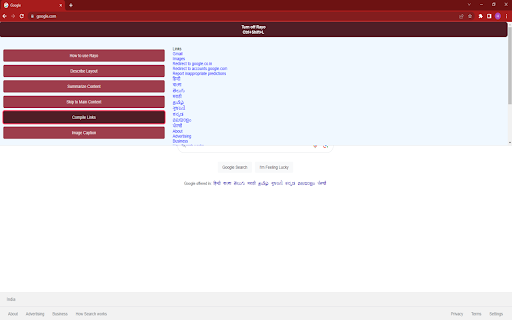
About
The Rayo Assistant is a powerful Chrome extension specifically designed to enhance the browsing experience for visually impaired individuals.
With just one click, Rayo leverages the advanced capabilities of ChatGPT, an OpenAI language model, to summarize any webpage, making it easily accessible to screen reader users.
Say goodbye to the frustration of unfamiliar web layouts and cluttered navigation menus. Rayo empowers you to consume information efficiently and hassle-free.
Key Benefits:
    i) Hassle-free information consumption for screen reader users, allowing them to save time and effort.
    ii) Enhanced productivity and accessibility for researchers, students, teachers, and anyone who experiences frustration with inaccessible web content.
Key Features:
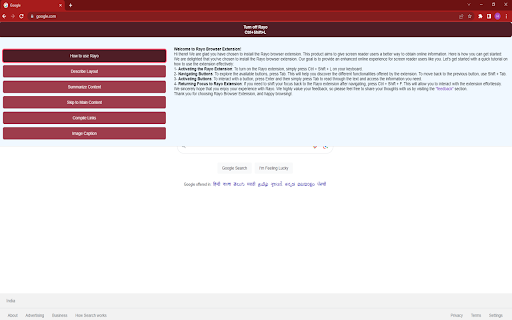
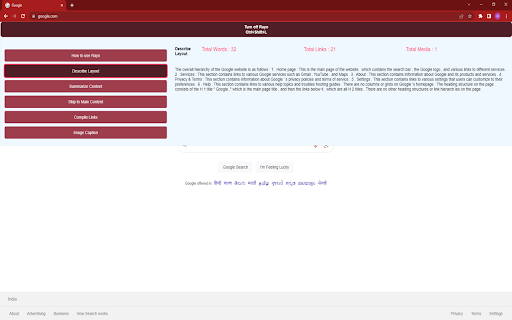
1. Web Layout Description: Rayo provides a concise and intuitive description of the web layout, enabling easy navigation through the webpage.
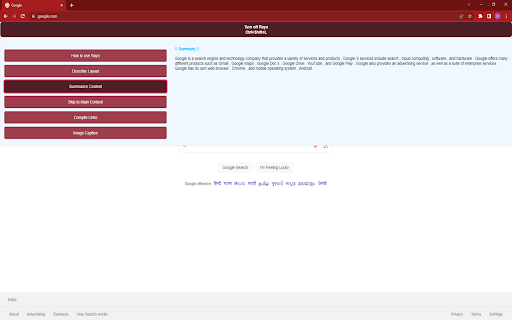
2. Website Content Summarization: With just one click, Rayo's advanced algorithm analyzes the webpage's content and generates a succinct summary of its main points.
3. Skip to Main Content: Quickly extract the main content of a webpage without spending hours navigating through menus or encountering ad banners.
4. Link Compilation: Rayo compiles all the links and buttons of the website into one convenient location, allowing for easy access and exploration.
5. Image Captioning: Describe desired images within the webpage to gain a better understanding of visual content.
6. Full Keyboard Support: Rayo offers complete keyboard navigation support, ensuring a seamless browsing experience.
7. Screen Reader Compatibility: Rayo is designed to seamlessly integrate with screen reader software, ensuring optimal accessibility for visually impaired users.
8. No OpenAI Account Required: Enjoy the benefits of Rayo without the need for an OpenAI account.
Instructions:
1. Install Rayo from the Chrome Web Store..
2. Visit any web page with written content.
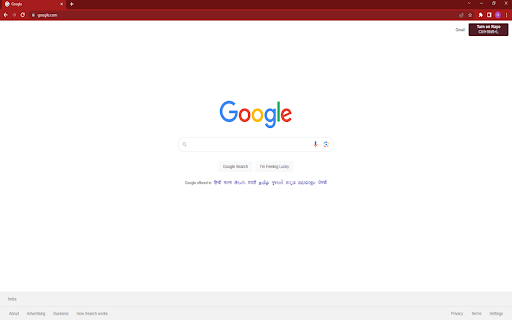
3. Activate Rayo by pressing Ctrl + Shift + L.
4. Utilize the Tab key to navigate through buttons.
5. Press Enter to select a button.
6. Use the Tab key to read the content and explore the webpage effortlessly.
Technical
- Version
- 0.2.2.1
- Manifest
- V3
- Size
- 15.19MiB
- Min Chrome
- 88
- Languages
- 1
- Featured
- Yes
Metadata
- ID
- bcklgjhgkajacjojgblclcagabknpggp
- Developer ID
- u4fa9543476159829f21b5b500b9742bd
- Developer Email
- [email protected]
- Created
- May 23, 2023
- Last Updated (Store)
- Jul 5, 2023
- Last Scraped
- May 31, 2026
- Website
- —
Similar extensions
Alternatives to The Rayo Assistant, ranked by description similarity.

Universal Accessibility Helper
One-click accessibility improvements for any website
2

ClearRead AI — Simplify & Explain Text
AI-powered accessibility tool to simplify, summarize, rewrite, proofread and read text aloud — with multi-language support.
15
★ 5.0

Screen Reader with On-Off Button
A screen reader you can turn on and off with the click of a button.
1.0K
★ 2.3

Read Aloud: Read webpage using text-to-speech
Use text-to-speech to read aloud the entire webpage or a selected part. TTS engine is fully customizable. Support PC voice packages.
3.0K
★ 1.5

Bold Reader
Bold Reader
Enhance your online reading experience with half-bolded words!
Bold Reader is designed to make reading text on web…
876
★ 3.0

Readox – Read Aloud Text to Speech for Web Pages & PDFs
Read web pages, PDFs, and selected text aloud with word-by-word highlighting, OCR, and premium English voices on your device.
1.0K
★ 4.6

Assistive24 - Assistive Technology for Everyone
A free accessibility extension providing screen reading, voice navigation, and visual adjustments for various accessibility needs.
919
★ 3.0

Website Accessibility Helper by Ensquire
Make websites easier to read and navigate based on your needs. We support Color Blindess, Dyslexia, Vision Impairment, and more.
56
★ 5.0
Data sourced from the Chrome Web Store · last verified May 31, 2026.