
Search in PeeringDB
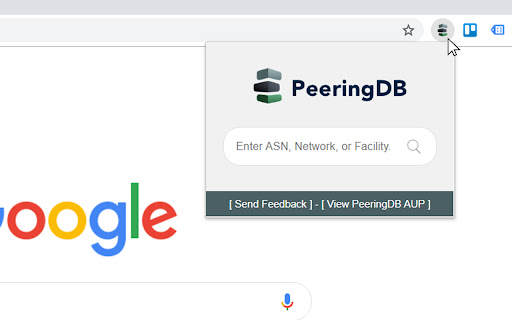
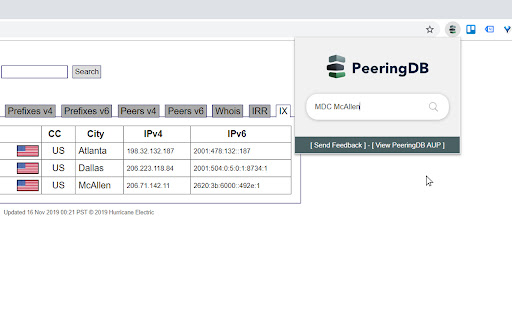
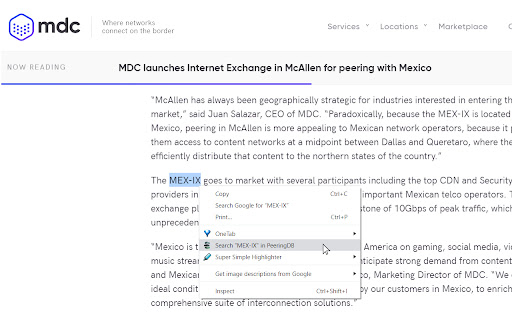
Use the search bar, search box, or the context menu to seek for ASNs, Networks, and IXs in PeeringDB
As of May 2026, Search in PeeringDB has 236 users and a 5.00/5 rating from 2 reviews in the Productivity category.
Usersdown 3.3 percent−3.3%
236
236
Ratingno change0%
5.00
2 reviews
Reviewsno change0%
2
Version
3.0
Manifest V3
History
3 snapshotsTracking since Apr 1, 2026.
View as table
| Date | Users | Rating | Reviews | Version |
|---|---|---|---|---|
| Apr 1, 2026 | 244 | 5.00 | 2 | 3.0 |
| Apr 30, 2026 | 247 | 5.00 | 2 | 3.0 |
| May 28, 2026 | 246 | 5.00 | 2 | 3.0 |
| Now | 236 | 5.00 | 2 | 3.0 |
Permissions & access
- Permissions
- contextMenus
- Host access
- None declared
Screenshots


About
Very lightweight and simple extension to search for AS numbers, Networks, Facilities, and general queries in PeeringDB using the icon on the extension bar, the context menu, and your address bar in Chrome.

You'll always be a couple of clicks away from searching the largest interconnection database of the industry.

Instructions:

[New] Using Address Bar (Omnibox)
Write pdb followed by a space, input your search query and hit enter.

Using Icon on Extension Bar
Just click on the icon and input your search query on the box.

Using Context Menu
Highlight text on a page, right click, and select "Search in PeeringDB".

If the query or highlighted text is a number, the extension will look for an ASN in PeeringDB. Otherwise, it will perform a standard search on the website. For both methods, search will open in a separate tab.

I hope you use it as much as I do!

Changelog:

3.0
- Implemented Manifest V3
- Added Omnibox feature to search using Chrome's address bar with key 'pdb'
- Improved deprecated JavaScript functions
- Updated developer email

2.1
- Autofocus on search box

2.0
- PeeringDB Search Box

1.2
- Updated PeeringDB logo
Technical
- Version
- 3.0
- Manifest
- V3
- Size
- 40.95KiB
- Min Chrome
- 88
- Languages
- 1
- Featured
- Yes
Metadata
- ID
- aogffgldgfjelpadabfbcngmndbceiad
- Developer ID
- ufc79a3ebcef911217cd92da5fc94b9ba
- Developer Email
- [email protected]
- Created
- Feb 5, 2019
- Last Updated (Store)
- Dec 4, 2023
- Last Scraped
- May 28, 2026
- Website
- —
- Support URL
- —
- Privacy Policy
- —
Similar extensions
Alternatives to Search in PeeringDB, ranked by description similarity.

Context Menu Search
Use the right-click menu to search for selected text in different search engines
100.0K
★ 4.5

Search It All
Search across multiple search engines with one click - no retyping needed
936
★ 3.9

Selection Search
Search for the selected text in search engines
40.0K
★ 4.7

Trufflepiggy - Context Search
The context search for all of us: quick, easy & fully customizable. Perfect for translations, price comparisons, image searches,…
1.0K
★ 4.5

All in one web searcher
Search anything on the internet easily by typing into ONE unified search box
3.0K
★ 4.5

IQDB Context
Right-click anime images to reverse-image-search for larger versions through IQDB.
3.0K
★ 4.8

Trufflepiggy - Quick Search
The all-in-one search tool: select and search. Find on multiple websites at once. Easy anonymous setup. Cross-browser sync.
2.0K
★ 4.3

Context Lookups
This extension adds configurable lookup options for the context menu of selected text.
121
★ 5.0
Data sourced from the Chrome Web Store · last verified May 28, 2026.