
Text-to-Speech Reader
Reads selected text aloud using your system's Text-to-Speech.
As of June 2026, Text-to-Speech Reader has — users in the Productivity category.
Usersno change0%
—
—
Ratingno change0%
—
— reviews
Reviewsno change0%
—
Version
1.1
Manifest V3
Permissions & access
- Permissions
- scriptingactiveTabcontextMenus
- Host access
- <all_urls>
Screenshots

About
📝 Text-to-Speech Reader — Listen to Selected Text Instantly
Read aloud any selected text from any website in one click or right-click!

This lightweight, privacy-friendly extension converts highlighted content into clear, spoken audio using your system's built-in Text-to-Speech engine.

🔑 Key Features
🔊 One-Click Speech: Highlight text, click the extension, and it speaks.

🖱️ Right-Click Integration: Select text and choose “🔊 Speak Selected Text” from the right-click menu.

💬 Natural Voice: Uses your operating system’s native voice for smooth, familiar narration.

🧠 No Setup Needed: Just install and start listening.

🧩 Works Everywhere: Supports all websites, articles, PDFs, and web apps.

🛡️ 100% Privacy: Your data stays on your device — nothing is sent or stored anywhere.

💡 Ideal For:
Students and readers

Visually impaired users

Multitaskers and researchers

Language learners

🛠️ How to Use:
Highlight text on any web page.

Click the extension icon OR right-click and choose “🔊 Speak Selected Text”.

The selected text will be read aloud immediately.
Technical
- Version
- 1.1
- Manifest
- V3
- Size
- 41.69KiB
- Min Chrome
- 88
- Languages
- 1
- Featured
- No
Metadata
- ID
- abicpdelejmblpoiiggjhhjjhdamcedc
- Developer ID
- u8a015bfecc96ccc04014619298fc23a1
- Developer Email
- [email protected]
- Created
- Jul 1, 2025
- Last Updated (Store)
- Jul 1, 2025
- Last Scraped
- Jun 1, 2026
- Website
- https://spiders.co.in/
- Support URL
- —
- Privacy Policy
- —
Similar extensions
Alternatives to Text-to-Speech Reader, ranked by description similarity.

SpeakIt - Text to Speech
Highlight any text and listen with natural AI voices. 5-min daily free limit, then ₹500 lifetime.
63
★ 5.0

TtsZone
Enhance your web browsing experience with our text-to-speech (TTS) extension. Easily convert selected text on any webpage into…
—

Reading Text - Simple Text to Speech
A simple, lightweight text-to-speech extension that reads selected text aloud.
4
★ 5.0

Text to Voice Converter
Activate this extension and convert any selected text into voice with a simple right-click.
12

Speakly
Convert selected text to speech with speed/volume controls and sentence-by-sentence playback.
22
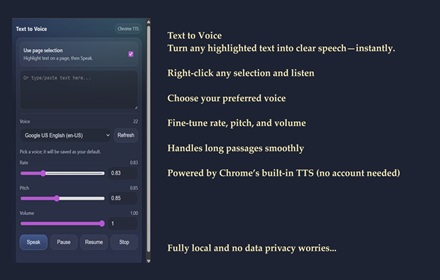
SKDOSS Text to Voice (TTS API)
Speak selected or typed text using Chrome TTS voices.
63

Read Selected
Reads selected text on any site with voice options.
421
★ 4.0

Text2Audio: Convert text to audio
Text to audio conversion tool that convert any text to voice audio
56
Data sourced from the Chrome Web Store · last verified Jun 1, 2026.