
Authenticator for PC
A desktop authenticator for saving and managing your 2FA codes
As of June 2026, Authenticator for PC has 787 users in the Privacy & Security category.
Usersup 35.7 percent+35.7%
787
787
Ratingno change0%
—
— reviews
Reviewsno change0%
—
Version
1.0.2
Manifest V3
History
5 snapshotsTracking since Apr 18, 2026.
View as table
| Date | Users | Rating | Reviews | Version |
|---|---|---|---|---|
| Apr 18, 2026 | 580 | — | — | 1.0.2 |
| Apr 28, 2026 | 671 | — | — | 1.0.2 |
| May 10, 2026 | 684 | — | — | 1.0.2 |
| May 22, 2026 | 711 | — | — | 1.0.2 |
| Jun 4, 2026 | 768 | — | — | 1.0.2 |
| Now | 787 | — | — | 1.0.2 |
Permissions & access
- Permissions
- storagetabsscriptingactiveTabwindows
- Host access
- None declared
Screenshots


About
Authenticator for PC is a powerful and user-friendly Chrome extension that lets you securely save and access your 2FA codes from within your browser. This extension is fully compatible Google Authenticator for pc, Microsoft Authenticator, Authy, and more. With a modern and intuitive interface, Authenticator for PC makes it easy to add, organize, and access your 2FA codes for all your favorite services.

🔐 Security & Privacy
Privacy First: All sensitive data is encrypted and stored securely. Your account number is never shown again after creation for maximum security.


☁️ Cloud & Backup
Cloud Backup: Securely back up your 2FA accounts to the cloud and restore them anytime.

One-Click Cloud Sync: Instantly back up or restore your 2FA data with a single click.

Cross-Device Access: Restore your 2FA codes on any device using your account number.


📱 Account Management
Easy Account Management: Edit or delete any 2FA entry with ease. Keep your account list clean and up to date with just a few clicks.

Desktop QR Scanning: Capture and scan QR codes from any tab using a built-in snipping tool overlay.


🔍 User Experience
Quick Search: Instantly find accounts by name with a built-in search bar.

Modern UI: Clean, responsive design with tooltips, icons, and a smooth user experience.
Technical
- Version
- 1.0.2
- Manifest
- V3
- Size
- 140KiB
- Min Chrome
- 88
- Languages
- 1
- Featured
- No
Metadata
- ID
- ppkkcfblhfgmdmefkmkoomenhgecbemi
- Developer ID
- u1d934472be7f1462c21c12254f8b15ae
- Developer Email
- [email protected]
- Created
- May 14, 2025
- Last Updated (Store)
- Oct 23, 2025
- Last Scraped
- Jun 4, 2026
- Website
- —
- Support URL
- —
Similar extensions
Alternatives to Authenticator for PC, ranked by description similarity.

Authenticator app
Authenticator app for two factor authentication. Scan authenticator QR codes & generate 2FA codes directly in Google Chrome browser.
20.0K
★ 4.6

Authenticator App
Provides secure two-factor authentication(2FA). Safeguard your digital life with ease.
10.0K
★ 2.6

2FA Authenticator Guard
Free 2FA on Browser! Multi-layered encryption secures data. Replaces Google Authenticator, no phone needed. Ultimate security focus.
10.0K
★ 3.8

2FA Live
2FA Live - Secure authenticator app for two-factor authentication. Generate 2fa codes instantly in your browser for easy access.
1.0K
★ 5.0

Authenticator
Authenticator generates two-factor authentication codes in your browser.
9.0M
★ 3.7

Authenticator: Generate 2FA Codes in Browser
Generate 2FA codes instantly. Secure, encrypted, easy to use, and offline — an authenticator that stays in your browser.
3.0K
★ 4.2

Web2FA - Authenticator
Add 2FA security to your accounts and generate codes in Chrome with Web2FA Authenticator
10.0K
★ 3.4
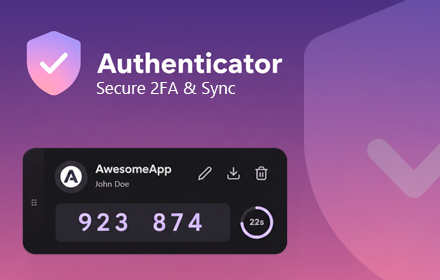
Premium Authenticator: Secure 2FA & Sync
Secure & beautiful 2FA Authenticator. Material You design, encrypted backups, QR export, and multi-device sync support.
9
Data sourced from the Chrome Web Store · last verified Jun 4, 2026.