
Authenticator
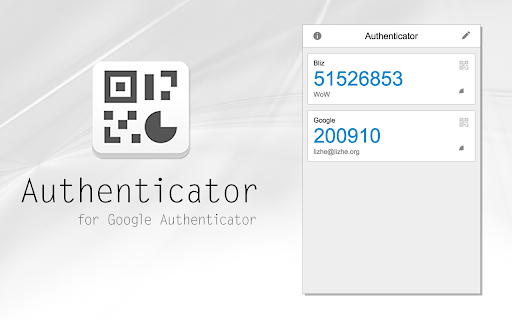
Authenticator generates two-factor authentication codes in your browser.
As of May 2026, Authenticator has 9,000,000 users and a 3.72/5 rating from 2,418 reviews in the Privacy & Security category.
Usersup 12.5 percent+12.5%
9.0M
9,000,000
Ratingno change0%
3.72
2.4K reviews
Reviewsup 1.6 percent+1.6%
2.4K
Version
8.0.1
Manifest V3
90-day change · In the last 90 days this extension gained 1.0M users.
History
3 snapshotsTracking since Apr 1, 2026.
View as table
| Date | Users | Rating | Reviews | Version |
|---|---|---|---|---|
| Apr 1, 2026 | 8.0M | 3.72 | 2.4K | 8.0.1 |
| Apr 29, 2026 | 8.0M | 3.72 | 2.4K | 8.0.1 |
| May 26, 2026 | 8.0M | 3.72 | 2.4K | 8.0.1 |
| Now | 9.0M | 3.72 | 2.4K | 8.0.1 |
Permissions & access
- Permissions
- activeTabstorageidentityalarmsscripting
- Host access
- None declared
Screenshots

About
Authenticator generates two-factor authentication (2FA) codes in your browser. Use it to add an extra layer of security to your online accounts.

Always keep a backup of your secrets in a safe location.

Encrypting your secrets is strongly recommended, especially if you are logged into a Google account.

Features:
- Add accounts by scanning QR codes
- Search your accounts by pressing "/"
- Translated into more than ten languages
- Encrypt your secrets with a password
- Backup your secrets to a file, Google Drive, Microsoft OneDrive, or Dropbox
- Sync your secrets with your Google Account
- Import data from Google Authenticator offical mobile App
- Open source

Supports:
TOTP
HOTP
Steam Guard
Blizzard Authenticator
Technical
- Version
- 8.0.1
- Manifest
- V3
- Size
- 2.87MiB
- Min Chrome
- 88
- Languages
- 38
- Featured
- No
Metadata
- ID
- bhghoamapcdpbohphigoooaddinpkbai
- Developer ID
- ud6e0d6987dcff06796d5188630ac8a67
- Developer Email
- [email protected]
- Created
- Apr 26, 2014
- Last Updated (Store)
- Aug 27, 2024
- Last Scraped
- May 26, 2026
- Website
- http://authenticator.cc/
- Privacy Policy
- https://authenticator.cc/docs/en/privacy-policy
Similar extensions
Alternatives to Authenticator, ranked by description similarity.

Authenticator Extension
Securely generates TOTP Time-based One-Time Password, HOTP HMAC-based One-Time Password codes, featuring a QR import function.
555
★ 5.0

Authenticator for PC
A desktop authenticator for saving and managing your 2FA codes
787

2FA Authenticator Guard
Free 2FA on Browser! Multi-layered encryption secures data. Replaces Google Authenticator, no phone needed. Ultimate security focus.
10.0K
★ 3.8

Authenticator app
Authenticator app for two factor authentication. Scan authenticator QR codes & generate 2FA codes directly in Google Chrome browser.
20.0K
★ 4.6

Web2FA - Authenticator
Add 2FA security to your accounts and generate codes in Chrome with Web2FA Authenticator
10.0K
★ 3.4

Auth Codes Made Simple and Free
Your 2FA codes, made simple. One-click copy, instant search, encrypted sync.
2

2FA Authenticator
A free 2FA authentication extension that helps you easily obtain two-factor authentication codes.
2.0K
★ 3.7

2FA Authenticator
Free 2FA Authenticator. Generates two-factor codes in your browser. Alternative to Google Authenticator. No phone needed. Secured.
90.0K
★ 3.4
Data sourced from the Chrome Web Store · last verified May 26, 2026.