
Omnissa Horizon Client
Omnissa Horizon Client for Chrome
As of June 2026, Omnissa Horizon Client has — users and a 2.15/5 rating from 68 reviews.
Usersno change0%
—
—
Ratingdown 0.9 percent−0.9%
2.15
68 reviews
Reviewsup 3.0 percent+3.0%
68
Version
8.18.0
Manifest V2
90-day change · In the last 90 days this extension 1 version update.
History
5 snapshotsTracking since Apr 18, 2026.
Not enough history yet for this metric — the chart fills in as we collect more snapshots.
View as table
| Date | Users | Rating | Reviews | Version |
|---|---|---|---|---|
| Apr 18, 2026 | — | 2.17 | 66 | 8.17.0 |
| Apr 23, 2026 | — | 2.19 | 67 | 8.18.0 |
| May 7, 2026 | — | 2.19 | 67 | 8.18.0 |
| May 17, 2026 | — | 2.18 | 68 | 8.18.0 |
| Jun 6, 2026 | — | 2.16 | 69 | 8.18.0 |
| Now | — | 2.15 | 68 | 8.18.0 |
Changelog
- Apr 18, 2026description
Omnissa Horizon Client for Chrome makes it easy to work on your Omnissa Horizon virtual desktop and hosted applications from your Chromebook, giving you on-the-go access from any location.

IMPORTANT NOTE: A Omnissa Horizon virtual desktop or hosted application is required to use the Omnissa Horizon Client for Chrome. Contact your IT department for further assistance.

ENHANCED USER EXPERIENCE
The Omnissa Blast Extreme protocol used with Horizon is designed and optimized for mobile users.

LEAVE THE DESKTOP BEHIND WITH HOSTED APPLICATIONS
With hosted applications, leave the desktop behind, jump directly to your apps, and run them with ease from Chromebook.

UNMATCHED PERFORMANCE
The adaptive capabilities of the Blast Extreme display protocol makes your virtual desktop fast and responsive regardless of whether you are connecting over your corporate Wi-Fi network or at a local café.

PRODUCT FEATURES:
•	Access your Omnissa Horizon virtual desktop and hosted applications on-the-go from your Chromebook with the Omnissa Horizon Client for Chrome
•	Set up and connect easily with Omnissa Horizon integration
•	Use Omnissa Blast Extreme for optimal interactive performance

General Terms
https://www.omnissa.com/general-terms/

WHAT'S NEW:

•	Improved connectivity and routing for more reliable access to remote desktops
Omnissa Horizon Client for Chrome makes it easy to work on your Omnissa Horizon virtual desktop and hosted applications from your Chromebook, giving you on-the-go access from any location.

IMPORTANT NOTE: A Omnissa Horizon virtual desktop or hosted application is required to use the Omnissa Horizon Client for Chrome. Contact your IT department for further assistance.

ENHANCED USER EXPERIENCE
The Omnissa Blast Extreme protocol used with Horizon is designed and optimized for mobile users.

LEAVE THE DESKTOP BEHIND WITH HOSTED APPLICATIONS
With hosted applications, leave the desktop behind, jump directly to your apps, and run them with ease from Chromebook.

UNMATCHED PERFORMANCE
The adaptive capabilities of the Blast Extreme display protocol makes your virtual desktop fast and responsive regardless of whether you are connecting over your corporate Wi-Fi network or at a local café.

PRODUCT FEATURES:
•	Access your Omnissa Horizon virtual desktop and hosted applications on-the-go from your Chromebook with the Omnissa Horizon Client for Chrome
•	Set up and connect easily with Omnissa Horizon integration
•	Use Omnissa Blast Extreme for optimal interactive performance

General Terms
https://www.omnissa.com/general-terms/

WHAT'S NEW:

•	Bug Fixes
Permissions & access
- Permissions
- idlestoragewebviewfullscreenoverrideEscFullscreenusbsystem.displayaudioCaptureenterprise.deviceAttributesnotificationsvideoCaptureapp.window.shapeclipboardReadclipboardWritealwaysOnTopWindowscontextMenuspowergeolocationprintingdocumentScan
- Host access
- https://*, https://*/*
Screenshots


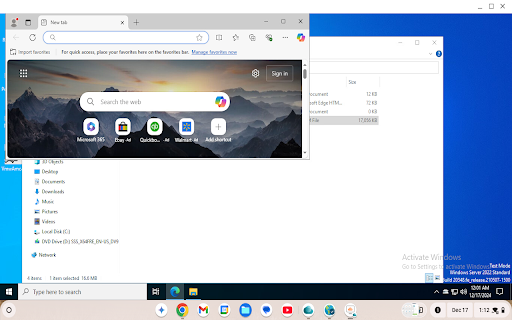

About
Omnissa Horizon Client for Chrome makes it easy to work on your Omnissa Horizon virtual desktop and hosted applications from your Chromebook, giving you on-the-go access from any location.

IMPORTANT NOTE: A Omnissa Horizon virtual desktop or hosted application is required to use the Omnissa Horizon Client for Chrome. Contact your IT department for further assistance.

ENHANCED USER EXPERIENCE
The Omnissa Blast Extreme protocol used with Horizon is designed and optimized for mobile users.

LEAVE THE DESKTOP BEHIND WITH HOSTED APPLICATIONS
With hosted applications, leave the desktop behind, jump directly to your apps, and run them with ease from Chromebook.

UNMATCHED PERFORMANCE
The adaptive capabilities of the Blast Extreme display protocol makes your virtual desktop fast and responsive regardless of whether you are connecting over your corporate Wi-Fi network or at a local café.

PRODUCT FEATURES:
•	Access your Omnissa Horizon virtual desktop and hosted applications on-the-go from your Chromebook with the Omnissa Horizon Client for Chrome
•	Set up and connect easily with Omnissa Horizon integration
•	Use Omnissa Blast Extreme for optimal interactive performance

General Terms
https://www.omnissa.com/general-terms/

WHAT'S NEW:

•	Bug Fixes
Technical
- Version
- 8.18.0
- Manifest
- V2
- Size
- 2.98MiB
- Min Chrome
- 23
- Languages
- 8
- Featured
- No
Metadata
- ID
- ppkfnjlimknmjoaemnpidmdlfchhehel
- Developer ID
- u31db29281acca084526396ca73716795
- Developer Email
- [email protected]
- Created
- May 8, 2018
- Last Updated (Store)
- Apr 18, 2026
- Last Scraped
- Jun 20, 2026
- Support URL
- —
- Privacy Policy
- —
Similar extensions
Alternatives to Omnissa Horizon Client, ranked by description similarity.

Zoho Assist - FREE Remote Support Tool
Free Remote Support and Remote Access from your Chrome browser
30.0K
★ 4.0

vSpace Pro Client for Chrome
NComputing vSpace Client for Chrome
—
★ 4.0

OnAvaya
OnAvaya - Google Cloud Platform
22
★ 5.0

iboss Cloud Connector
Zero Trust Connector
—
★ 1.2

Horizon HTML5 Redirection Extension
Chrome extension to enable HTML5 Multimedia redirection inside Horizon Agent.
200.0K
★ 4.9

Horizon Browser Redirection
Chrome extension to enable Browser Tab Redirection inside Horizon Agent.
200.0K
★ 4.2

Horizon Geolocation Redirection
Chrome extension to enable Geolocation Redirection inside Horizon Agent.
10.0K
★ 1.0
Xtralogic RDP Client
True RDP client with RD Gateway support.
—
★ 3.9
Data sourced from the Chrome Web Store · last verified Jun 20, 2026.