
Reading Mask Bar
A focus bar with a transparent reading strip and Read Aloud (TTS) to reduce distractions and improve reading flow.
As of June 2026, Reading Mask Bar has 14 users in the Productivity category.
Usersup 27.3 percent+27.3%
14
14
Ratingno change0%
—
— reviews
Reviewsno change0%
—
Version
1.8
Manifest V3
90-day change · In the last 90 days this extension 2 version updates.
History
9 snapshotsTracking since Apr 18, 2026.
View as table
| Date | Users | Rating | Reviews | Version |
|---|---|---|---|---|
| Apr 18, 2026 | 11 | — | — | 1.6 |
| Apr 23, 2026 | 13 | — | — | 1.6 |
| Apr 28, 2026 | 12 | — | — | 1.7 |
| May 11, 2026 | 15 | — | — | 1.7 |
| May 16, 2026 | 14 | — | — | 1.7 |
| May 23, 2026 | 14 | — | — | 1.8 |
| May 30, 2026 | 16 | — | — | 1.8 |
| Jun 5, 2026 | 14 | — | — | 1.8 |
| Jun 12, 2026 | 13 | — | — | 1.8 |
| Now | 14 | — | — | 1.8 |
Changelog
- May 16, 2026description
# Reading Mask Bar — Chrome & Edge Extension

Reading Mask Bar keeps your place by dimming everything below your current line. Instead of highlighting text, it hides what’s underneath so your eyes focus on the line where the bar’s top edge sits.  A focus window option is available to view the text in the center of the bar for isolated focus; height is fully adjustable.

## Features

- **Focus mask**: a horizontal bar that darkens/hides content below your current line; move it up/down as you read.
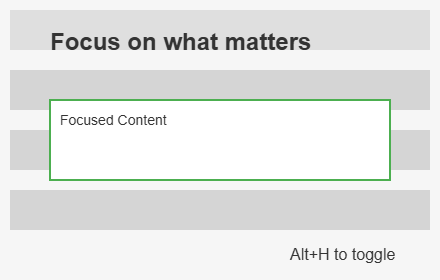
- **Focus window**: a transparent reading strip in the center of the bar for isolated focus; height is fully adjustable.
- **Read aloud (Text-to-Speech)**: spatially-aware narration that reads the text visible inside the focus strip.
- **Percent indicator + bar**: shows how far down the document the bar’s top edge is, with a visual progress bar.
- **Adjustable height**: set the bar height as a percentage of the viewport.
- **Lock/unlock**: lock the bar in place while you scroll, or unlock to reposition freely.
- **Custom appearance**: choose color and opacity; settings persist automatically.
- **Timer**: optional countdown with pause/play controls and completion sound.
- **History + word cloud**: view the last 20 pages you read and generate a word cloud from titles/headings; supports JSON export.
- **Magnifier**: zoom the page while the bar stays fixed to help with small text.
- **Word lookup**: lock the bar and click any word to see a definition immediately.
- **Accessibility**: full keyboard support, focus trapping, and screen-reader announcements (ARIA Live).

## Use Cases

- **Staying on the right line** in long articles.
- **Tracking dense technical docs** without losing your spot.
- **Reducing visual clutter** by covering everything below your focus line.
- **Audio-visual reinforcement** for users who benefit from simultaneous reading and listening.

## Usage

1. Click the extension icon or press **Alt+M** to toggle the mask.
2. Move your mouse down the page as you read. The bar follows your cursor.
3. Click the bar to **lock** it in place. Click **Unlock** to release.
4. Open **Settings** (gear icon) on the bar to enable the timer, magnifier, history, focus window, or read-aloud.
5. While locked, click any word to see its definition if word lookup is enabled.

## Privacy

No data is collected, stored, or sent anywhere. All behavior runs locally in your browser; settings and history are saved with browser storage only.

## Permissions

Only what’s needed to draw the mask on webpages and store local settings. No access to browsing history or personal information.

## Developer Info

- **Build**: `npm run build`
- **Structure**: Vite-built, Manifest V3, Vanilla JS/CSS.
- **Source**: `src/content.js` (main logic), `src/contentModules/` (feature controllers).
# Reading Mask Bar — Chrome & Edge Extension

Reading Mask Bar has 3 modes - normal, focus mode, and full mask mode. In normal mode keeps your place by dimming everything below your current line. Instead of highlighting text, it hides what’s underneath so your eyes focus on the line where the bar’s top edge sits.  In focus mode it uses a transparent strip to view the text in the center of the bar for isolated focus; height is fully adjustable. In full mask mode, the entire page is dimmed except for the focus strip.

## Features

- **Focus mask bar- normal mode**: a horizontal bar that darkens/hides content below your current line; move it up/down as you read.
- **Focus window - focus mode**: a transparent reading strip in the center of the bar for isolated focus; height is fully adjustable.
- **Full mask - full mask mode**: a transparent reading strip in the center of the bar for isolated focus; height is fully adjustable.
- **Read aloud (Text-to-Speech)**: spatially-aware narration that reads the text visible inside the focus strip.
- **Percent indicator + bar**: shows how far down the document the bar’s top edge is, with a visual progress bar.
- **Adjustable height**: set the bar height as a percentage of the viewport.
- **Lock/unlock**: lock the bar in place while you scroll, or unlock to reposition freely.
- **Custom appearance**: choose color and opacity; settings persist automatically.
- **Timer**: optional countdown with pause/play controls and completion sound.
- **History + word cloud**: view the last 20 pages you read and generate a word cloud from titles/headings; supports JSON export.
- **Magnifier**: zoom the page while the bar stays fixed to help with small text.
- **Word lookup**: lock the bar and click any word to see a definition immediately.
- **Accessibility**: full keyboard support, focus trapping, and screen-reader announcements (ARIA Live).

## Use Cases

- **Staying on the right line** in long articles.
- **Tracking dense technical docs** without losing your spot.
- **Reducing visual clutter** by covering everything below your focus line.
- **Audio-visual reinforcement** for users who benefit from simultaneous reading and listening.

## Usage

1. Click the extension icon or press **Alt+M** to toggle the mask.
2. Move your mouse down the page as you read. The bar follows your cursor.  Use the mouse scroll wheel or arrow keys to scroll the page while keeping the bar in the same position.
3. Click the bar to **lock** it in place. Click **Unlock** to release.
4. Open **Settings** (gear icon) on the bar to enable the timer, magnifier, history, focus window, or read-aloud.
5. While locked, click any word to see its definition if word lookup is enabled.  Click exit button to close the definition window.
6. Use the timer controls on the bar to start, pause, resume, or stop the timer.

## Privacy

No data is collected, stored, or sent anywhere. All behavior runs locally in your browser; settings and history are saved with browser storage only.

## Permissions

Only what’s needed to draw the mask on webpages and store local settings. No access to browsing history or personal information.
- Apr 23, 2026description
Reading Mask Bar keeps your place by dimming everything below your current line. Instead of highlighting text, it hides what’s underneath so your eyes focus on the line where the bar’s top edge sits.

Features
  • Focus mask: a horizontal bar that darkens/hides content below your current line; move it up/down as you read.
  • Percent indicator + bar: shows how far down the document the bar’s top edge is, with a visual progress bar.
  • Adjustable height: set the bar height as a percentage of the viewport.
  • Lock/unlock: lock the bar in place while you scroll, or unlock to reposition freely.
  • Custom appearance: choose color and opacity; settings persist automatically.
  • Timer: optional countdown with pause/play controls.
  • History + word cloud: view the last 20 pages you read and generate a word cloud from titles/headings.
  • Magnifier: zoom the page while the bar stays fixed to activate.
  • Word lookup: lock the bar and click any word to see a definition.

  Use Cases
  • Staying on the right line in long articles.
  • Tracking dense technical docs without losing your spot.
  • Reducing visual clutter by covering everything below your focus line.

  Privacy
  No data is collected, stored, or sent anywhere. All behavior runs locally in your browser; settings are saved with browser storage only.

  Permissions
  Only what’s needed to draw the mask on webpages and store local settings. No access to browsing history or personal information.
# Reading Mask Bar — Chrome & Edge Extension

Reading Mask Bar keeps your place by dimming everything below your current line. Instead of highlighting text, it hides what’s underneath so your eyes focus on the line where the bar’s top edge sits.  A focus window option is available to view the text in the center of the bar for isolated focus; height is fully adjustable.

## Features

- **Focus mask**: a horizontal bar that darkens/hides content below your current line; move it up/down as you read.
- **Focus window**: a transparent reading strip in the center of the bar for isolated focus; height is fully adjustable.
- **Read aloud (Text-to-Speech)**: spatially-aware narration that reads the text visible inside the focus strip.
- **Percent indicator + bar**: shows how far down the document the bar’s top edge is, with a visual progress bar.
- **Adjustable height**: set the bar height as a percentage of the viewport.
- **Lock/unlock**: lock the bar in place while you scroll, or unlock to reposition freely.
- **Custom appearance**: choose color and opacity; settings persist automatically.
- **Timer**: optional countdown with pause/play controls and completion sound.
- **History + word cloud**: view the last 20 pages you read and generate a word cloud from titles/headings; supports JSON export.
- **Magnifier**: zoom the page while the bar stays fixed to help with small text.
- **Word lookup**: lock the bar and click any word to see a definition immediately.
- **Accessibility**: full keyboard support, focus trapping, and screen-reader announcements (ARIA Live).

## Use Cases

- **Staying on the right line** in long articles.
- **Tracking dense technical docs** without losing your spot.
- **Reducing visual clutter** by covering everything below your focus line.
- **Audio-visual reinforcement** for users who benefit from simultaneous reading and listening.

## Usage

1. Click the extension icon or press **Alt+M** to toggle the mask.
2. Move your mouse down the page as you read. The bar follows your cursor.
3. Click the bar to **lock** it in place. Click **Unlock** to release.
4. Open **Settings** (gear icon) on the bar to enable the timer, magnifier, history, focus window, or read-aloud.
5. While locked, click any word to see its definition if word lookup is enabled.

## Privacy

No data is collected, stored, or sent anywhere. All behavior runs locally in your browser; settings and history are saved with browser storage only.

## Permissions

Only what’s needed to draw the mask on webpages and store local settings. No access to browsing history or personal information.

## Developer Info

- **Build**: `npm run build`
- **Structure**: Vite-built, Manifest V3, Vanilla JS/CSS.
- **Source**: `src/content.js` (main logic), `src/contentModules/` (feature controllers).
- Apr 23, 2026short_description
A reading focus bar that follows your mouse to block text below your current line, reducing distractions and improving reading flow.
A focus bar with a transparent reading strip and Read Aloud (TTS) to reduce distractions and improve reading flow.
Permissions & access
- Permissions
- scriptingactiveTabstoragehistory
- Host access
- None declared
Screenshots


About
# Reading Mask Bar — Chrome & Edge Extension

Reading Mask Bar has 3 modes - normal, focus mode, and full mask mode. In normal mode keeps your place by dimming everything below your current line. Instead of highlighting text, it hides what’s underneath so your eyes focus on the line where the bar’s top edge sits.  In focus mode it uses a transparent strip to view the text in the center of the bar for isolated focus; height is fully adjustable. In full mask mode, the entire page is dimmed except for the focus strip.

## Features

- **Focus mask bar- normal mode**: a horizontal bar that darkens/hides content below your current line; move it up/down as you read.
- **Focus window - focus mode**: a transparent reading strip in the center of the bar for isolated focus; height is fully adjustable.
- **Full mask - full mask mode**: a transparent reading strip in the center of the bar for isolated focus; height is fully adjustable.
- **Read aloud (Text-to-Speech)**: spatially-aware narration that reads the text visible inside the focus strip.
- **Percent indicator + bar**: shows how far down the document the bar’s top edge is, with a visual progress bar.
- **Adjustable height**: set the bar height as a percentage of the viewport.
- **Lock/unlock**: lock the bar in place while you scroll, or unlock to reposition freely.
- **Custom appearance**: choose color and opacity; settings persist automatically.
- **Timer**: optional countdown with pause/play controls and completion sound.
- **History + word cloud**: view the last 20 pages you read and generate a word cloud from titles/headings; supports JSON export.
- **Magnifier**: zoom the page while the bar stays fixed to help with small text.
- **Word lookup**: lock the bar and click any word to see a definition immediately.
- **Accessibility**: full keyboard support, focus trapping, and screen-reader announcements (ARIA Live).

## Use Cases

- **Staying on the right line** in long articles.
- **Tracking dense technical docs** without losing your spot.
- **Reducing visual clutter** by covering everything below your focus line.
- **Audio-visual reinforcement** for users who benefit from simultaneous reading and listening.

## Usage

1. Click the extension icon or press **Alt+M** to toggle the mask.
2. Move your mouse down the page as you read. The bar follows your cursor.  Use the mouse scroll wheel or arrow keys to scroll the page while keeping the bar in the same position.
3. Click the bar to **lock** it in place. Click **Unlock** to release.
4. Open **Settings** (gear icon) on the bar to enable the timer, magnifier, history, focus window, or read-aloud.
5. While locked, click any word to see its definition if word lookup is enabled.  Click exit button to close the definition window.
6. Use the timer controls on the bar to start, pause, resume, or stop the timer.

## Privacy

No data is collected, stored, or sent anywhere. All behavior runs locally in your browser; settings and history are saved with browser storage only.

## Permissions

Only what’s needed to draw the mask on webpages and store local settings. No access to browsing history or personal information.
Technical
- Version
- 1.8
- Manifest
- V3
- Size
- 179KiB
- Min Chrome
- 88
- Languages
- 1
- Featured
- No
Metadata
- ID
- pomgdklehleofdpagdkbebffjkmilppj
- Developer ID
- u04919c5b37a632bc945cd3e7efaedd8e
- Developer Email
- [email protected]
- Created
- Dec 9, 2025
- Last Updated (Store)
- May 14, 2026
- Last Scraped
- Jun 12, 2026
- Website
- —
- Support URL
- —
Similar extensions
Alternatives to Reading Mask Bar, ranked by description similarity.

LineLock – Guided Reading
Read deliberately, one word at a time.
12

Focus Mask - Reading Mode and Deep Work
Boost concentration by blurring distractions. The ultimate reading mode tool to focus on what matters on any webpage.
36
★ 5.0

Focus Flow Gray
Ẩn scrollbar và chuyển trang sang chế độ grayscale để tập trung tốt hơn khi đọc
—

Reading Window
A customizable visual aid to help you focus, keep your place, and avoid distractions while reading webpages.
22
★ 5.0
Hide Everything Else
Focus on specific web elements by hiding others. Supports overlay/removal modes, multi-select & hover highlighting.
9
★ 5.0

Read Focus
Let you stay on the current page and finish reading without distractions
—

Shark Eagle Read Bar
A reading line helper that displays a transparent grey bar to help focus while reading
1

FocusBar
Adds a static color bar overlay that highlights elements of a page as you scroll.
30
★ 4.5
Data sourced from the Chrome Web Store · last verified Jun 12, 2026.