
Screen site Tool – Capture Full Page as PNG
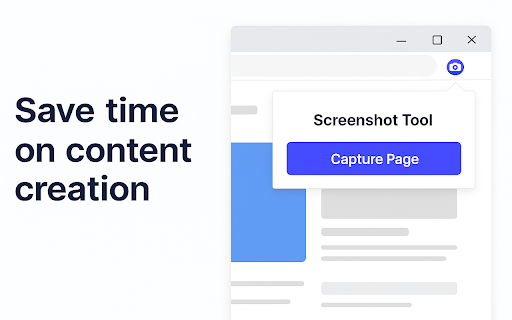
Capture full-page website screenshots in one click. Save instantly as PNG. Clean and simple.
As of June 2026, Screen site Tool – Capture Full Page as PNG has 172 users and a 5.00/5 rating from 2 reviews in the Productivity category.
Usersdown 7.5 percent−7.5%
172
172
Ratingno change0%
5.00
2 reviews
Reviewsno change0%
2
Version
1.0
Manifest V3
History
4 snapshotsTracking since Apr 19, 2026.
View as table
| Date | Users | Rating | Reviews | Version |
|---|---|---|---|---|
| Apr 19, 2026 | 186 | 5.00 | 2 | 1.0 |
| May 4, 2026 | 189 | 5.00 | 2 | 1.0 |
| May 14, 2026 | 183 | 5.00 | 2 | 1.0 |
| Jun 8, 2026 | 174 | 5.00 | 2 | 1.0 |
| Now | 172 | 5.00 | 2 | 1.0 |
Permissions & access
- Permissions
- activeTabscriptingdownloads
- Host access
- None declared
Screenshots


About
Take beautiful full-page screenshots of any website with a single click.
Perfect for developers, marketers, designers, or anyone who needs quick page captures.

Key Features:
✅ One-click full-page screenshot
✅ Saves directly as PNG
✅ Lightweight & privacy-friendly
✅ No sign-up required

This extension runs entirely in your browser. No data is sent anywhere.
Simple. Fast. Reliable.
Technical
- Version
- 1.0
- Manifest
- V3
- Size
- 58.75KiB
- Min Chrome
- 88
- Languages
- 1
- Featured
- No
Metadata
- ID
- pljffccflfmkoahbdblanijoegpdfnmf
- Developer ID
- ueb7e275cd7482e39d01ba46e7b3af2c0
- Developer Email
- [email protected]
- Created
- May 4, 2025
- Last Updated (Store)
- May 6, 2025
- Last Scraped
- Jun 8, 2026
- Website
- screen-site.com
- Support URL
- —
- Privacy Policy
- https://screen-site.com/privacy
Similar extensions
Alternatives to Screen site Tool – Capture Full Page as PNG, ranked by description similarity.

Screenshot Full Page - Professional
Capture and download full page screenshot in PNG, JPG, WebP and PDF file formats. Quick, private, reliable and works in offline too!
8
★ 5.0

FullPage Screenshot
Capture full-page screenshots of websites, including scrollable content
32

Quick PNG Saver - Full Page Screenshot
Quickly capture a full page screenshot. Save the entire webpage as a high-quality PNG image with just one click.
30

Full Page Screenshot
A simple extension to capture a full-page screenshot of any website.
10

Full Page Capture
Capture the entire page as an image or PDF, including scrolling content.
39
★ 5.0

Full-Page Screenshot PDF&PNG
Take full-page screenshots free and securely in PDF or PNG
290
★ 5.0

OscarScreenShotYourAss
Capture full-page screenshots like a boss! Save as PNG, JPG, or PDF.
—

Quick Page Snap - Take Full Page Screenshot
A powerful browser extension that lets you capture, edit, and download FULL PAGE web page screenshots with ease.
30
★ 5.0
Data sourced from the Chrome Web Store · last verified Jun 8, 2026.