
Open Tab Next to Active
Opens new tabs next to the currently active tab for better workflow
As of June 2026, Open Tab Next to Active has 19 users in the Functionality & UI category.
Usersup 58.3 percent+58.3%
19
19
Ratingno change0%
—
— reviews
Reviewsno change0%
—
Version
1.0.1
Manifest V3
90-day change · In the last 90 days this extension 1 version update.
History
9 snapshotsTracking since Apr 1, 2026.
View as table
| Date | Users | Rating | Reviews | Version |
|---|---|---|---|---|
| Apr 1, 2026 | 12 | — | — | 1.0.0 |
| Apr 19, 2026 | 13 | — | — | 1.0.0 |
| Apr 29, 2026 | 10 | — | — | 1.0.0 |
| May 8, 2026 | 13 | — | — | 1.0.0 |
| May 13, 2026 | 14 | — | — | 1.0.1 |
| May 19, 2026 | 16 | — | — | 1.0.1 |
| May 25, 2026 | 14 | — | — | 1.0.1 |
| Jun 1, 2026 | 15 | — | — | 1.0.1 |
| Jun 7, 2026 | 18 | — | — | 1.0.1 |
| Now | 19 | — | — | 1.0.1 |
Changelog
- May 8, 2026description
Opens new tabs to the right of your active tab — not at the end. Keep workflows organized. Zero config. Lightweight.


## 🔧 How to use

1. Install the extension (Chrome/Chromium-based browsers).
2. Use your browser normally — press **Ctrl+T**, open links that create new tabs, or open bookmarks in new tabs. The extension will place the new tab next to the active one automatically.

**If Ctrl+T doesn't trigger the extension:**
you may need to assign the keyboard shortcut to this extension. Open `chrome://extensions/shortcuts` (or go to Menu ▸ More tools ▸ Extensions ▸ Keyboard shortcuts) and set the **Open Tab Next to Active** action to **Ctrl+T** (or another available shortcut). Note that Chrome may reserve certain global shortcuts; if Ctrl+T is unavailable, choose a different shortcut.

> No additional configuration required (unless you need to assign the keyboard shortcut).
Opens new tabs to the right of your active tab — not at the end. Keep workflows organized. Zero config. Lightweight.


## 🔧 How to use

1. Install the extension (Chrome/Chromium-based browsers).
2. Use your browser normally — press **Ctrl+T**, open links that create new tabs, or open bookmarks in new tabs. The extension will place the new tab next to the active one automatically.

## If `Ctrl+T` doesn't trigger the extension:
you may need to assign the keyboard shortcut to this extension.
Open `chrome://extensions/shortcuts` (or go to Menu ▸ More tools ▸ Extensions ▸ Keyboard shortcuts)
set the `Open Tab Next to Active` action to `Ctrl+T` (or another available shortcut).
Note that Chrome may reserve certain global shortcuts; if `Ctrl+T` is unavailable, choose a different shortcut.

> No additional configuration required (unless you need to assign the keyboard shortcut).
Permissions & access
- Permissions
- tabsbookmarksstorage
- Host access
- None declared
Screenshots

About
Opens new tabs to the right of your active tab — not at the end. Keep workflows organized. Zero config. Lightweight.


## 🔧 How to use

1. Install the extension (Chrome/Chromium-based browsers).
2. Use your browser normally — press **Ctrl+T**, open links that create new tabs, or open bookmarks in new tabs. The extension will place the new tab next to the active one automatically.

## If `Ctrl+T` doesn't trigger the extension:
you may need to assign the keyboard shortcut to this extension.
Open `chrome://extensions/shortcuts` (or go to Menu ▸ More tools ▸ Extensions ▸ Keyboard shortcuts)
set the `Open Tab Next to Active` action to `Ctrl+T` (or another available shortcut).
Note that Chrome may reserve certain global shortcuts; if `Ctrl+T` is unavailable, choose a different shortcut.

> No additional configuration required (unless you need to assign the keyboard shortcut).
Technical
- Version
- 1.0.1
- Manifest
- V3
- Size
- 47.16KiB
- Min Chrome
- 88
- Languages
- 1
- Featured
- No
Metadata
- ID
- pjhpcgfembnigbpameelhohkamoggbhi
- Developer ID
- u0b0f0ccbc8cbaebe3b19226809928a86
- Developer Email
- [email protected]
- Created
- Dec 23, 2025
- Last Updated (Store)
- May 4, 2026
- Last Scraped
- Jun 7, 2026
- Website
- —
- Support URL
- —
Similar extensions
Alternatives to Open Tab Next to Active, ranked by description similarity.

Open New Tabs - Current Right, Left or Default
Open new tabs to the closest right, left, or default location using custom keyboard shortcuts.
235
★ 4.6

Tab Buddy – Open Tabs Next to Current
Opens new tab next to the current one
245
★ 3.0

New Adjacent Tab
Opens a new tab to the right or left of the current one.
10.0K
★ 4.4
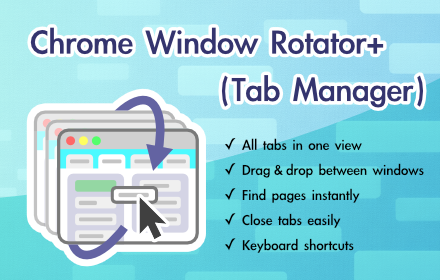
Chrome Window Rotator+ (Tab Manager)
View all tabs across windows. Find and access pages instantly. Organize with drag & drop.
108
★ 5.0

Last Active Tab Switcher
Switch to the previously active tab when closing the current tab, and provide a tab history menu.
77
★ 4.2

Tabs in Vertical
Displays all open tabs in a vertical sidebar for better readability
96
★ 5.0

Close Tab Extension
Adds a context menu item to close the current tab.
10

Make New Tabs Active
Bring every new tab to the front - auto-focus tabs, stop background openings, keep browsing flow uninterrupted.
180
Data sourced from the Chrome Web Store · last verified Jun 7, 2026.