ChatGPT for Google
Download ChatGPT for Google extension to enhance search results
As of June 2026, ChatGPT for Google has 5,000 users and a 4.60/5 rating from 25 reviews in the Workflow & Planning category.
Usersno change0%
5.0K
5,000
Ratingno change0%
4.60
25 reviews
Reviewsno change0%
25
Version
3.1.1
Manifest V3
Permissions & access
- Permissions
- storagenotifications
- Host access
- <all_urls>
Screenshots

About
Access ChatGPT responses via the Google Chrome browser alongside the search result page.

ChatGPT for Chrome is a powerful tool for users who want to access the ChatGPT responses via Google Chrome browser while browsing the web. By integrating ChatGPT with the Chrome browser, users can easily access the model's responses alongside Google search results, making it easy to find the information they need quickly and efficiently.

Key Features of ChatGPT For Google Chrome:-
Here are some of the key features of this extension:

 >> Access ChatGPT via Chrome Browser
>> Easily access ChatGPT from your browser's extension popup.
>> There is no need to navigate to a separate website or application.

Markdown rendering
>> ChatGPT can interpret and display text written in markdown format.
>> This allows for easy formatting and styling of text in your conversations with ChatGPT.

Code highlights
>> ChatGPT can identify and highlight code snippets in your conversation.
>> This makes it easy to read and understand code within the context of your discussion.

Activating Dark Mode
>> ChatGPT offers a dark mode option for a more comfortable viewing experience in low-light settings.
>> This can also help reduce eye strain.
>> Always Open to Feedback & Suggestions
>> ChatGPT welcomes feedback from users to help improve its performance and capabilities.
>> This can include suggestions for new features or improvements to existing ones.

Custom trigger mode
>> ChatGPT allows you to set a custom trigger word or phrase to initiate a conversation.  This can be useful for integrating ChatGPT into other applications or scripts.

Clipboard copy option
>> This extension allows you to easily copy text from the conversation to your clipboard. This can be useful for pasting information into other applications or documents.


Why Accessing ChatGPT Via Chrome Is Useful?
>> With ChatGPT for Google, users can take advantage of the model's natural language understanding and generation capabilities to ask questions, get definitions, and even complete sentences or paragraphs. This can save users a lot of time and effort when researching a topic or trying to understand a difficult concept.
ChatGPT Chrome browser extension enables users can to continue work or browse while also getting the information they need, without having to switch back and forth between different tabs or apps.

Frequently Asked Questions

Can I use the ChatGPT chrome extension on all the websites?
>> Yes, the ChatGPT chrome extension can be used on any website that you have open in your browser.

How can I access ChatGPT alongside Google search results?
>> To access ChatGPT alongside Google search results, you will need to install ChatGPT for Chrome extension that integrates ChatGPT with Google search.
Technical
- Version
- 3.1.1
- Manifest
- V3
- Size
- 138KiB
- Min Chrome
- 88
- Languages
- 54
- Featured
- No
Metadata
- ID
- pjhdflpjemjalkidecigcjcamkbllhoj
- Developer ID
- u0aecb2d38caa99f7928c989562009fde
- Developer Email
- [email protected]
- Created
- Jan 25, 2023
- Last Updated (Store)
- Nov 17, 2025
- Last Scraped
- Jun 1, 2026
- Website
- —
- Support URL
- —
- Privacy Policy
- —
Similar extensions
Alternatives to ChatGPT for Google, ranked by description similarity.

ChatGPT for Chrome
Display ChatGPT (or Bard) response alongside search engine results
351
★ 4.3
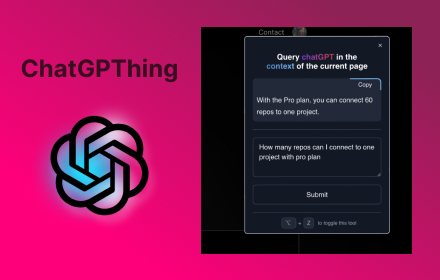
ChatGPThing
Query ChatGPT in the context of the current page
17

ChatGPT Assistant - GPT Search
Enhanced OpenAI ChatGPT directly Google search response. Get access to ChatGPT on any website. Chat GPT everywhere.
423
★ 5.0

Handy - ChatGPT Context
Use ChatGPT right on the page!
1

ChatGPT For Chrome - ChatGPT assistant
Display ChatGPT response alongside search engine results
20.0K
★ 4.1

Search-AI(uses ChatGPT)
A small open AI tool used to streamline all your chatgpt searches at one place
4

ChatGPT for Google CSE
Shows ChatGPT Response on every Google Powered CSE. Power of ChatGPT with Google Search.
65

ChatGpt Popup
ChatGpt Popup is a chrome extension that allows users to chat with ChatGpt.
710
★ 4.0
Data sourced from the Chrome Web Store · last verified Jun 1, 2026.