
ChatGPT-The Future - Your AI assistant that can help you anytime, anywhere.
Your personal AI assistant, super powerful, super awesome. Can handle any request.
As of May 2026, ChatGPT-The Future - Your AI assistant that can help you anytime, anywhere. has 2,000 users and a 3.33/5 rating from 3 reviews in the Workflow & Planning category.
Usersno change0%
2.0K
2,000
Ratingno change0%
3.33
3 reviews
Reviewsno change0%
3
Version
1.0.0
Manifest V3
Permissions & access
- Permissions
- storagescripting
- Host access
- https://*.openai.com/
Screenshots


About
"Unlock the power of language with ChatGPT-The Future - the ultimate browser extension for accessing ChatGPT! Simply open the browser extension and you can use OpenAI Chat GPT anytime on any website.
ChatGPT-The Future can be used on any website with OpenAI's ChatGPT, and it has a brand-new user interface.
ChatGPT-The Future features: ➡️ Easy access to ChatGPT ➡️ Access ChatGPT from the plugin bar ➡️ Get ChatGPT answers from search engine result pages. ➡️ Run ChatGPT from the context menu.
Let ChatGPT-The Future master complex Excel formulas and Codex: ➡️ Provide a prompt describing the desired function or operation ➡️ ChatGPT-The Future will analyze the prompt and suggest a formula or code that can perform the desired task. ➡️ Provide a prompt describing the context, tone, and content needed ➡️ ChatGPT-The Future will analyze the prompt and suggest words and phrases that fit the tone and content you need.
🙋Frequently Asked Questions about ChatGPT-The Future: 👉Do you upgrade/modify the ChatGPT-The Future extension? Yes, we upgrade/modify the ChatGPT-The Future extension.
How do I install ChatGPT-The Future in my browser? To install ChatGPT-The Future in your browser, you need to follow these steps:
 Open your browser's app store or extension store.
 Search for the ChatGPT-The Future extension in the app store or extension store.
 Click the ""Add to Browser"" or ""Install"" button to start installing ChatGPT-The Future.
 If prompted for access, allow the ChatGPT-The Future extension to access certain parts of your browser.
 After installation is complete, you will be taken to the login page of ChatGPT-The Future.
 Done! You can pin the ChatGPT-The Future extension to your toolbar for more convenience.

Which model does ChatGPT-The Future use? The model used by ChatGPT-The Future depends on the OpenAI API key you bind. If you have access to GPT-4, you can also use its answers. If you only have access to GPT-3.5, then you can only use GPT-3.5."
Technical
- Version
- 1.0.0
- Manifest
- V3
- Size
- 3.85MiB
- Min Chrome
- 88
- Languages
- 54
- Featured
- No
Metadata
- ID
- pijagnpcnegcogimkghghdihobbeaicn
- Developer ID
- u9b77f9ee0d1fd5e5362b3b87d33c2fc2
- Developer Email
- [email protected]
- Created
- Jun 3, 2023
- Last Updated (Store)
- Jun 3, 2023
- Last Scraped
- May 24, 2026
- Website
- —
- Support URL
- —
Similar extensions
Alternatives to ChatGPT-The Future - Your AI assistant that can help you anytime, anywhere., ranked by description similarity.
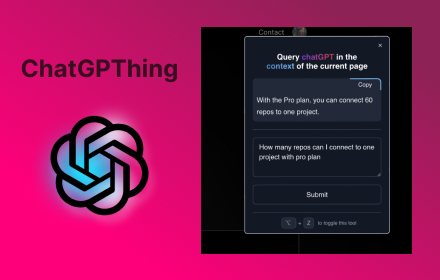
ChatGPThing
Query ChatGPT in the context of the current page
17

Search GPT for Chrome
Get ChatGPT responses on any website. AI replies work on Google, Gmail, & 10M+ websites. It's free & privacy first. GPT everywhere
10.0K
★ 4.8

ChatGPT Assitant
Use ChatGPT Everywhere
7

ChatGPT Assistant - GPT Search
Enhanced OpenAI ChatGPT directly Google search response. Get access to ChatGPT on any website. Chat GPT everywhere.
423
★ 5.0

ChatGPT Download For PC, Mac, Windows - Free
A simple extension for use ChatGPT in your PC, Mac, and Windows.
40.0K
★ 4.2

aiPromptPal
aiPromptPal makes using ChatGPT easy in search engines, to write emails, and on any website
122
★ 5.0

ChatGenie for Chatgpt
The ultimate browser extension for accessing Chatgpt
70.0K
★ 4.1

Guide ChatGPT chrome Extensions
Base Level Extension
9
Data sourced from the Chrome Web Store · last verified May 24, 2026.