Blender 3D creation suite
Create animated films, visual effects, motion graphics, interactive 3D applications, virtual reality & video games.
As of May 2026, Blender 3D creation suite has 10,000 users and a 2.94/5 rating from 17 reviews in the Productivity category.
Usersno change0%
10.0K
10,000
Ratingdown 2.0 percent−2.0%
2.94
17 reviews
Reviewsup 13.3 percent+13.3%
17
Version
1.1.7
Manifest V3
History
1 snapshotsTracking since May 22, 2026.
View as table
| Date | Users | Rating | Reviews | Version |
|---|---|---|---|---|
| May 22, 2026 | 10.0K | 3.00 | 15 | 1.1.7 |
| Now | 10.0K | 2.94 | 17 | 1.1.7 |
Permissions & access
- Permissions
- storage
- Host access
- None declared
Screenshots
About
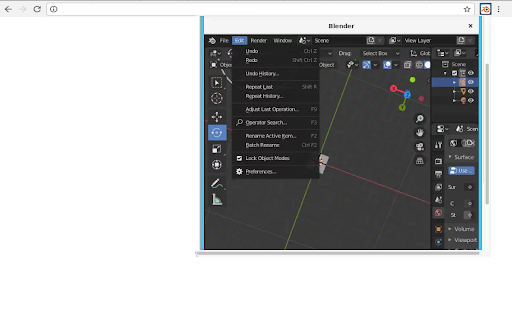
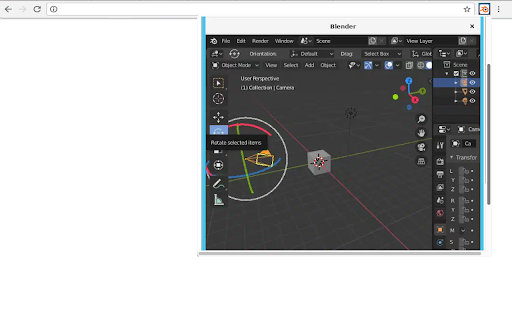
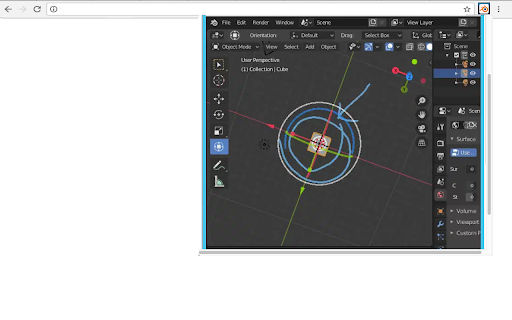
This extension allows users to use the Blender software program. Blender is a program for 3D computer graphics to create animated films, visual effects, art, 3D-printed models, motion graphics, interactive 3D applications, virtual reality, and video games.

Blender is a fully integrated 3D content creation suite, offering a broad range of essential tools, including:

•	Modeling - The creation of a 3D scene needs at least three key components: Models, materials and lights. In this part, the first of these is covered, that being modeling. Modeling is simply the art and science of creating a surface that either mimics the shape of a real-world object or expresses your imagination of abstract objects.

•	Rendering - Rendering is the process of turning a 3D scene into a 2D image. Blender includes three render engines with different strengths:
        - EEVEE is a physically based realtime renderer.
        - Cycles is a physically based path tracer.
        - Workbench is designed for layout, modeling and previews.

•	Animation & Rigging Animation is making an object move or change shape over time.

•	Video Editing - Blender can be used to edit videos. There are two possible methods for this, one being the Compositor and the other, described in this chapter, being the Video Sequencer. The Video Sequencer within Blender is a complete video editing system that allows you to combine multiple video channels and add effects to them. You can use these effects to create powerful video edits, especially when you combine it with the animation power of Blender!

•	VFX - Motion Tracking is used to track the motion of objects and/or a camera and, through the constraints, to apply this tracking data to 3D objects (or just one), which have either been created in Blender or imported into the application.

•	Compositing - Compositing Nodes allow you to assemble and enhance an image (or movie). Using composition nodes, you can glue two pieces of footage together and colorize the whole sequence all at once.

•	Texturing - Image textures are typically needed when the desired look is hard to achieve with procedural textures, or if the texture is not uniform. For example, a car would only have scratches in a few places where they make sense, not in random places all over its body.

•	Many types of Simulations. Blender’s physics system allows you to simulate a number of different real-world physical phenomena. You can use these systems to create a variety of static and dynamic effects such as: Hair, grass, and flocks, Rain, Smoke and dust, water.

This extension also includes access to a file manager to upload and download the files, animations and videos created.

This extension is the Blender online distribution so it is compliant with the Blender GPL
Technical
- Version
- 1.1.7
- Manifest
- V3
- Size
- 213KiB
- Min Chrome
- 88
- Languages
- 18
- Featured
- No
Metadata
- ID
- pfgfmegkbbeheopmgjfhpkjgflokcbbn
- Developer ID
- u6ddc90d29a0127b06317fe7c1d4380ac
- Developer Email
- [email protected]
- Created
- Feb 25, 2024
- Last Updated (Store)
- Mar 21, 2025
- Last Scraped
- May 22, 2026
- Website
- runapps.org
- Support URL
- https://www.runapps.org/contact-us/
- Privacy Policy
- https://www.runapps.org/privacy-policy/
Similar extensions
Alternatives to Blender 3D creation suite, ranked by description similarity.

Kdenlive video editor
Create and edit videos with multi-track video editing and any audio / video format
1.0K
★ 2.3

Krita graphics editor
Create and edit graphics for digital art & 2D animation for artists, illustrators and VFX industry.
5.0K
★ 3.5
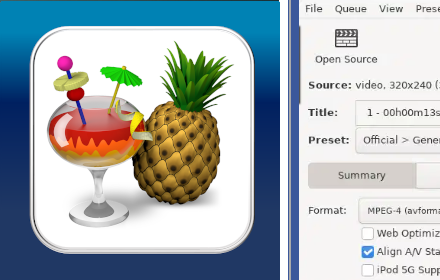
Handbrake - video converter
Convert videos from nearly any format to a selection of modern, widely supported codecs.
2.0K
★ 5.0

Calligra online - office, graphics & email
Suite applications for word processing, spreadsheets, presentation and graphics with email client
4.0K
★ 2.5

3D Viewer
This 3D Viewer app opens various 3d file formats. Use 3d file & model viewer to visualize your models online or offline.
533
★ 5.0

LibreOffice Calc online
Create and edit XLS with a tool for creating and editing spreadsheets.
2.0K
★ 3.0

Cilantro Asset Importer
Import Asset(s) to Blender from Forge PlebMasters
1
★ 5.0

Format Factory online
Multimedia converter for video, audio, picture files, ripping DVDs & CDs, and create .iso images.
4.0K
★ 3.4
Data sourced from the Chrome Web Store · last verified May 22, 2026.