
ConvoVault: AI Chat Exporter
Export conversations from ChatGPT, Gemini, Grok, and Claude to local JSON. Privacy-first, local-only, and easy to use.
As of June 2026, ConvoVault: AI Chat Exporter has 27 users and a 5.00/5 rating from 3 reviews in the Workflow & Planning category.
Usersup 42.1 percent+42.1%
27
27
Ratingno change0%
5.00
3 reviews
Reviewsno change0%
3
Version
1.2
Manifest V3
History
10 snapshotsTracking since Apr 7, 2026.
View as table
| Date | Users | Rating | Reviews | Version |
|---|---|---|---|---|
| Apr 7, 2026 | 19 | 5.00 | 3 | 1.2 |
| Apr 19, 2026 | 24 | 5.00 | 3 | 1.2 |
| Apr 26, 2026 | 14 | 5.00 | 3 | 1.2 |
| May 3, 2026 | 17 | 5.00 | 3 | 1.2 |
| May 9, 2026 | 20 | 5.00 | 3 | 1.2 |
| May 14, 2026 | 32 | 5.00 | 3 | 1.2 |
| May 20, 2026 | 31 | 5.00 | 3 | 1.2 |
| May 27, 2026 | 24 | 5.00 | 3 | 1.2 |
| Jun 3, 2026 | 26 | 5.00 | 3 | 1.2 |
| Jun 8, 2026 | 21 | 5.00 | 3 | 1.2 |
| Now | 27 | 5.00 | 3 | 1.2 |
Permissions & access
- Permissions
- storage
- Host access
- None declared
Screenshots


About
Never lose an important AI conversation again.

ConvoVault AI Chat Exporter is the easiest way to save, backup, and export your AI chat history directly from your browser — with zero data collection, no servers, and no account required. One click is all it takes to download a full conversation as a structured JSON file, ready to use anywhere.

Whether you use ChatGPT, Claude, Google Gemini, or Grok, ConvoVault works natively inside each platform. No copy-pasting. No manual formatting. Just click Export and your entire conversation is saved instantly with automatic date-stamped filenames.


WHY CONVOVAULT?

Most people don't realize how easy it is to permanently lose valuable AI conversations — a browser refresh, a cleared session, or a platform outage can wipe hours of work. ConvoVault fixes that by giving you a local, private, permanent backup of every AI chat that matters to you.

Unlike cloud-based tools that upload your conversations to third-party servers, ConvoVault runs entirely inside your browser. Your data is yours — we never see it, store it, or share it.


KEY FEATURES

- One-Click Export — Adds a convenient Export button directly to the ChatGPT, Claude, Gemini, and Grok interfaces. No navigation menus, no extra steps.
- Save as Structured JSON — Downloads your full conversation history as a clean, well-formatted JSON file. Ideal for developers, researchers, and power users who want to process, search, or archive chats programmatically.
- Copy to Clipboard — Instantly copy conversation JSON to paste into docs, notes, other apps, or custom workflows.
- Customizable Export Fields — Choose exactly which metadata to include: timestamps, source platform, conversation titles, message roles, and more.
- Automatic Filename Stamping — Every exported file is automatically named with a date and timestamp, so your archive stays organized without any manual effort.
- Works Where You Work — Native integration with ChatGPT (chat.openai.com), Claude (claude.ai), Google Gemini (gemini.google.com), and Grok (grok.com). No configuration needed.
- 100% Local and Private — All processing happens entirely in your browser. Your conversations are never transmitted to any external server.


SUPPORTED AI PLATFORMS

- ChatGPT (chat.openai.com) — Export OpenAI ChatGPT conversations
- Claude AI (claude.ai) — Save and backup Anthropic Claude chats
- Google Gemini (gemini.google.com) — Download Google Gemini conversations
- Grok (grok.com) — Archive xAI Grok chat history


PERFECT FOR

- Researchers and academics archiving AI-assisted work
- Developers building datasets or fine-tuning pipelines
- Developers vibe coding with AI and saving their sessions
- Writers saving creative brainstorming sessions
- Students keeping study notes and tutoring sessions
- Professionals backing up important workflow conversations
- Anyone who wants a permanent local copy of their AI chat history


PRIVACY FIRST — ZERO DATA COLLECTION

ConvoVault was built with privacy as the foundation, not an afterthought.

- 100% Local Processing — Everything runs inside your browser tab
- No Analytics — We do not track your usage, clicks, or exports
- No External Servers — No data is ever sent to any third party
- No Account Required — Install and use immediately, no sign-up
- No Data Collection — We do not store or access your conversations
- Open Permissions — Every browser permission is explained in plain language below


PERMISSIONS EXPLAINED

ConvoVault requests only the minimum permissions required to function.
- storage — Saves your export preferences and settings locally in your browser. Nothing else is stored.
- Host permissions (chatgpt.com, gemini.google.com, grok.com, claude.ai) — ConvoVault runs exclusively on these four supported AI platforms and nowhere else. It cannot access any other websites, your browsing history, or any other data on your device.


FREQUENTLY ASKED QUESTIONS

Does ConvoVault upload my conversations anywhere?
Never. All processing happens locally in your browser. No data leaves your device.

What format are conversations saved in?
Conversations are exported as structured JSON files with customizable fields including timestamps, platform, message roles, and content.

Which AI platforms are supported?
Currently supports ChatGPT, Claude, Google Gemini, and Grok. More platforms are being added regularly.

Is ConvoVault free?
Yes, fully free to use.

Do I need an account to use it?
No account, login, or subscription required. Just install and click Export.


DISCLAIMER

ConvoVault is an independent browser extension and is not affiliated with, endorsed by, or associated with OpenAI, Anthropic, Google, or xAI. All product names are trademarks of their respective owners.
Technical
- Version
- 1.2
- Manifest
- V3
- Size
- 37.71KiB
- Min Chrome
- 88
- Languages
- 1
- Featured
- No
Metadata
- ID
- pecbbhcckkhbnaniilihipdighhdafmn
- Developer ID
- ub82c92f8201d155be3ad61fd7e8356e0
- Developer Email
- [email protected]
- Created
- Mar 11, 2026
- Last Updated (Store)
- Mar 25, 2026
- Last Scraped
- Jun 8, 2026
- Website
- —
- Support URL
- —
- Privacy Policy
- https://kavkrishapps.github.io/Convovault/privacy
Similar extensions
Alternatives to ConvoVault: AI Chat Exporter, ranked by description similarity.

Converto
Export chat conversations from ChatGPT, Claude, and Grok
4

AI ChatGPT Chat Exporter: Export Conversations with Images & Formats
One-click export complete chat history with images & text, supports Markdown/HTML/PDF formats, hide sensitive info, ZIP packaging
67

AI Chat Export: ChatGPT Claude Gemini PDF
Export ChatGPT, Claude & Gemini chats to searchable PDF, Markdown & HTML. 100% private & local.
102

AI Exporter: Save Claude,ChatGPT,Gemini to PDF, Docs, MD and More
Export ChatGPT, Claude, Gemini and NotebookLM chats to PDF/Word/Markdown/Txt. Supports content selection, and Notion sync, download.
100.0K
★ 4.8

AI Chat Exporter
Export AI chatbot conversations to PDF, Markdown, DOCX, and more
60
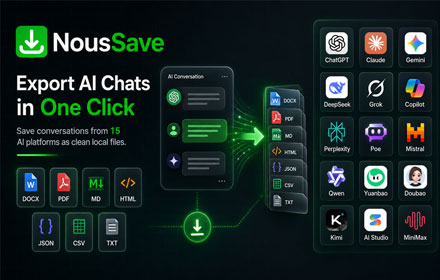
NousSave: Export ChatGPT, Gemini, DeepSeek, Claude and Grok Chats to PDF
Effortlessly export AI chats to PDF, Word, Markdown, HTML & more. Features 'Deep Research' support and collapsible long messages.
2.0K
★ 4.5

NavVault: Chat Folders & Export(PDF, MD, JSON) for ChatGPT, Claude, Gemini
Universal AI chat navigator and organizer for ChatGPT, Claude, Gemini & Grok
257
★ 4.0
ChatEngram - Search & Autosave ChatGPT, Claude & Gemini chat history
Save and search ChatGPT, Claude, Gemini, and DeepSeek chats. Export to Obsidian, Notion, and Google Drive.
130
★ 3.5
Data sourced from the Chrome Web Store · last verified Jun 8, 2026.