
AI Chat Export: ChatGPT Claude Gemini PDF
Export ChatGPT, Claude & Gemini chats to searchable PDF, Markdown & HTML. 100% private & local.
As of June 2026, AI Chat Export: ChatGPT Claude Gemini PDF has 102 users in the Workflow & Planning category.
Usersup 45.7 percent+45.7%
102
102
Ratingno change0%
—
— reviews
Reviewsno change0%
—
Version
1.7.2
Manifest V3
History
5 snapshotsTracking since Apr 18, 2026.
View as table
| Date | Users | Rating | Reviews | Version |
|---|---|---|---|---|
| Apr 18, 2026 | 70 | — | — | 1.7.2 |
| Apr 28, 2026 | 93 | — | — | 1.7.2 |
| May 7, 2026 | 94 | — | — | 1.7.2 |
| May 14, 2026 | 96 | — | — | 1.7.2 |
| May 27, 2026 | 99 | — | — | 1.7.2 |
| Now | 102 | — | — | 1.7.2 |
Permissions & access
- Permissions
- storageclipboardWriteclipboardReadtabsscripting
- Host access
- https://chat.openai.com/*, https://chatgpt.com/*, https://claude.ai/*, https://aistudio.google.com/*, https://gemini.google.com/*
Screenshots

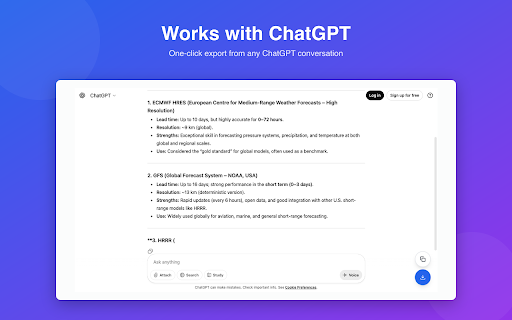


About
Export chat conversations from ChatGPT, Claude, and Gemini to PDF, Markdown, JSON, and HTML.

Export in 1 click. No setup, no complexity. Just instant exports using keyboard shortcuts, extension popup, or floating action buttons.

FEATURES

• 4 Export Formats: PDF, Markdown, JSON, and HTML
• 3 AI Platforms: ChatGPT, Claude, and Gemini (AI Studio & Consumer)
• 2 Export Methods: Copy to clipboard or save to file
• Keyboard Shortcuts:
  - Ctrl+Shift+E (Mac: Cmd+Shift+E) - Copy to clipboard
  - Ctrl+Shift+S (Mac: Cmd+Shift+S) - Save to file
• Privacy-First: All processing happens locally in your browser
• Floating Action Buttons: Quick export buttons on chat pages (optional)

SMART PDF EXPORT

Our PDF export creates truly searchable documents:
• Real text (not screenshots)
• Code blocks with syntax highlighting
• Proper formatting and pagination
• Metadata headers (date, message count, platform)
• Reasonable file sizes (<500KB for typical chats)

HOW TO USE

Method 1: Keyboard Shortcuts (Recommended)
1. Navigate to any conversation on ChatGPT, Claude, or Gemini
2. Press Ctrl+Shift+E (Cmd+Shift+E on Mac) to copy or Ctrl+Shift+S (Cmd+Shift+S on Mac) to save

Method 2: Extension Popup
1. Click the extension icon in your browser toolbar
2. Choose your export format (PDF, Markdown, JSON, or HTML)
3. Click "Save to File" or "Copy to Clipboard"

Method 3: Floating Action Buttons
Use the quick export buttons that appear in the bottom-right corner of chat pages

PRIVACY & SECURITY

This extension does NOT store, upload, or share any data remotely. All processing happens locally in your browser. The extension only stores your export format preference (PDF, Markdown, JSON, or HTML) and FAB visibility setting.

• 100% local processing
• No data collection or tracking
• No remote servers
• No sign-up required
• Open architecture you can verify

SUPPORTED PLATFORMS

• ChatGPT (chat.openai.com, chatgpt.com)
• Claude (claude.ai)
• Gemini AI Studio (aistudio.google.com)
• Gemini Consumer (gemini.google.com)
Technical
- Version
- 1.7.2
- Manifest
- V3
- Size
- 12.81MiB
- Min Chrome
- 121
- Languages
- 1
- Featured
- No
Metadata
- ID
- dedmichefibngjapbhdpoficjegoglmk
- Developer ID
- uf4782b2b3576d33dc05b081789d9c84a
- Developer Email
- [email protected]
- Created
- Nov 1, 2025
- Last Updated (Store)
- Nov 12, 2025
- Last Scraped
- Jun 8, 2026
- Website
- docseu.com
- Support URL
- https://docseu.com/chrome/ai-chat-export/
- Privacy Policy
- https://docseu.com/chrome/ai-chat-export/privacy/
Similar extensions
Alternatives to AI Chat Export: ChatGPT Claude Gemini PDF, ranked by description similarity.

AI Chat Exporter
Export AI chatbot conversations to PDF, Markdown, DOCX, and more
60

AI Chat Exporter: Gemini to PDF, MD and more
Export Gemini chats to PDF, Markdown, Text, CSV... Free and fully customizable.
50.0K
★ 4.8

NousSave: Export ChatGPT, Gemini, DeepSeek, Claude and Grok Chats to PDF
Effortlessly export AI chats to PDF, Word, Markdown, HTML & more. Features 'Deep Research' support and collapsible long messages.
2.0K
★ 4.5

AI ChatGPT Chat Exporter: Export Conversations with Images & Formats
One-click export complete chat history with images & text, supports Markdown/HTML/PDF formats, hide sensitive info, ZIP packaging
67

Converto
Export chat conversations from ChatGPT, Claude, and Grok
4

AI Chat Exporter for Gemini: PDF, Word & Markdown
Save Gemini chats as PDF, Word, or Markdown. One-click export with perfect formatting for code blocks, tables, math, and images.
1.0K
★ 4.6

AI Exporter: Save ChatGPT, Gemini to PDF, Word, MD and Notion
Export ChatGPT, Claude, Gemini and NotebookLM chats to PDF/Word/Markdown/Txt. Supports content selection, and Notion sync, download.
100.0K
★ 4.8

ChatGPT, Claude, Gemini to PDF
Export chats from ChatGPT, Claude, and Gemini to PDF. Use a Notion-style editor to edit content before exporting.
13
Data sourced from the Chrome Web Store · last verified Jun 8, 2026.