AI Meeting Notes Taker & Screen Recorder
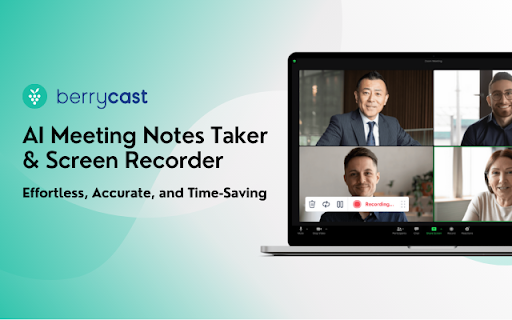
Berrycast screen recorder records, transcribes and generates AI meeting summaries for Zoom, Google Meet and MS Teams.
As of May 2026, AI Meeting Notes Taker & Screen Recorder has 10,000 users and a 4.61/5 rating from 28 reviews in the Workflow & Planning category.
Usersno change0%
10.0K
10,000
Ratingno change0%
4.61
28 reviews
Reviewsno change0%
28
Version
0.8.14
Manifest V3
History
1 snapshotsTracking since May 2, 2026.
View as table
| Date | Users | Rating | Reviews | Version |
|---|---|---|---|---|
| May 2, 2026 | 10.0K | 4.61 | 28 | 0.8.14 |
| Now | 10.0K | 4.61 | 28 | 0.8.14 |
Permissions & access
- Permissions
- tabsactiveTabscriptingcontextMenusstorage
- Host access
- *://*/*
Screenshots


About
Berrycast is an AI powered screen recording and video messaging platform (used by 100,000+ Users)
Our platform allows you to automatically record and transcribe your meeting conversations, then use AI to summarize the discussion. Afterward, share a link of the video with ease via email, instant message, or in your task management tool. Even if you are not the host of the meeting.
You can also use Berrycast to communicate more effectively, efficiently, and expressively with everyone using Berrycast for creating and requesting screen recorded video messages as well.

Here is how the Berrycast AI meeting notes taker and screen recorder works?

➕Install Chrome extension or Desktop application
⏺️Launch recorder & select recording mode - Screen + Camera or Camera Only
⏹️Stop recording. Video gets immediately uploaded to the cloud.
🎥Now video is available with transcripts (we detect 60+ languages) to review
🤖Use AIWriter to summarize video conversation or use different prompts
🔗 Now share video via direct link, email and social media with transcripts and AI summary

Berrycast also supports the following features:

🎥  Screen + Face recorder
✂️  Trim your video
📑  Transcripts (60+ languages)
🤖  ChatGPT powered AIWriter
⬇️  Download your video
📧  Email integrations (Gmail and Outlook)
👀  See who has viewed your video
📺  Video replies and comments

Who is using Berrycast?

More than 100,000 people use Berrycast every day to capture their meetings, record screen and video messages including project managers, marketers, sales people, recruiters, developers and engineers without worrying about note taking.

How does an AI note taking feature really work?

You need to simply launch the recorder and your video will start recording with the transcript. Then once the video is recorded and available to view, you can use our AIWriter feature to do the following to generate meeting notes:

👉 Meeting key points - Summarize entire meeting conversation in key points.

👉 Summarize Conversation - Generate a quick summary out of the entire meeting in one or two paragraphs.

👉 Summarize in Bullet-points - Summarize entire meeting conversation in easy to digest bullet points.

👉 Define Action Items & To-dos  - Summarize entire meeting conversation in the form of actions items and to-dos.

👉 Clean my transcript - Simply correct the meeting (grammar and spelling mistakes) transcripts through AI.

👉 Email ready to send - Get ready to send email draft that is pre-written and can be sent immediately.

People ask questions. So, We figured why not turn them into FAQs?

❓  How do I record screens on Windows & Mac?
👉 You can install the Chrome extension or you can install our desktop application as well.

❓  Is Berrycast a free screen recorder tool?
👉  Yes. We offer a 14 day full feature trial.

❓  Does the Berrycast screen recorder record audio and video?
👉  Yes. Our tool records both system and microphone audio.

❓  Is it possible to record meetings without noticing anyone?
👉  Yes. Our recorder is bot free. Hence nobody would notice your video being recorded.

❓  Can I edit my screen recording videos?
👉  Yes. We offer video trim/edit functionalities.

❓  Can I add custom thumbnails to videos?
👉 Yes.

❓  Can I add custom CTA buttons to videos?
👉 Yes.

❓  Can I download a video in HD?
👉 Yes

❓  Can I edit/correct transcripts?
👉 Yes. You can edit and update the transcript to correct your mistakes.

❓  Can I download the transcripts?
👉 Yes. You can download the transcripts.

❓  Can I use AIWriter multiple times?
👉 Yes. You can use the prompts unlimited times.

❓  Can I share videos with others?
👉 Yes. You can copy the direct link, send email and embed it on an external website.

❓  Can I invite my team members to try the Berrycast tool?
👉 Yes. If you are on a pro plan.

❓  Which browsers does your online screen recorder work with?
👉  Berrycast works with Chromium based browsers & Safari.

❓ Does Berrycast offer a mobile recorder?
👉No
Technical
- Version
- 0.8.14
- Manifest
- V3
- Size
- 83.95KiB
- Min Chrome
- 88
- Languages
- 1
- Featured
- Yes
Metadata
- ID
- pdcdbpcmjffmfmcolgnnigdadkhiadlo
- Developer ID
- u30afcf20577514a11f4554f6017e4908
- Developer Email
- [email protected]
- Created
- Nov 2, 2020
- Last Updated (Store)
- Aug 23, 2023
- Last Scraped
- May 31, 2026
- Website
- —
- Support URL
- https://www.berrycast.com/contact
- Privacy Policy
- https://www.berrycast.com/privacy-policy
Similar extensions
Alternatives to AI Meeting Notes Taker & Screen Recorder, ranked by description similarity.

Screencastify - Screen Video Recorder
An easy-to-use screen recorder for your browser. Capture, edit and share videos in seconds.
6.0M
★ 4.0

Video Recorder
Use Video Recorder, a simple tool to screen record. It also lets you audio recorder online, capturing both your camera and display.
10.0K
★ 4.3

Webcam + Screen Video Recorder Video Editor
Screen Recorder App with Webcam Video Recorder, Video Editor, Upload Video in a Single Extension.
60.0K
★ 3.6

Recapify
Record, transcribe, generate summaries and intelligently search your media - all powered by AI
6
★ 5.0

Screen Recorder with Webcam + Video Editor
Screen recorder & desktop capture tool. Record a video, presentation, open a front camera, or a window. Edit, download, and share.
1.0K
★ 4.3

Screen & Webcam recorder - Flonnect
Allows Screen Recording from your Webcam and Desktop
100.0K
★ 4.6

Screen Recorder | Voice Recorder
Record sound or Record screen from the browser current tab
2.0K
★ 2.2

Browser Recorder
Screen recording with Browser Recorder for Chrome - voice capture online, record browser video, and sound from your entire screen.
2.0K
★ 4.6
Data sourced from the Chrome Web Store · last verified May 31, 2026.