Pixel Helper for Meta
Install this extension to verify, debug, and optimize Meta (Facebook) tracking pixels for accurate analytics
As of May 2026, Pixel Helper for Meta has 30,000 users and a 4.65/5 rating from 26 reviews in the Workflow & Planning category.
Usersup 50.0 percent+50.0%
30.0K
30,000
Ratingdown 3.7 percent−3.7%
4.65
26 reviews
Reviewsup 8.3 percent+8.3%
26
Version
1.0.2
Manifest V3
90-day change · In the last 90 days this extension gained 10.0K users.
History
3 snapshotsTracking since Apr 1, 2026.
View as table
| Date | Users | Rating | Reviews | Version |
|---|---|---|---|---|
| Apr 1, 2026 | 20.0K | 4.83 | 24 | 1.0.2 |
| May 2, 2026 | 30.0K | 4.83 | 24 | 1.0.2 |
| May 31, 2026 | 30.0K | 4.80 | 25 | 1.0.2 |
| Now | 30.0K | 4.65 | 26 | 1.0.2 |
Permissions & access
- Permissions
- notificationsgcm
- Host access
- <all_urls>
Screenshots

About
Pixel Helper for Meta is a powerful Chrome extension in 2025, designed to verify and optimize the installation of Meta (Facebook) tracking pixels on your website. It makes it easy to validate tracking pixels, debug Facebook pixel issues, and monitor user activity to ensure accurate data collection for your analytics.


Key Features

Supports Major Tracking Pixels: Specifically designed for Facebook pixels, the extension is also compatible with other popular platforms, ensuring broader tracking validation.

Comprehensive Pixel Insights: View detailed information about each tracking pixel, including pixel ID, firing status, and any errors or warnings for effective troubleshooting.

User-Friendly Interface: The intuitive layout simplifies the process of checking pixel installation and fixing issues quickly.

Save Time and Boost Accuracy: Identify pixel problems and resolve them promptly to avoid costly errors and ensure reliable analytics data.

Free and Open Source: The free Meta pixel checker is available at no cost, and the extension is open-source, allowing developers to contribute and customize.


How to Use Pixel Helper for Meta

Install the Extension: Find the Facebook pixel checker on the Chrome Web Store and add it to your browser.

Open the Webpage: Navigate to the webpage where you want to validate the pixel installation.

Click the Extension Icon: Select the Pixel Helper for Meta icon in your Chrome toolbar to activate the extension.

View Pixel Details: A list of tracking pixels will appear, displaying the status, pixel ID, and any errors or warnings associated with each pixel.

Troubleshoot Issues: Use the data provided to debug Facebook pixel issues and resolve any errors, ensuring the pixels are installed correctly and working as intended.


Why Use Pixel Helper for Meta?

Pixel Helper for Meta extension is essential for anyone using Facebook and other tracking pixels on their website. It allows you to validate tracking pixels and easily troubleshoot any issues, ensuring your analytics and tracking are functioning smoothly. Whether you’re an e-commerce store owner, marketer, or developer, the Pixel troubleshooting extension helps you quickly identify and fix errors, saving time and optimizing your ad campaigns.

Install the free Pixel Helper for Meta today and enhance the accuracy of your tracking efforts!


FAQs

1. What is the Pixel Helper for Meta used for?

This tool is designed to verify and troubleshoot tracking pixels, helping ensure they function correctly on your website. It’s ideal for optimizing Facebook pixels to improve analytics accuracy.

2. Can I use this extension for pixels other than Facebook’s?

Yes, while primarily designed for Meta (Facebook) pixels, it supports several major tracking platforms.

3. Is Pixel Helper for Meta free?

Yes, it’s free and open-source, with no restrictions on use.
Technical
- Version
- 1.0.2
- Manifest
- V3
- Size
- 277KiB
- Min Chrome
- 88
- Languages
- 1
- Featured
- Yes
Metadata
- ID
- pbidfgcngaghdobpeppgnfgpefengdaj
- Developer ID
- uff924af0184dbce84b6c88050a196a4b
- Developer Email
- [email protected]
- Created
- Apr 20, 2023
- Last Updated (Store)
- Feb 20, 2025
- Last Scraped
- May 31, 2026
- Website
- —
- Support URL
- —
Similar extensions
Alternatives to Pixel Helper for Meta, ranked by description similarity.

Ads Pixel Finder – Detect Ad Pixels & Access Ad Libraries
Detect advertising pixels on any website and jump straight to the corresponding ad libraries.
376
★ 3.7

AdsDownloader - Download Facebook & Instagram Ads
Save ads from Meta Ad Library to your personal swipe file
118
★ 5.0

SEO Meta Tags & OG Previewer
Preview, edit, and analyze meta tags & OG data directly from any webpage in one click.
93
★ 5.0
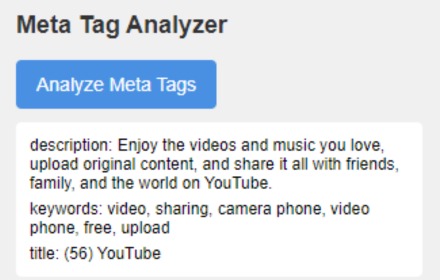
Meta Tag Analyzer
Analyze and display meta tags (title, description, and keywords) for the current webpage.
2.0K

Tag Helper for Google™
Install tag helper for Google ™ chrome extension and easily troubleshoot any issue with tags.
1.0K
★ 5.0

Metrics Tracker
Track and consolidate metrics from any website into a single dashboard
13
★ 5.0

Meta Title Checker
Check Google meta title character length and pixel width instantly. No data collection.
9
★ 5.0

Tag Checker Insights
Tag Checker assists website owners in confirming the accurate installation of the tags on their website
6.0K
★ 4.0
Data sourced from the Chrome Web Store · last verified May 31, 2026.