
Banggood Search By Image
Right-click any image to search on Banggood! Find products fast and dropship easily with this powerful image search tool.
As of June 2026, Banggood Search By Image has 1 users in the Productivity category.
Usersno change0%
1
1
Ratingno change0%
—
— reviews
Reviewsno change0%
—
Version
4.0.1
Manifest V3
90-day change · In the last 90 days this extension changed permissions.
History
4 snapshotsTracking since Apr 24, 2026.
View as table
| Date | Users | Rating | Reviews | Version |
|---|---|---|---|---|
| Apr 24, 2026 | — | — | — | 4.0.1 |
| Apr 30, 2026 | 1 | — | — | 4.0.1 |
| May 29, 2026 | — | — | — | — |
| Jun 7, 2026 | — | — | — | 4.0.1 |
| Now | 1 | — | — | 4.0.1 |
Changelog
- May 29, 2026description
(empty)
Find Products on Banggood Using Any Image (One Right-Click)

Banggood Search by Image helps you find similar products on Banggood using any image from the web. Simply right-click an image and select “Search on Banggood”—the extension opens a new tab and starts the search instantly.

Perfect for product sourcing, deal hunting, dropshipping research, and finding matching items faster.

⭐ Key Features

✅ Right-Click “Search on Banggood”
Adds a context-menu option to search an image directly on Banggood.

✅ Works on Most Websites
Use images from online stores, social media, ads, or competitor pages.

✅ Faster Product Discovery
Quickly find similar products and alternative listings on Banggood.

✅ Lightweight & Simple
No setup needed—install and start using right away.

✅ Privacy-Friendly
Only uses the image you choose when you trigger the search action.

🧠 How to Use

➜ Find any image on the web
➜ Right-click the image
➜ Select “Search on Banggood”
➜ View results in a new tab

🔒 Privacy

This extension does not collect, store, or sell personal data. It only initiates a search when you use the context-menu option.

🤝 Affiliate Disclosure

Some links shown in the extension (or its pages) may be affiliate links. If you click and make a purchase, we may earn a commission at no extra cost to you. This helps support development and maintenance.

✅ FAQs

1. Do I need to download the image first?
➜ No—just right-click the image and choose “Search on Banggood.”

2. Does it work on any website?
➜ It works on most sites where images can be right-clicked, but some sites restrict image access or disable right-click.

3. Where does the search open?
➜ It opens the Banggood search in a new tab.

4. Does it store my images or browsing data?
➜ No. The extension does not store images or track browsing history.

5. Why doesn’t it work on some images?
➜ Some images are protected/embedded or blocked by the website, so they may not be accessible for right-click image search.
- May 29, 2026short_description
(empty)
Right-click any image to search on Banggood! Find products fast and dropship easily with this powerful image search tool.
- May 29, 2026name
Unknown
Banggood Search By Image
- May 29, 2026category
(empty)
productivity/tools
- May 29, 2026host_permissions
(empty)
<all_urls>
- May 29, 2026permissions
(empty)
contextMenus
- Apr 30, 2026description
Find Products on Banggood Using Any Image (One Right-Click)

Banggood Search by Image helps you find similar products on Banggood using any image from the web. Simply right-click an image and select “Search on Banggood”—the extension opens a new tab and starts the search instantly.

Perfect for product sourcing, deal hunting, dropshipping research, and finding matching items faster.

⭐ Key Features

✅ Right-Click “Search on Banggood”
Adds a context-menu option to search an image directly on Banggood.

✅ Works on Most Websites
Use images from online stores, social media, ads, or competitor pages.

✅ Faster Product Discovery
Quickly find similar products and alternative listings on Banggood.

✅ Lightweight & Simple
No setup needed—install and start using right away.

✅ Privacy-Friendly
Only uses the image you choose when you trigger the search action.

🧠 How to Use

➜ Find any image on the web
➜ Right-click the image
➜ Select “Search on Banggood”
➜ View results in a new tab

🔒 Privacy

This extension does not collect, store, or sell personal data. It only initiates a search when you use the context-menu option.

🤝 Affiliate Disclosure

Some links shown in the extension (or its pages) may be affiliate links. If you click and make a purchase, we may earn a commission at no extra cost to you. This helps support development and maintenance.

✅ FAQs

1. Do I need to download the image first?
➜ No—just right-click the image and choose “Search on Banggood.”

2. Does it work on any website?
➜ It works on most sites where images can be right-clicked, but some sites restrict image access or disable right-click.

3. Where does the search open?
➜ It opens the Banggood search in a new tab.

4. Does it store my images or browsing data?
➜ No. The extension does not store images or track browsing history.

5. Why doesn’t it work on some images?
➜ Some images are protected/embedded or blocked by the website, so they may not be accessible for right-click image search.
(empty)
- Apr 30, 2026short_description
Right-click any image to search on Banggood! Find products fast and dropship easily with this powerful image search tool.
(empty)
- Apr 30, 2026name
Banggood Search By Image
Unknown
- Apr 30, 2026category
productivity/tools
(empty)
- Apr 30, 2026host_permissions
<all_urls>
(empty)
- Apr 30, 2026permissions
contextMenus
(empty)
Permissions & access
- Permissions
- contextMenus
- Host access
- <all_urls>
Screenshots


About
Find Products on Banggood Using Any Image (One Right-Click)

Banggood Search by Image helps you find similar products on Banggood using any image from the web. Simply right-click an image and select “Search on Banggood”—the extension opens a new tab and starts the search instantly.

Perfect for product sourcing, deal hunting, dropshipping research, and finding matching items faster.

⭐ Key Features

✅ Right-Click “Search on Banggood”
Adds a context-menu option to search an image directly on Banggood.

✅ Works on Most Websites
Use images from online stores, social media, ads, or competitor pages.

✅ Faster Product Discovery
Quickly find similar products and alternative listings on Banggood.

✅ Lightweight & Simple
No setup needed—install and start using right away.

✅ Privacy-Friendly
Only uses the image you choose when you trigger the search action.

🧠 How to Use

➜ Find any image on the web
➜ Right-click the image
➜ Select “Search on Banggood”
➜ View results in a new tab

🔒 Privacy

This extension does not collect, store, or sell personal data. It only initiates a search when you use the context-menu option.

🤝 Affiliate Disclosure

Some links shown in the extension (or its pages) may be affiliate links. If you click and make a purchase, we may earn a commission at no extra cost to you. This helps support development and maintenance.

✅ FAQs

1. Do I need to download the image first?
➜ No—just right-click the image and choose “Search on Banggood.”

2. Does it work on any website?
➜ It works on most sites where images can be right-clicked, but some sites restrict image access or disable right-click.

3. Where does the search open?
➜ It opens the Banggood search in a new tab.

4. Does it store my images or browsing data?
➜ No. The extension does not store images or track browsing history.

5. Why doesn’t it work on some images?
➜ Some images are protected/embedded or blocked by the website, so they may not be accessible for right-click image search.
Technical
- Version
- 4.0.1
- Manifest
- V3
- Size
- 41.91KiB
- Min Chrome
- 88
- Languages
- 1
- Featured
- No
Metadata
- ID
- pbfoobhnmmibecelccfclfcgbbbdajib
- Developer ID
- ud72ed411ea54141c4acfe2228d1a014a
- Developer Email
- [email protected]
- Created
- Jan 30, 2026
- Last Updated (Store)
- Jan 30, 2026
- Last Scraped
- Jun 7, 2026
- Website
- —
- Support URL
- https://www.saxsos.xyz/p/contact-us.html
- Privacy Policy
- https://www.saxsos.xyz/p/policy-privacy-policy.html
Similar extensions
Alternatives to Banggood Search By Image, ranked by description similarity.

Product Search By Image
Right-click any image to find products on Amazon, AliExpress, eBay and more! The ultimate dropshipping research tool.
5

Amazon Search By Image - Quick Product Finder
Right-click any image to search on Amazon! Find products fast and dropship easily with this powerful image search tool.
10

Aliexpress Search by image
Search goods on Aliexpress by image
200.0K
★ 4.0
Temu image search
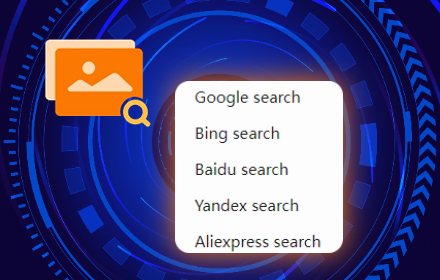
A powerful temu product image search tool that supports Google, Bing, Baidu, Yandex, AliExpress and other search methods.
4.0K
★ 1.9

AliExpress Image Search
Find the best suppliers with the lower prices for your products
90

Select & Search - Capture Screen and Search Instantly
Select any area on screen and instantly search it across 40+ engines.
90
★ 5.0

1688 search by image
Simplify shopping with 1688 search by image Chrome extension
263

Search by Image on AliExpress
AliExpress Search by Image with an image url or image file.
159
★ 5.0
Data sourced from the Chrome Web Store · last verified Jun 7, 2026.