
Page Camera
Capture snapshots of pages to track with Crazy Egg
As of June 2026, Page Camera has 4,000 users and a 3.42/5 rating from 12 reviews in the Workflow & Planning category.
Usersno change0%
4.0K
4,000
Ratingno change0%
3.42
12 reviews
Reviewsno change0%
12
Version
2.1.29
Manifest V3
History
2 snapshotsTracking since Apr 16, 2026.
View as table
| Date | Users | Rating | Reviews | Version |
|---|---|---|---|---|
| Apr 16, 2026 | 4.0K | 3.42 | 12 | 2.1.29 |
| Apr 26, 2026 | 4.0K | 3.42 | 12 | 2.1.29 |
| Now | 4.0K | 3.42 | 12 | 2.1.29 |
Permissions & access
- Permissions
- activeTabdebuggertabsstoragescripting
- Host access
- <all_urls>
Screenshots
About
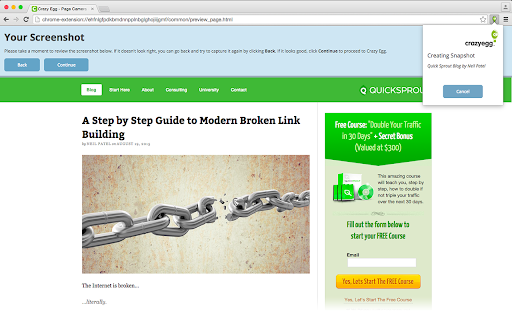
Capture snapshots of web pages that you can track with Crazy Egg.

Page Camera gives Crazy Egg users the ability to manually capture snapshots of web pages. Crazy Egg is normally able to capture a page simply by specifying its URL. However, pages that are only accessible to authenticated users or are hosted within private networks cannot be captured automatically. Page Camera can capture any page you can visit in your browser, so it is able to take snapshots of these otherwise inaccessible pages.
Technical
- Version
- 2.1.29
- Manifest
- V3
- Size
- 89.31KiB
- Min Chrome
- 110
- Languages
- 1
- Featured
- No
Metadata
- ID
- pbbiianacjodglafeohjdipcjnmbbhbd
- Developer ID
- u3c46f29a4e9eaae3604e1a6b6a656059
- Developer Email
- [email protected]
- Created
- Aug 20, 2015
- Last Updated (Store)
- Feb 23, 2026
- Last Scraped
- Jun 5, 2026
- Website
- crazyegg.com
- Support URL
- —
- Privacy Policy
- https://www.crazyegg.com/privacy
Similar extensions
Alternatives to Page Camera, ranked by description similarity.

Capture Master – Full Page Screenshot & Annotation Tool
Powerful screenshot tool for full page & region captures. Annotate with text, shapes, arrows, and blur. Save as PNG, JPG, or PDF.
142
★ 5.0

Qt Screen Capture
The screenshot extension that gets the job done.
25
★ 1.0

Easy Screenshot
Capture full-page screenshots instantly. Manually select any part of the page to capture exactly what you need.
4

EdShot
Screenshots, Cropped shots, Snap-shots, Videos and Screencasts taken with a single click.
780
★ 4.1

AuraCapture
Premium full-page screenshot and annotation tool.
15
★ 5.0

Screenshot (Capture Page) Tool - WebCapturePro
Capture, edit, and customize webpage screenshots to your liking. Adjust proportions and add watermarks—all for free!
83
★ 5.0

Screenety - Screen Recorder & Annotation Tool
Screenshot tool
154
★ 5.0

Bookmark with full page screenshots - YesKeeper Clipper
Save full page snapshots, links, text to cloud with one click. Sync and back up bookmarks. View and manage them in the sidebar.
525
★ 4.7
Data sourced from the Chrome Web Store · last verified Jun 5, 2026.