
Miro: Whiteboard for Collaboration
Visual project management tool. Develop your ideas and projects with online whiteboard.
As of June 2026, Miro: Whiteboard for Collaboration has 100,000 users and a 4.01/5 rating from 621 reviews.
Usersno change0%
100.0K
100,000
Ratingno change0%
4.01
621 reviews
Reviewsno change0%
621
Version
1.38.3.0
Manifest V2
History
1 snapshotsTracking since Apr 23, 2026.
View as table
| Date | Users | Rating | Reviews | Version |
|---|---|---|---|---|
| Apr 23, 2026 | 100.0K | 4.01 | 621 | 1.38.3.0 |
| Now | 100.0K | 4.01 | 621 | 1.38.3.0 |
Permissions & access
- Permissions
- clipboardReadclipboardWrite
- Host access
- None declared
Screenshots


About
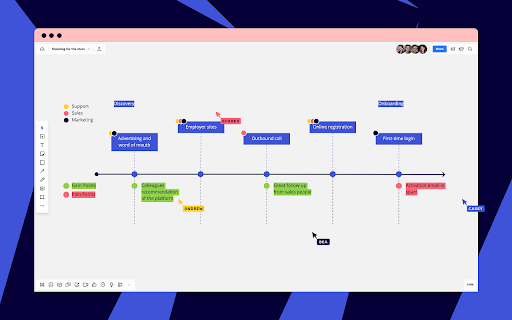
Miro (formerly RealtimeBoard) is the most intuitive visual collaboration and whiteboarding platform for cross-functional teams. Over 2 million product managers, project managers, designers, Agile coaches, developers, and other talented team members around the world use Miro to collaborate, brainstorm and visualize ideas, and share team work.
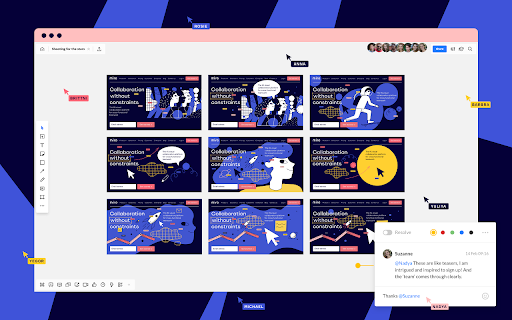
Add pictures, mockups, drawings, videos, sticky notes, office documents and Google Drive files on an endless canvas, discuss it with your colleagues, and enjoy the smoothest real time visual collaboration without emails.

 Basic tools:
 - Whiteboarding tools: sticky notes, freehand drawing, shapes, links, texts, presentation mode
 - Collaboration tools: real time collaborative editing, comments, text chat, voice and video chat, screen sharing, daily notifications
 - Sharing and export tools: invite other people via email, export boards as images and pdf files, save to Google Drive, post to Facebook, embed into blogs and websites
 - Visual libraries: prototyping, tables and charts, business canvases, templates for design thinking, project management, brainstorming and creative sessions.
 Miro is an ideal collaboration tool for:
 - brainstorming
 - mind mapping
 - getting feedback on design/UI/content
 - creating mood boards
 - structuring information
 - working on strategy
 - working on digital content
 - agile planning and project management
 - design thinking
 - prototyping
 - creative meetings
 - remote work and discussions
 - storytelling
 - educational projects

Join Miro now – it’s free, easy to use and only takes a few seconds to start.
Technical
- Version
- 1.38.3.0
- Manifest
- V2
- Size
- 15.49KiB
- Min Chrome
- —
- Languages
- 17
- Featured
- No
Metadata
- ID
- opfmbdmhambgleempeofcjjhjclimccg
- Developer ID
- uba3f74a5e5ab5d63a0030d79cdbd63da
- Developer Email
- [email protected]
- Created
- Sep 3, 2012
- Last Updated (Store)
- Apr 17, 2019
- Last Scraped
- Jun 8, 2026
- Website
- miro.com
- Support URL
- https://help.miro.com/hc/en-us
- Privacy Policy
- —
Similar extensions
Alternatives to Miro: Whiteboard for Collaboration, ranked by description similarity.

Miro: whiteboard for remote teams
The simplest visual collaboration platform for agile product teams, ux/ui designers, project leaders, marketers and creatives.
308
★ 4.2

Miro for Education
Enrich school or corporate education process with endless whiteboards in the web.
50.0K
★ 4.3

Sketchboard.io
Sketch diagrams quickly on an infinite whiteboard together with your team.
30.0K
★ 3.6

Conceptboard
Visual Collaboration Platform for Marketing & Remote Teams
20.0K
★ 4.3

MindMeister
Create, edit and share mind maps online. Also works with Google Drive!
900.0K
★ 3.5

Collaborative Whiteboard
Free online whiteboard for real-time collaboration, lets you easily sketch diagrams that have a hand-drawn feel to them.
10.0K
★ 3.8

Sticky Brainstorm
A powerful and elegant sticky note brainstorming tool.
7

Online Whiteboard with Realtime Collaboration
Deskle is an interactive virtual Whiteboards for visual Realtime Collaboration for any team, any need and any scale.
15
Data sourced from the Chrome Web Store · last verified Jun 8, 2026.