
Metro Speed Dial - Modern New Tab page
A modern, highly customizable speed dial that replaces the new tab page. Organize pages in groups, take notes and try new themes.
As of June 2026, Metro Speed Dial - Modern New Tab page has 3,000 users and a 4.50/5 rating from 14 reviews in the Workflow & Planning category.
Usersdown 40.0 percent−40.0%
3.0K
3,000
Ratingup 0.9 percent+0.9%
4.50
14 reviews
Reviewsup 7.7 percent+7.7%
14
Version
2.9.0
Manifest V3
90-day change · In the last 90 days this extension lost 2.0K users, 1 version update, changed permissions.
History
6 snapshotsTracking since Apr 5, 2026.
View as table
| Date | Users | Rating | Reviews | Version |
|---|---|---|---|---|
| Apr 5, 2026 | 5.0K | 4.46 | 13 | 2.8.0 |
| Apr 16, 2026 | 4.0K | 4.46 | 13 | 2.8.0 |
| May 7, 2026 | 3.0K | 4.46 | 13 | 2.9.0 |
| May 18, 2026 | 4.0K | 4.46 | 13 | 2.9.0 |
| May 23, 2026 | 5.0K | 4.46 | 13 | 2.9.0 |
| Jun 10, 2026 | 3.0K | 4.46 | 13 | 2.9.0 |
| Now | 3.0K | 4.50 | 14 | 2.9.0 |
Changelog
- Apr 16, 2026description
Metro Speed Dial is a highly customizable extension that replaces the New Tab page and allows you to save and organize your favorite websites for quick and easy access.

All the pages you love are just one click away!

After installing Metro Speed Dial make sure to click the "Keep it" button on the "Change back to Google" notification to ensure Metro Speed Dial remains your default new tab.

Features:
• Easily customizable tiles
• Tiles can be categorized and grouped
• A wide selection of high quality 4K backgrounds & themes
• Support for uploading your custom backgrounds
• Notes and todos
• Quick access to Chrome's history, downloads, bookmarks and extensions
• Various search engines included in the Speed Dial
• Support for importing & exporting your pages, notes & settings

No data is collected while using this extension.
No additional permissions are requested.
To keep everything private and secure, the extension doesn't track your usage or your activity and it doesn't have access to any other tabs that you opened.


What's new?

Version 2.8.0
- Added efficient compression for custom backgrounds and for custom tile images
- Added zoom & position sliders for custom tile images
- Added custom colors for predefined tile thumbnails & frosted glass color override for each tile
- Added 250 icons that can be used as thumbnails for tiles
- Added new page thumbnails

Version 2.7.1
- Added shortcut to easily hide page quick add button

Version 2.7.0
- Added Frosted Glass Design
- Added page quick add option
- Added tooltips with explanations for all visual settings
- Improved page management in settings
- Added new backgrounds, themes & page thumbnails

Version 2.6.0
- Added tile (page) categories - each category has its own section
- Added custom search engine option
- Added option to hide search bar
- Added backup reminders
- Improved tile custom image management
- Added 200+ new predefined tile thumbnails

Version 2.5.0
- Added themes
- Added new backgrounds
- Reworked notes & todos
- Added hints to help new users
- Added local storage usage indicator

Version 2.4.0
- Added page groups
- Added drag & drop reordering for pages (in settings)
- Added 12/24-hour clock toggle
- Added dark mode
- Added "about" page
- Added status message for imports
Metro Speed Dial is a highly customizable extension that replaces the New Tab page and allows you to save and organize your favorite websites for quick and easy access.

All the pages you love are just one click away!

After installing Metro Speed Dial make sure to click the "Keep it" button on the "Change back to Google" notification to ensure Metro Speed Dial remains your default new tab.

Features:
• Easily customizable tiles
• Tiles can be categorized and grouped
• A wide selection of high quality 4K backgrounds & themes
• Support for uploading your custom backgrounds
• Notes and todos
• Quick access to Chrome's history, downloads, bookmarks and extensions
• Various search engines included in the Speed Dial
• Support for importing & exporting your pages, notes & settings

No data is collected while using this extension.
No additional permissions are requested.
To keep everything private and secure, the extension doesn't track your usage or your activity and it doesn't have access to any other tabs that you opened.


What's new?

Version 2.9.0
- New layout & design for the settings page
- Added bookmarks import
- Added options for search bar width & height, clock position & size, date format, tile safe zone
- Added behavior options for opening pages & search results in new tab
- Added multiple ways to switch or scroll through categories
- Added an option to select the default category when opening a new tab
- Modified search engine settings to use the browser's search engine

Version 2.8.0
- Added efficient compression for custom backgrounds and for custom tile images
- Added zoom & position sliders for custom tile images
- Added custom colors for predefined tile thumbnails & frosted glass color override for each tile
- Added 250 icons that can be used as thumbnails for tiles
- Added new page thumbnails

Version 2.7.1
- Added shortcut to easily hide page quick add button

Version 2.7.0
- Added Frosted Glass Design
- Added page quick add option
- Added tooltips with explanations for all visual settings
- Improved page management in settings
- Added new backgrounds, themes & page thumbnails

Version 2.6.0
- Added tile (page) categories - each category has its own section
- Added custom search engine option
- Added option to hide search bar
- Added backup reminders
- Improved tile custom image management
- Added 200+ new predefined tile thumbnails

Version 2.5.0
- Added themes
- Added new backgrounds
- Reworked notes & todos
- Added hints to help new users
- Added local storage usage indicator

Version 2.4.0
- Added page groups
- Added drag & drop reordering for pages (in settings)
- Added 12/24-hour clock toggle
- Added dark mode
- Added "about" page
- Added status message for imports
- Apr 16, 2026permissions
(empty)
search
Permissions & access
- Permissions
- search
- Host access
- None declared
Screenshots


About
Metro Speed Dial is a highly customizable extension that replaces the New Tab page and allows you to save and organize your favorite websites for quick and easy access.

All the pages you love are just one click away!

After installing Metro Speed Dial make sure to click the "Keep it" button on the "Change back to Google" notification to ensure Metro Speed Dial remains your default new tab.

Features:
• Easily customizable tiles
• Tiles can be categorized and grouped
• A wide selection of high quality 4K backgrounds & themes
• Support for uploading your custom backgrounds
• Notes and todos
• Quick access to Chrome's history, downloads, bookmarks and extensions
• Various search engines included in the Speed Dial
• Support for importing & exporting your pages, notes & settings

No data is collected while using this extension.
No additional permissions are requested.
To keep everything private and secure, the extension doesn't track your usage or your activity and it doesn't have access to any other tabs that you opened.


What's new?

Version 2.9.0
- New layout & design for the settings page
- Added bookmarks import
- Added options for search bar width & height, clock position & size, date format, tile safe zone
- Added behavior options for opening pages & search results in new tab
- Added multiple ways to switch or scroll through categories
- Added an option to select the default category when opening a new tab
- Modified search engine settings to use the browser's search engine

Version 2.8.0
- Added efficient compression for custom backgrounds and for custom tile images
- Added zoom & position sliders for custom tile images
- Added custom colors for predefined tile thumbnails & frosted glass color override for each tile
- Added 250 icons that can be used as thumbnails for tiles
- Added new page thumbnails

Version 2.7.1
- Added shortcut to easily hide page quick add button

Version 2.7.0
- Added Frosted Glass Design
- Added page quick add option
- Added tooltips with explanations for all visual settings
- Improved page management in settings
- Added new backgrounds, themes & page thumbnails

Version 2.6.0
- Added tile (page) categories - each category has its own section
- Added custom search engine option
- Added option to hide search bar
- Added backup reminders
- Improved tile custom image management
- Added 200+ new predefined tile thumbnails

Version 2.5.0
- Added themes
- Added new backgrounds
- Reworked notes & todos
- Added hints to help new users
- Added local storage usage indicator

Version 2.4.0
- Added page groups
- Added drag & drop reordering for pages (in settings)
- Added 12/24-hour clock toggle
- Added dark mode
- Added "about" page
- Added status message for imports
Technical
- Version
- 2.9.0
- Manifest
- V3
- Size
- 31.25MiB
- Min Chrome
- 88
- Languages
- 1
- Featured
- No
Metadata
- ID
- onhhmnkghemlcnlglcnjkhebiclbklpl
- Developer ID
- ub540786c6081542dfc6125443dd414ae
- Developer Email
- [email protected]
- Created
- May 19, 2019
- Last Updated (Store)
- Apr 13, 2026
- Last Scraped
- Jun 21, 2026
- Website
- —
- Support URL
- —
- Privacy Policy
- —
Similar extensions
Alternatives to Metro Speed Dial - Modern New Tab page, ranked by description similarity.

Speed Dial 2 New tab
Speed Dial 2 is an easy-to-use extension that lets you save and organize your most visited websites and customize your new tab page.
300.0K
★ 4.1

Speed Dial New tab
Speed Dial is an easy-to-use extension that lets you save and organize your most visited websites and customize your new tab page.
10.0K
★ 3.9
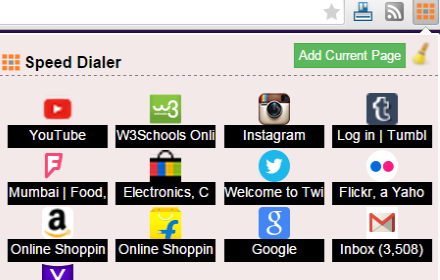
SpeedDialer
This extension bookmarks your pages so that the same could be synced across multiple chrome browsers
185
★ 4.0

Minimalist Speed Dial - New Tab Shortcuts
Minimalist speed dial new tab with a customizable shortcuts grid—add lots of shortcuts fast.
186
★ 5.0

Group Speed Dial
Speed Dial [Group Speed Dial] is the most advanced start page! It's like a visual bookmarks, plus many more tools for professionals!
50.0K
★ 4.5

Speed Dial New Tab
Organize Speed Dial New Tab with websites and quickly access your favorite sites from a new tab in Chrome with easy setup
72
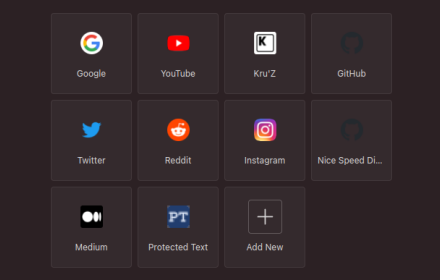
Nice Speed Dials
Nice and Simple Speed dials Extension for Chrome
1.0K
★ 4.6

Speed Dial | Bookmark Manager for New Tab with Sync
Speed Dial and Bookmark Manager with Sync that Helps You Organize Your New Tab Page Across Browsers, Devices and Platforms
901
★ 2.7
Data sourced from the Chrome Web Store · last verified Jun 21, 2026.