Nice Speed Dials
Nice and Simple Speed dials Extension for Chrome
As of June 2026, Nice Speed Dials has 1,000 users and a 4.57/5 rating from 30 reviews in the Workflow & Planning category.
Usersup 2.2 percent+2.2%
1.0K
1,000
Ratingdown 2.8 percent−2.8%
4.57
30 reviews
Reviewsno change0%
30
Version
boron (v5)
Manifest V3
History
3 snapshotsTracking since Apr 18, 2026.
View as table
| Date | Users | Rating | Reviews | Version |
|---|---|---|---|---|
| Apr 18, 2026 | 978 | 4.70 | 30 | boron (v5) |
| May 19, 2026 | 1.0K | 4.69 | 29 | boron (v5) |
| Jun 2, 2026 | 2.0K | 4.57 | 30 | boron (v5) |
| Now | 1.0K | 4.57 | 30 | boron (v5) |
Permissions & access
- Permissions
- bookmarksfaviconcontextMenusstorage
- Host access
- None declared
Screenshots

About
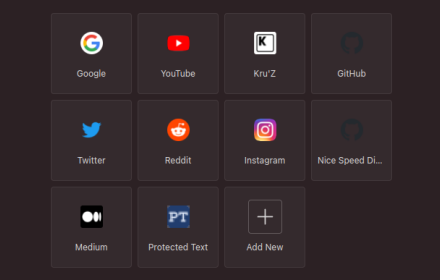
Nice Speed Dials is a Chrome extension With a sleek and intuitive interface that
allows you to organize your browser's new tab page with your favourite websites
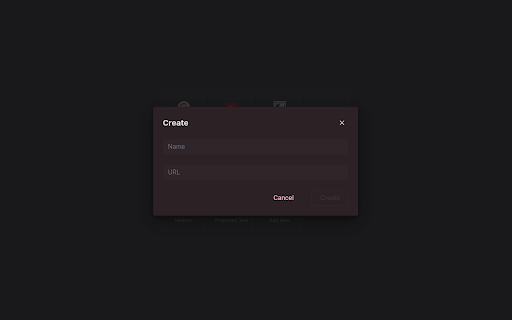
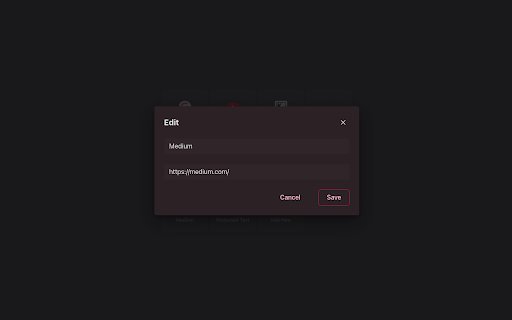
and links. With just a few clicks, you can create and organize a collection of
speed dials that can be accessed from any new tab you open.

Unlike other speed dial extensions or the default new tab page, Nice Speed Dials
stores your speed dials as bookmarks in your Chrome account. This means that
even if you change devices or uninstall the extension, your speed dials will
remain safe and accessible. Simply log in to your Chrome account on any device,
and your speed dials will be there waiting for you.

Features:
- Sleek and intuitive interface
- Create and organize speed dials
- Access speed dials from any new tab
- Speed dials are stored in your Chrome account
- Sync speed dials across multiple devices (if your chrome sync is on)
- Reorder speed dials via drag and drop
- Keyboard accessibility
- Options for customization
- Nice animation on any actions

Future Plan:
- Import and export speed dials
- Support for folders
- Better Keyboard accessibility
- More features to come!

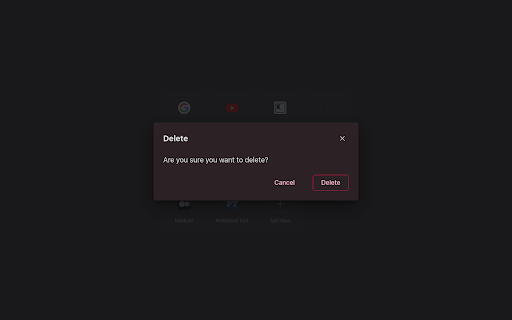
IMPORTANT: Please remember that your speed dials are not stored on our server,
but in your own Chrome account's bookmarks. So please do not delete the bookmark
folder "NICE_SPEED_DIALS_BOOKMARKS\_[DO_NOT_DELETE]", as this is where your
speed dials are stored. If you delete this folder, you will lose your speed
dials. or any update in that folder will be reflected in your new tab speed
dials. However, you can use this to your advantage by saving any bookmark to
this folder, and it will appear on your new tab speed dials!

Try Nice Speed Dials today and streamline your browsing experience!

Request a features or report a bug at
https://github.com/kruzkasu223/nice-speed-dials-chrome/issues
Technical
- Version
- boron (v5)
- Manifest
- V3
- Size
- 163KiB
- Min Chrome
- 88
- Languages
- 1
- Featured
- Yes
Metadata
- ID
- igdancpfkcmgelecddchfeijbofdcnaa
- Developer ID
- u111ee7ae2444caf6f32ee709b19862d0
- Developer Email
- [email protected]
- Created
- Jan 10, 2023
- Last Updated (Store)
- Nov 4, 2025
- Last Scraped
- Jun 2, 2026
- Website
- kruz.me
- Privacy Policy
- —
Similar extensions
Alternatives to Nice Speed Dials, ranked by description similarity.

Speed dial 2.0 - New Tab, Bookmarks, History
Customizable dashboard every time you click a new tab that will help you organize your favorite sites, bookmarks, history, etc.!
590
★ 4.5
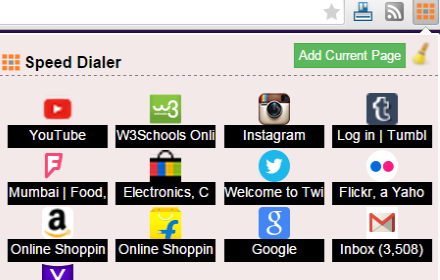
SpeedDialer
This extension bookmarks your pages so that the same could be synced across multiple chrome browsers
185
★ 4.0

Speed Dial New tab
Speed Dial is an easy-to-use extension that lets you save and organize your most visited websites and customize your new tab page.
10.0K
★ 3.9

Speed Dial 2 New tab
Speed Dial 2 is an easy-to-use extension that lets you save and organize your most visited websites and customize your new tab page.
300.0K
★ 4.1

Speed Dial New Tab
Organize Speed Dial New Tab with websites and quickly access your favorite sites from a new tab in Chrome with easy setup
72

Speed Dial Bookmark
Enhance browsing with Speed Dial Bookmark. Quickly open and manage 9 bookmark folders using custom keyboard shortcuts.
17

Group Speed Dial
Speed Dial [Group Speed Dial] is the most advanced start page! It's like a visual bookmarks, plus many more tools for professionals!
50.0K
★ 4.5

Speed Dial | Bookmark Manager for New Tab with Sync
Speed Dial and Bookmark Manager with Sync that Helps You Organize Your New Tab Page Across Browsers, Devices and Platforms
901
★ 2.7
Data sourced from the Chrome Web Store · last verified Jun 2, 2026.