
Full screen for Google applications
True full screen mode for Google applications - slides, sheets, documents, meet
As of May 2026, Full screen for Google applications has 101 users and a 5.00/5 rating from 1 reviews in the Productivity category.
Usersup 18.8 percent+18.8%
101
101
Ratingno change0%
5.00
1 reviews
Reviewsno change0%
1
Version
1.1
Manifest V3
History
3 snapshotsTracking since Apr 1, 2026.
View as table
| Date | Users | Rating | Reviews | Version |
|---|---|---|---|---|
| Apr 1, 2026 | 85 | 5.00 | 1 | 1.1 |
| Apr 30, 2026 | 83 | 5.00 | 1 | 1.1 |
| May 27, 2026 | 92 | 5.00 | 1 | 1.1 |
| Now | 101 | 5.00 | 1 | 1.1 |
Permissions & access
- Permissions
- activeTabscripting
- Host access
- None declared
Screenshots


About
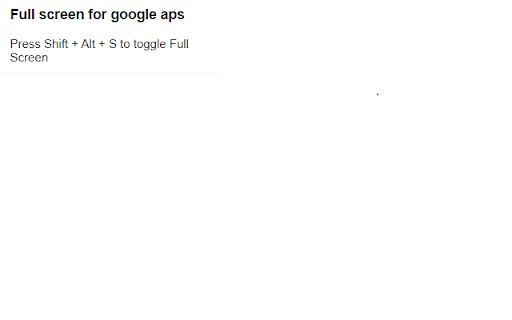
True full screen mode for Google applications - edit and show comments in a true full screen mode. Utilize the full potential of your screen size.

Supported applications:
- GoogleSlides
- GoogleSheets
- GoogleDocumments

Future plans:
- GoogleMeet

Tested on operations system:
- Windows
- Linux
- Mac

Tested with following web browsers:
Chrome
Edge
Technical
- Version
- 1.1
- Manifest
- V3
- Size
- 16.52KiB
- Min Chrome
- 88
- Languages
- 1
- Featured
- No
Metadata
- ID
- olihjmpakebmhlmdhphngoiokcpohdfk
- Developer ID
- u25a4941c6ae6e143df70b71d453b1c5f
- Developer Email
- [email protected]
- Created
- Feb 6, 2024
- Last Updated (Store)
- Feb 11, 2024
- Last Scraped
- May 27, 2026
- Website
- —
- Support URL
- —
- Privacy Policy
- —
Similar extensions
Alternatives to Full screen for Google applications, ranked by description similarity.

Chrome Full Screen
Use Chrome Full Screen with one click on the fullscreen button through the force fullscreen extension or shortcut for max window.
851
★ 4.9

Meet Auto Fullscreen
Auto fullscreen when presentations start in Google Meet. By AIO.com.ai
1

Minimalist Fullscreen
This extension is a minimalists dream. Simply shift + double click, or shift + scroll to be fully imersed in your website.
148
★ 5.0
Split Screen for Google Chrome
You can easily split and separate tabs, split interface layout, and resize tabs by columns and rows. Multi-monitor support
300.0K
★ 3.8

Docclip
An Extension by Docclip to capture web content and convert to editable tabular content and merge google drive pdf files.
15

Gmeet kit: Auto-mute, Disable-camera, Save recent meetings & much more
Enhance Your Google Meet Experience
160
★ 5.0

Split Screen Extension
Split screen functionality for Chrome
139
★ 5.0

Annotate & Record for Google Meet: Visible to everyone including presenter
Real-time Google Meet annotation & recording. Annotations visible to all participants including presenter. Record meetings directly.
1.0K
★ 3.3
Data sourced from the Chrome Web Store · last verified May 27, 2026.