
rami - Tab Organizer for Chrome
A simple cleanup routine to close and organize the too many open tabs.
As of May 2026, rami - Tab Organizer for Chrome has 500 users and a 4.47/5 rating from 17 reviews in the Productivity category.
Usersdown 2.7 percent−2.7%
500
500
Ratingno change0%
4.47
17 reviews
Reviewsno change0%
17
Version
1.0.1.3
Manifest V3
History
5 snapshotsTracking since Apr 1, 2026.
View as table
| Date | Users | Rating | Reviews | Version |
|---|---|---|---|---|
| Apr 1, 2026 | 514 | 4.47 | 17 | 1.0.1.3 |
| Apr 20, 2026 | 531 | 4.47 | 17 | 1.0.1.3 |
| May 6, 2026 | 528 | 4.47 | 17 | 1.0.1.3 |
| May 17, 2026 | 511 | 4.47 | 17 | 1.0.1.3 |
| May 30, 2026 | 506 | 4.47 | 17 | 1.0.1.3 |
| Now | 500 | 4.47 | 17 | 1.0.1.3 |
Permissions & access
- Permissions
- contextMenusstoragetabssystem.display
- Host access
- None declared
Screenshots
About
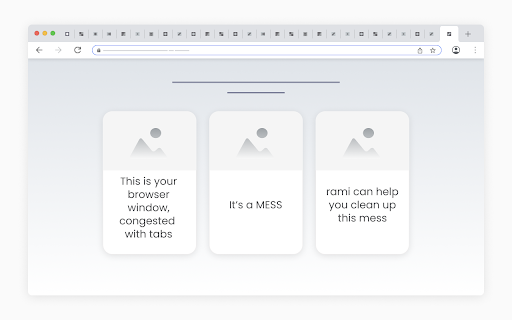
Imagine a messy browser window, congested with tabs.
rami offers a simple routine for cleaning up such windows:

	- Launch rami in the messy window.
	- When launched, rami loads a “tab container” for each open tab in the window.
	- Start at the first container and individually consider each tab:
		- Hover the container to view the tab, quickly identifying it.
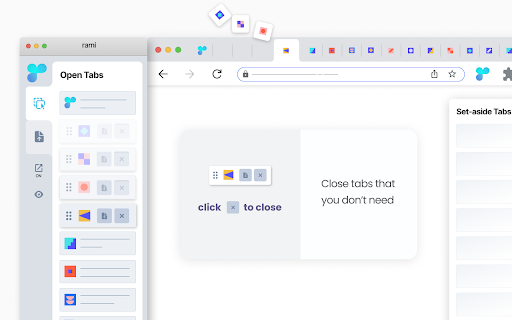
		- Close the tab if you don’t need it,
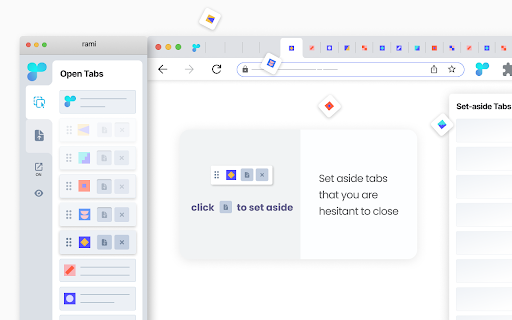
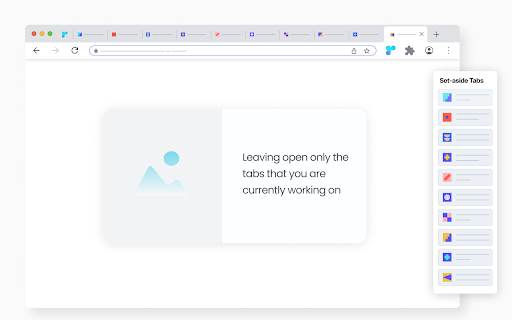
		- Set aside the tab if you are hesitant to close,
		- Leave the tab open if you are currently working on it.
	- You are done cleaning up the window once you have made the - set-aside|discard|keep - decision for every tab in it.

	- - - - - - - - - - - - - - - - - - - - - - - -

	- Buttons to set aside and close are inside the containers, easy to reach, making the cleanup process faster.
	- rami is dynamic - any changes within the rami window are immediately reflected in the browser window and vice versa.


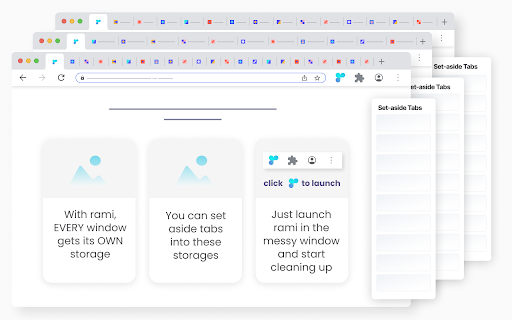
rami assigns a storage to each open window. When you set aside a tab, it is automatically placed in the storage of its parent window. This allows for one-click set-aside, as you don’t have to decide where to store the tabs. You simply set aside a tab, knowing exactly where it will be stored.

Retrieving set-aside tabs from storage is very easy:
	- All storages are only two clicks away, accessible from the rami window.
	- Conveniently, you can preview the set-aside tabs before returning them to their parent windows.

When a window is closed, its storage is automatically archived.

Additional features:

- From within the rami window:
	- Conduct a convenient drag and drop of tabs within and across windows.
	- Bring any open window in focus to clean it up or access its storage.
- Context menu set-aside - right-click a tab and select “Set Aside”.

* rami is free | no sign-up *
Technical
- Version
- 1.0.1.3
- Manifest
- V3
- Size
- 104KiB
- Min Chrome
- 99
- Languages
- 1
- Featured
- Yes
Metadata
- ID
- oldhlfinhpcinbpngoonbaklipfmlpba
- Developer ID
- ud3b9d2889df7fd8b49c3690c96ae78f5
- Developer Email
- [email protected]
- Created
- May 9, 2023
- Last Updated (Store)
- Jun 20, 2025
- Last Scraped
- May 30, 2026
- Website
- —
- Support URL
- —
- Privacy Policy
- https://sites.google.com/view/rami-privacy-policy/home
Similar extensions
Alternatives to rami - Tab Organizer for Chrome, ranked by description similarity.

RAM Freezer — Smart Tab & Memory Manager
Free your RAM by freezing inactive tabs, saving sessions, and restoring them anytime. Keep Chrome fast and organized.
155
★ 5.0

Tabs to Nap
Pone tus pestañas a dormir para darle un respiro a tu RAM.
12
★ 5.0

TabNanny
Your personal trainer for browser hygiene. Kills duplicates, enforces tab limits, and freezes idle tabs to save RAM.
—

Tab Memory
Smart tab lifecycle management with scoring, parking, starring, and restore windows.
12
★ 5.0

Tab Organizer
Intelligent tab management with auto-grouping and powerful search
241
★ 4.2

Groups Freezer
Local tab group manager
6
★ 5.0

TabLedger
Clean up your tabs without losing your work — a simple way to save, search, and restore tab sessions.
9
★ 5.0

LucidTab
Lucid Tab - Store. Organize. Simplify.
—
Data sourced from the Chrome Web Store · last verified May 30, 2026.