
Github JSON Editor
Github JSON Editor
As of May 2026, Github JSON Editor has 68 users in the Workflow & Planning category.
Usersdown 1.4 percent−1.4%
68
68
Ratingno change0%
—
— reviews
Reviewsno change0%
—
Version
1.4.1
Manifest V3
History
1 snapshotsTracking since Apr 29, 2026.
View as table
| Date | Users | Rating | Reviews | Version |
|---|---|---|---|---|
| Apr 29, 2026 | 69 | — | — | 1.4.1 |
| Now | 68 | — | — | 1.4.1 |
Permissions & access
- Permissions
- None declared
- Host access
- None declared
Screenshots

About
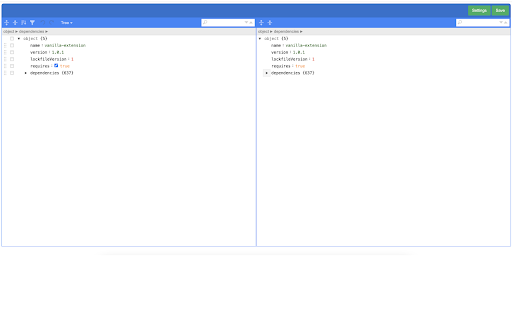
We normally have many Github repository multiple JSON files in it. Most times these JSON files are application configuration and we tend to edit them directly from Github. As Github's own editor doesn't have any sort of validation for checking the syntax of the JSON file being saved, we sometimes save these JSON files with syntax error which results in app runtime error.


This chrome plugin helps you make sure you are not saving wrong JSON and keeps your JSON formatted.


Steps to use it:

1. Install this plugin from Chrome web store.
2. Open this plugin and save your settings like Github token, Username, Email etc.
3. Now open any JSON file on Github. You shall see a button labelled 'JSON Editor'. Click on that button
4. Plugin will open with that JSON filled in a new tab.
5. Now you can make any changes to JSON and finally click 'Save' button to commit your changes to your repository.

Support for multiple settings based on host

Source: https://github.com/techierishi/gejson.git
Technical
- Version
- 1.4.1
- Manifest
- V3
- Size
- 517KiB
- Min Chrome
- 88
- Languages
- 1
- Featured
- No
Metadata
- ID
- ojkpalfdidhnipfgeaaopjfkgemancnd
- Developer ID
- u9be9fbe958b2c1456e4a333ea8aab291
- Developer Email
- [email protected]
- Created
- Jul 13, 2022
- Last Updated (Store)
- Jul 18, 2022
- Last Scraped
- May 26, 2026
- Website
- —
- Support URL
- https://github.com/techierishi/gejson.git
- Privacy Policy
- —
Similar extensions
Alternatives to Github JSON Editor, ranked by description similarity.

MDClient
Markdown Viewer Chrome Extension for Github
10

StructyHub
Automatically integrate your Structy submissions with GitHub.
30
★ 5.0

JSON Beautifier and Editor
Display JSON objects by transforming them into Syntax editable highlighted HTML to validate, format, and save
30.0K
★ 4.8

MetaGramm grammar checker
MetaGramm check to your writing routine and never miss an error again.
129
★ 4.8

JSON Formatter
Format your JSON so that it is indented correctly for easier reading.
325

Wizard Browser Extension
Power up your GitHub experience with features like:
- Guidelines complience check
- Optimised notifications subscription…
20
★ 5.0

GitJump
Find your Git Issues easily
8

ChatGPT Code Runner
Run and save the code in ChatGPT. Supports upto 70+ languages.
415
★ 3.8
Data sourced from the Chrome Web Store · last verified May 26, 2026.