
Canvas Course Sidebar
Adds Canvas courses to your Canvas sidebar to make them easier to access
As of June 2026, Canvas Course Sidebar has 7 users in the Productivity category.
Usersdown 30.0 percent−30.0%
7
7
Ratingno change0%
—
— reviews
Reviewsno change0%
—
Version
0.1.5
Manifest V3
History
4 snapshotsTracking since Apr 20, 2026.
View as table
| Date | Users | Rating | Reviews | Version |
|---|---|---|---|---|
| Apr 20, 2026 | 10 | — | — | 0.1.5 |
| May 5, 2026 | 11 | — | — | 0.1.5 |
| May 29, 2026 | 8 | — | — | 0.1.5 |
| Jun 9, 2026 | 6 | — | — | 0.1.5 |
| Now | 7 | — | — | 0.1.5 |
Permissions & access
- Permissions
- storage
- Host access
- None declared
Screenshots

About
— Adding Courses —
To load all courses by default, visit `https://<yourschool>.instructure.com/courses` and press the "Add All to Sidebar" button. This will load the IDs, titles, and colors from this page. This will not overwrite any existing configured courses. You can also add courses manually using the "Add" button in the extension window

— Editing Courses —
Courses have three properties:
1. `Name` - This is what will appear in the sidebar, it's best to be concise
2. `ID` - This is what determines the link for the button, it can be found at the end of the URL for the course's homepage (`https://<yourschool>.instructure.com/courses/<courseid>`)
3. `Color` - If the "Color Sidebar" setting is enabled, this will be the color that the sidebar is set to when the course is active

These will automatically save whenever they're updated, and you should see the changes reflected when you reload your Canvas page

You can reorder your courses by dragging them in the list in the editor
Technical
- Version
- 0.1.5
- Manifest
- V3
- Size
- 256KiB
- Min Chrome
- 88
- Languages
- 1
- Featured
- No
Metadata
- ID
- ojfinjidcoomklkicnbepdibbomgcnnh
- Developer ID
- u5ba9cb8836bba7d95aa19bd230af2331
- Developer Email
- [email protected]
- Created
- Aug 26, 2025
- Last Updated (Store)
- Sep 3, 2025
- Last Scraped
- Jun 9, 2026
- Website
- —
- Support URL
- —
- Privacy Policy
- —
Similar extensions
Alternatives to Canvas Course Sidebar, ranked by description similarity.

Canvas LMS Mods (Basic)
This provides modifications to the Canvas LMS to improve the user experience visually and functionally.
4.0K
★ 5.0

Better Blackboard Learn
Dark mode, Custom Course Images & Names, Custom Themes, and More for Blackboard Learn.
5.0K
★ 3.6

UBC Workday Better Courselist
Reformats UBC Workday's course search list.
769
★ 4.7

NTU COOL Assignment Viewer
View the status of every course's assignments on NTU COOL
1.0K
★ 5.0

What's That Course?
Search for Cornell University courses by their course codes.
8

Skool Extensions
Useful extensions for Skool communities
897
★ 5.0

EPHEC old colors :)
Improve the design aesthetics and user experience of the EPHEC's online platforms.
9
★ 5.0
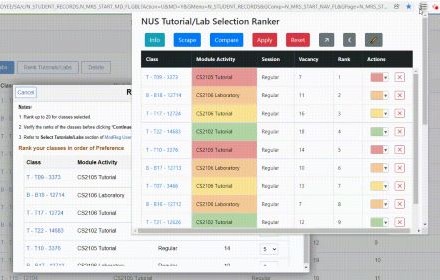
NUS EduRec Tutorial Ranker
Chrome extension to allow easier ranking of tutorials/labs on EduRec.
15
Data sourced from the Chrome Web Store · last verified Jun 9, 2026.