
BF2042 Portal Extensions
Adds additional functionality to the BF2042 Portal Rules Editor.
As of May 2026, BF2042 Portal Extensions has 447 users and a 5.00/5 rating from 7 reviews in the Developer Tools category.
Usersup 3.5 percent+3.5%
447
447
Ratingno change0%
5.00
7 reviews
Reviewsno change0%
7
Version
2.0.0
Manifest V3
History
2 snapshotsTracking since Apr 29, 2026.
View as table
| Date | Users | Rating | Reviews | Version |
|---|---|---|---|---|
| Apr 29, 2026 | 432 | 5.00 | 7 | 2.0.0 |
| May 26, 2026 | 435 | 5.00 | 7 | 2.0.0 |
| Now | 447 | 5.00 | 7 | 2.0.0 |
Permissions & access
- Permissions
- storage
- Host access
- None declared
Screenshots
About
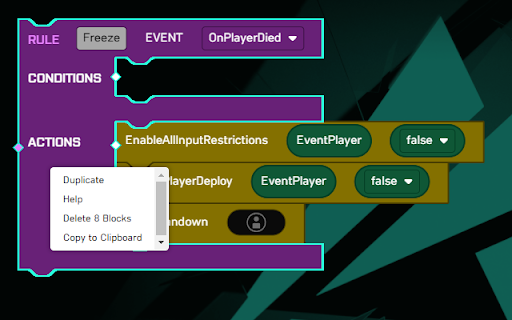
NOTE! As of v2.0.0 the extension is purposely split into a Browser Extension with minimal functionality and a Web Extension that does the rest as described below. The Browser Extension will load a Web Extension of your choice, which in turn is also responsible for managing plugins. The recommended Web Extension comes with a default Plugin Manager. In order to load additional plugins, you can open the Plugin Manager by right-clicking a Blockly workspace and going into Options > Plugin Manager.

Functionality available:
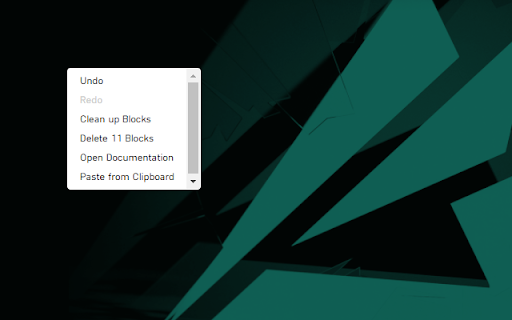
- Open Documentation
- Copy to Clipboard
- Paste from Clipboard
- Add/Remove Comment
- Show Inputs Vertically/Horizontally
- Expand/Collapse Block
- Expand/Collapse All Blocks
- Add Blocks from the Context-menu
- Toggle Distraction-Free Mode
- Toggle Toolbox
- Jump to Subroutine
- Import/Export Blocks from/to JSON
- Export Blocks to SVG[1] and PNG
- Multiple selection by holding down SHIFT[2][3]:
  - Drag selection as one
  - Export selection to SVG[1] and PNG
  - Copy/Paste selection to/from clipboard
- Plugin system

[1] The SVG still contains all other blocks, it is only focused on the selected portion! If you only intended to share a selection, copy/paste it to a clean workspace first.

[2] CTRL is used by Blockly to detach a block when dragging, hence SHIFT was used.

[3] Most actions from the context-menu do not support multiple selections yet and will only be performed on the last selected block.
Technical
- Version
- 2.0.0
- Manifest
- V3
- Size
- 116KiB
- Min Chrome
- 88
- Languages
- 1
- Featured
- No
Metadata
- ID
- ojegdnmadhmgfijhiibianlhbkepdhlj
- Developer ID
- u5517a30b1419e4cf122636ea9993c57a
- Developer Email
- [email protected]
- Created
- Nov 16, 2021
- Last Updated (Store)
- May 4, 2023
- Last Scraped
- May 26, 2026
- Website
- —
- Privacy Policy
- —
Similar extensions
Alternatives to BF2042 Portal Extensions, ranked by description similarity.

Bubble Editor Powerup from Codeless Love
Enhances the Bubble Editor with toggleable features (not affiliated with Bubble).
296
★ 5.0

Moreblocks CSS & Components
Supercharge your Breakdance projects using Moreblocks. Access 700+ components for faster and smarter web development.
155
★ 5.0

Brain Extension
AI-powered Second Brain and Autonomous Web Pilot
4
★ 5.0

Hey World Code Blocks Enhancer
A cross-browser web extension that enhances and facilitates interaction with code blocks on https://world.hey.com/.
32

Copy Code Block
Automatically adds a copy button to code blocks on web pages for easy copying of code snippets.
62

Page Manipulator
Inject HTML, CSS or JavaScript into any web-page. The changes you make are applied every time you visit the specified website(s).
9.0K
★ 3.6

Blockly Highlighter
Destaca blocos no Kodular/MIT App Inventor por palavra-chave (atalho ou popup).
55

WME Toolbox
Adds many features to the Waze editor
8.0K
★ 4.6
Data sourced from the Chrome Web Store · last verified May 26, 2026.