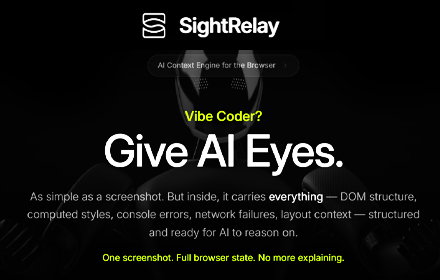
SightRelay — AI Context Engine
Capture browser state (DOM, styles, errors, network) and auto-paste into any AI tool. One shortcut. Full context.
As of June 2026, SightRelay — AI Context Engine has 37 users and a 5.00/5 rating from 3 reviews in the Developer Tools category.
Usersup 131.3 percent+131.3%
37
37
Ratingno change0%
5.00
3 reviews
Reviewsno change0%
3
Version
2.5.0
Manifest V3
History
9 snapshotsTracking since Apr 7, 2026.
View as table
| Date | Users | Rating | Reviews | Version |
|---|---|---|---|---|
| Apr 7, 2026 | 16 | 5.00 | 3 | 2.5.0 |
| Apr 19, 2026 | 15 | 5.00 | 3 | 2.5.0 |
| Apr 24, 2026 | 21 | 5.00 | 3 | 2.5.0 |
| May 1, 2026 | 20 | 5.00 | 3 | 2.5.0 |
| May 12, 2026 | 21 | 5.00 | 3 | 2.5.0 |
| May 18, 2026 | 23 | 5.00 | 3 | 2.5.0 |
| May 24, 2026 | 32 | 5.00 | 3 | 2.5.0 |
| May 31, 2026 | 34 | 5.00 | 3 | 2.5.0 |
| Jun 6, 2026 | 36 | 5.00 | 3 | 2.5.0 |
| Now | 37 | 5.00 | 3 | 2.5.0 |
Permissions & access
- Permissions
- activeTabstoragescriptingtabsclipboardWrite
- Host access
- <all_urls>
Screenshots

About
SightRelay — AI Screenshot with Context compatible with ALL Vibe Coding LLM's, Claude Code, Replit, Lovable, and all others.

SightRelay is a smart AI screenshot tool made for vibe coding, debugging, and faster prompting.

It works like a normal screenshot, but captures much more than the image (that he still captures and send). Along with the screenshot, SightRelay can also capture the real page context — DOM, CSS, console errors, layout, URL, and more.

So instead of making the AI guess from a screenshot alone, you give it the context behind what you see.

How it works

Press Alt + S on any page
Select the area you want to capture
SightRelay grabs the screenshot and technical context
Then it can auto-paste everything into your AI chat (that you can target and save as main target to auto paste)

Works with ChatGPT, Claude, Cursor, Copilot, Gemini, and more.

What SightRelay captures

• Screenshot of the selected area
• Page URL, title, and timestamp
• DOM structure and element hierarchy
• CSS styles and computed properties
• Console errors
• Network failures
• Layout and viewport data
• Detected tech stack when available

Why people use it

• Better answers from AI on UI bugs and frontend issues
• More accurate help with CSS, layout, and duplicated elements
• Less time wasted explaining problems manually
• Much faster workflow for AI coding assistants
• Perfect for vibe coding, debugging, and visual bug reporting

Key features

• Alt + S shortcut for fast capture
• Auto-paste into AI chats
• Cross-tab support
• Annotation tools
• Multiple context levels
• Chat target pinning
• URL and timestamp watermark
• Sensitive data redaction before sharing

Privacy

• Captures only happen when you trigger them
• Sensitive data like tokens, API keys, and emails can be masked
• Processing happens locally in your browser
• No unnecessary background data collection

Perfect for frontend developers, full-stack developers, designers, QA, and anyone using AI to build or debug faster.

Stop sending plain screenshots.
Send screenshots with context.
Technical
- Version
- 2.5.0
- Manifest
- V3
- Size
- 60.38KiB
- Min Chrome
- 88
- Languages
- 1
- Featured
- No
Metadata
- ID
- oildeahkdpciikdcbfamknolmaohkene
- Developer ID
- ua3987e93823390b43c941aeefcf82c29
- Developer Email
- [email protected]
- Created
- Mar 9, 2026
- Last Updated (Store)
- Mar 13, 2026
- Last Scraped
- Jun 6, 2026
- Website
- sightrelay.ai
- Support URL
- sightrelay.ai/support/
- Privacy Policy
- https://sightrelay.ai/privacy
Similar extensions
Alternatives to SightRelay — AI Context Engine, ranked by description similarity.

ScreenToPrompt
Capture, annotate, and share screenshots with AI coding agents
24

VibeClipper
Click any element, add a comment, and generate a context-rich prompt for AI coding CLIs.
4
★ 5.0

Shot2Prompt - Free Full Page Capture to AI Prompts
Capture full page screenshots and generate detailed UI descriptions with AI
33
★ 5.0

PageNab
Capture complete web page context and paste it into any AI assistant
—

ClankerContext
Vibecoding tool that feeds agentic coding tools perfect frontend context. Works with OpenCode, Cursor, Claude, Copilot, etc
154
★ 5.0

ClickSay - AI Feedback for Vibe Coders
Click any element, say your fix in 20 languages, paste AI-ready context into any coding tool. Three seconds from thought to code.
77
★ 5.0

Lumi
Visual Prompt Builder - What You See is What You Prompt
9

ProjectX
Capture any UI element from the web, extract its code, and generate AI-ready prompts
3
Data sourced from the Chrome Web Store · last verified Jun 6, 2026.