
Picture-in-Picture anywhere
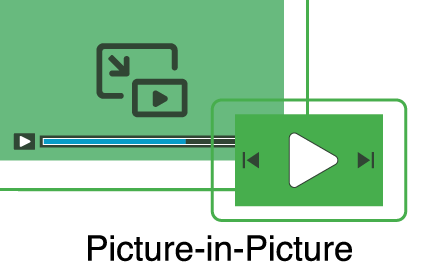
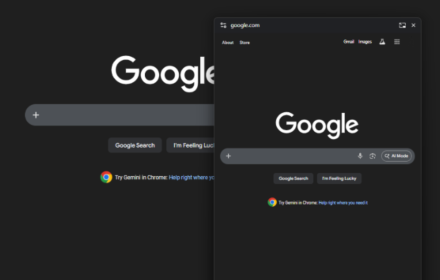
You can write code using pip while referring to docs
As of May 2026, Picture-in-Picture anywhere has 4 users in the Productivity category.
Usersno change0%
4
4
Ratingno change0%
—
— reviews
Reviewsno change0%
—
Version
1.0.0
Manifest V3
History
2 snapshotsTracking since Apr 29, 2026.
View as table
| Date | Users | Rating | Reviews | Version |
|---|---|---|---|---|
| Apr 29, 2026 | 4 | — | — | 1.0.0 |
| May 26, 2026 | 3 | — | — | 1.0.0 |
| Now | 4 | — | — | 1.0.0 |
Permissions & access
- Permissions
- storage
- Host access
- https://*/*
Screenshots

About
Picture-in-Picture API is optimized for media viewing, so display issues may occur. We would appreciate your feedback.
Technical
- Version
- 1.0.0
- Manifest
- V3
- Size
- 175KiB
- Min Chrome
- 88
- Languages
- 1
- Featured
- No
Metadata
- ID
- oigkemodkinlngbfmoblmdlcjpppjkhd
- Developer ID
- u83487b641af1a796dd345bedf7f190aa
- Developer Email
- [email protected]
- Created
- Dec 3, 2024
- Last Updated (Store)
- Dec 3, 2024
- Last Scraped
- May 26, 2026
- Website
- —
- Support URL
- —
- Privacy Policy
- —
Similar extensions
Alternatives to Picture-in-Picture anywhere, ranked by description similarity.

Picture-in-Picture - Mini Video Player
Watch video using Picture-in-Picture
4.0K
★ 4.9

Advanced PiP – Ultimate Picture-in-Picture
Pop out videos for seamless multitasking experience with playback controls.
769
★ 4.5

Floating Picture-in-picture
Master Multitasking with Floating Picture-in-picture (aka PiP) on Every Video Platform, Including YouTube
10.0K
★ 5.0

Picture-in-Picture Pop Any Video
Enable Picture-in-Picture mode for videos.
41
PiP (Picture in picture)
Watch videos in a floating window Picture in Picture (PIP) outside the browser window or on top of any other application.
200.0K
★ 4.2

Picture in Picture - Floating Player (PiP)
Watch videos in a floating Picture-in-Picture (PiP) mode. Use a floating player to watch videos while doing something else online.
10.0K
★ 4.6

FloatView
Watch videos in floating window with Picture-in-Picture mode. Keyboard shortcut: Alt+P
20
Floating Mini-Browser
Apply Picture in picture to any website
17
Data sourced from the Chrome Web Store · last verified May 26, 2026.