PiP (Picture in picture)
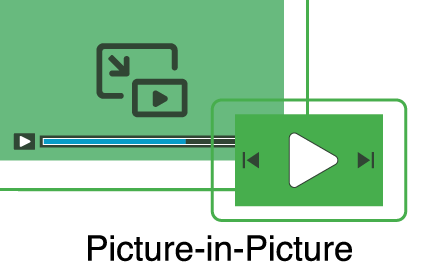
Watch videos in a floating window Picture in Picture (PIP) outside the browser window or on top of any other application.
As of June 2026, PiP (Picture in picture) has 200,000 users and a 4.20/5 rating from 355 reviews in the Productivity category.
Usersno change0%
200.0K
200,000
Ratingno change0%
4.20
355 reviews
Reviewsup 2.3 percent+2.3%
355
Version
1.6.6
Manifest V3
90-day change · In the last 90 days this extension 1 version update.
History
4 snapshotsTracking since Apr 18, 2026.
View as table
| Date | Users | Rating | Reviews | Version |
|---|---|---|---|---|
| Apr 18, 2026 | 200.0K | 4.20 | 347 | 1.6.5 |
| Apr 28, 2026 | 200.0K | 4.20 | 347 | 1.6.5 |
| May 4, 2026 | 200.0K | 4.20 | 347 | 1.6.6 |
| May 7, 2026 | 200.0K | 4.20 | 353 | 1.6.6 |
| Now | 200.0K | 4.20 | 355 | 1.6.6 |
Permissions & access
- Permissions
- scripting
- Host access
- <all_urls>
Screenshots


About
Enhance your video viewing experience with Picture in Picture

Have you ever wanted to keep watching your favorite videos while doing something else? With Picture in Picture for Chrome, you can. This simple extension lets you keep your video in a small floating window that stays on top of other tabs and apps. You can move it anywhere on your screen and resize it the way you like.

No more pausing to check emails or switching between tabs. Just click the Picture in Picture icon, and your video will pop out so you can continue watching while you work, browse, or chat.

It only takes a few seconds to install. Go to the Chrome Web Store, search for Picture in Picture, and click Add to Chrome. Once installed, you will see the icon in your toolbar for quick access.

Picture in Picture makes multitasking simple. Watch your videos without interruptions and stay productive at the same time.
Technical
- Version
- 1.6.6
- Manifest
- V3
- Size
- 10.0KiB
- Min Chrome
- 88
- Languages
- 1
- Featured
- Yes
Metadata
- ID
- nalkmonnmldhpfcpdlbdpljlaajlaphh
- Developer ID
- ue14bb240398465ec8834d6a60629d698
- Developer Email
- [email protected]
- Created
- Oct 19, 2022
- Last Updated (Store)
- Apr 21, 2026
- Last Scraped
- Jun 15, 2026
- Website
- —
- Support URL
- —
Similar extensions
Alternatives to PiP (Picture in picture), ranked by description similarity.

Picture-in-Picture - Mini Video Player
Watch video using Picture-in-Picture
4.0K
★ 4.9

Picture in Picture - Floating Player (PiP)
Watch videos in a floating Picture-in-Picture (PiP) mode. Use a floating player to watch videos while doing something else online.
10.0K
★ 4.6

Picture in Picture | PiP | Floating Player for Youtube
Watch video in a floating PiP window. Picture in Picture for YouTube, Netflix & all sites. Always on top.
100.0K
★ 4.9

Picture in Picture for Chrome
Use this extension to watch videos on a floating mini player while browsing other tabs.
10

Auto Picture-in-Picture
Automatically enters Picture-in-Picture mode when switching tabs or applications.
72
★ 2.0

Picture-in-Picture Pop Any Video
Enable Picture-in-Picture mode for videos.
41

Youtube Pip Picture in Picture & Floating Video Player
Youtube Pip Picture in Picture & Floating Video Player. Open active video in Picture-in-Picture
149

Video Floating
Keep videos playing in a floating window while you browse or work. Boost productivity with seamless video playback and multitasking.
86
Data sourced from the Chrome Web Store · last verified Jun 15, 2026.