
SubShift: Transfer your YouTube subscriptions
Backup, export, and transfer your YouTube subscriptions with one click. Never lose your curated content feed again.
As of June 2026, SubShift: Transfer your YouTube subscriptions has 7,000 users and a 3.91/5 rating from 44 reviews in the Productivity category.
Usersno change0%
7.0K
7,000
Ratingup 0.8 percent+0.8%
3.91
44 reviews
Reviewsup 2.3 percent+2.3%
44
Version
1.8.1
Manifest V3
History
2 snapshotsTracking since Apr 18, 2026.
View as table
| Date | Users | Rating | Reviews | Version |
|---|---|---|---|---|
| Apr 18, 2026 | 7.0K | 3.88 | 43 | 1.8.1 |
| May 22, 2026 | 7.0K | 3.88 | 43 | 1.8.1 |
| Now | 7.0K | 3.91 | 44 | 1.8.1 |
Permissions & access
- Permissions
- storagescriptingclipboardWritealarms
- Host access
- https://www.youtube.com/*, https://youtube.com/*
Screenshots


About
Never lose your YouTube subscriptions again. Export, backup, import, and transfer your channel list with a single click. Take control of your content preferences.

 Why Choose SubShift?

🔄 One-Click Transfer
Seamlessly move your entire YouTube subscription list from one account to another. Perfect for migrating to a new personal account or a work profile. Save hours of tedious manual work.

💾 Secure Backup & Restore
Your subscription data is valuable. SubShift lets you create a backup file on your computer, ensuring you never lose your subscriptions due to a hacked, suspended, or accidentally deleted account. Think of it as an insurance policy for your content preferences.

 🤝 Easy Sharing
Found an amazing collection of channels? Export your subscription list and share it with friends, family, or your community, so they can import it with ease.

 🧹 Manage & Organize
Export your subscriptions to a clean, readable file. This allows you to review, clean up, and organize your channel list outside of YouTube for better content management.

Key Features

1. Export Subscriptions: Download your complete YouTube subscription list as a file.
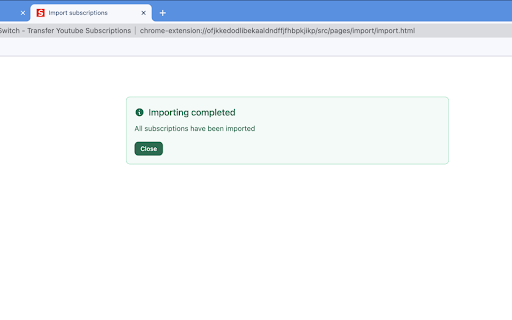
2. Import Subscriptions: Upload a file to instantly subscribe to all channels.
3. Simple Interface: Designed for speed and ease of use—no complex settings.
4. Your Data, Your Control: All processing happens locally in your browser. We do not collect, store, or see your subscription data.

Perfect For:

1. Switching Google Accounts:  Move your subscriptions to a new account effortlessly.
2. Regular Backups: Proactively protect your YouTube data from unexpected loss.
3. Multi-Account Users: Sync subscriptions between personal, work, or test accounts.
4. Content Creators & Curators: Manage and share lists of channels easily.

Take control of your YouTube experience. Add SubShift to Chrome today!
Technical
- Version
- 1.8.1
- Manifest
- V3
- Size
- 66.37KiB
- Min Chrome
- 88
- Languages
- 1
- Featured
- Yes
Metadata
- ID
- ofjkkedodlibekaaldndffjfhbpkjikp
- Developer ID
- u1179fa53a06662988e588e74ebd16813
- Developer Email
- [email protected]
- Created
- Jan 15, 2023
- Last Updated (Store)
- Oct 27, 2025
- Last Scraped
- Jun 4, 2026
- Website
- —
- Support URL
- —
- Privacy Policy
- —
Similar extensions
Alternatives to SubShift: Transfer your YouTube subscriptions, ranked by description similarity.

YouTube Subscriptions Exporter & Importer
Easily export, import, and transfer your YouTube subscriptions. Quickly move channel URLs between accounts.
481
★ 3.4

Subscription Importer & Exporter For YouTube
One-click importing or exporting your YouTube Subscriptions
6

Subscriptions Importer For Youtube
Import or Export your Youtube Subscriptions
10.0K
★ 3.6

YouTube Subscriptions Importer
Import or Export your YouTube Subscriptions
11
★ 1.0

YouTube Auto Subscribe
Automatically subscribes to YouTube channels from a backup CSV file
1.0K
★ 4.3

Youtube Subs & Playlist Saver
Export and back up YouTube subscriptions and playlists to CSV, JSON, or TXT for easy backup and migration.
5

Manage youtube subscriptions
Import or Export your Youtube Subscriptions
538
★ 1.0

Youtube Subscriptions Transfer
Transferring subscriptions from one YouTube account to another
10.0K
★ 4.9
Data sourced from the Chrome Web Store · last verified Jun 4, 2026.