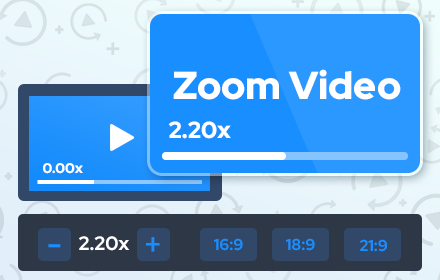
Zoom Video - UltraWide Video
Zoom video, change aspect ratio of any video, removing black bars on Netflix, Amazon Prime, YouTube, HBO. Ultrawide video.
As of June 2026, Zoom Video - UltraWide Video has 400,000 users and a 4.57/5 rating from 2,500 reviews in the Functionality & UI category.
Usersno change0%
400.0K
400,000
Ratingdown 0.9 percent−0.9%
4.57
2.5K reviews
Reviewsup 4.9 percent+4.9%
2.5K
Version
1.1.7
Manifest V3
History
13 snapshotsTracking since Apr 1, 2026.
View as table
| Date | Users | Rating | Reviews | Version |
|---|---|---|---|---|
| Apr 1, 2026 | 400.0K | 4.61 | 2.4K | 1.1.7 |
| Apr 5, 2026 | 400.0K | 4.61 | 2.4K | 1.1.7 |
| Apr 16, 2026 | 400.0K | 4.61 | 2.4K | 1.1.7 |
| Apr 22, 2026 | 400.0K | 4.60 | 2.4K | 1.1.7 |
| Apr 26, 2026 | 400.0K | 4.60 | 2.4K | 1.1.7 |
| May 2, 2026 | 400.0K | 4.59 | 2.4K | 1.1.7 |
| May 7, 2026 | 400.0K | 4.59 | 2.4K | 1.1.7 |
| May 11, 2026 | 400.0K | 4.59 | 2.4K | 1.1.7 |
| May 14, 2026 | 400.0K | 4.59 | 2.5K | 1.1.7 |
| May 18, 2026 | 400.0K | 4.58 | 2.5K | 1.1.7 |
| May 23, 2026 | 400.0K | 4.58 | 2.5K | 1.1.7 |
| May 28, 2026 | 400.0K | 4.58 | 2.5K | 1.1.7 |
| Jun 5, 2026 | 400.0K | 4.57 | 2.5K | 1.1.7 |
| Now | 400.0K | 4.57 | 2.5K | 1.1.7 |
Permissions & access
- Permissions
- storageactiveTab
- Host access
- <all_urls>
Screenshots


About
Zoom Video Chrome extension is designed to eliminate black bars from videos across popular streaming platforms like Netflix, Amazon Prime, Disney+, HBO Max, YouTube, and more. Additionally, it provides the option to adjust the aspect ratio of any video, enabling you to enjoy content in full screen on your ultrawide monitor.

Why do you need Ultrawide Video extension?
It's for everyone who wants power over the video aspect ratio. This extension is primarily for Ultrawide Video monitors, but that does not mean it's only good for it. You can manipulate the video's size that contains horizontal or vertical black bars and let the video fill your entire screen for a better experience.

Here's how to utilize it:
1. Install the extension from the Chrome Web Store.
2. Navigate to a website containing videos.
3. Click the extension icon located in the upper right corner of your browser.
4. Choose your desired aspect ratio.

The video will be resized to fit the chosen aspect ratio.
Although primarily intended for ultrawide screens (21:9, 32:9), this extension is compatible with any resolution and video. It proves particularly beneficial for 16:9 screens, enhancing the experience with 4:3 videos. Select a predefined aspect ratio (16:9, 18:9, 21:9, 32:9). Selecting it again will reset the video aspect ratio to the original size.

This extension enables the support for 21:9 monitors on YouTube, Netflix and others video sites full screen mode.
It is great for wide aspect ratio videos, that have black bars at the top and bottom and don't scale correctly.

Automatic aspect ratio detection
This feature ensures that video will be cropped without you having to lift a finger. It runs continuously and will even detect aspect ratio changes that happen in the middle of the video.

You can also use shortcut keys to do everything, they can be customized on Settings page. Define single keys for multiples aspect ratios or define multiple keyboard combos separately also.

▸ Works on all video streaming platforms
▸ Works on all embedded videos

Notable features include:
Elimination of black bars from videos on various websites.
Ability to modify the aspect ratio of any video.
Compatibility with ultrawide monitors.

Your support is appreciated; if you find the extension valuable, kindly consider rating it with 5 stars on the Zoom to Fill extension.
Technical
- Version
- 1.1.7
- Manifest
- V3
- Size
- 176KiB
- Min Chrome
- 88
- Languages
- 33
- Featured
- No
Metadata
- ID
- ochhcgamjcnhpaekcckimgofnedofplf
- Developer ID
- u46506a9bcc2ffb9002a6bd8e9c99cefa
- Developer Email
- [email protected]
- Created
- Aug 21, 2023
- Last Updated (Store)
- Feb 26, 2026
- Last Scraped
- Jun 5, 2026
- Website
- http://zoomvideos.net/
- Support URL
- —
- Privacy Policy
- https://zoomvideos.net/privacy-policy.html
Similar extensions
Alternatives to Zoom Video - UltraWide Video, ranked by description similarity.

UltraWideo – Remove Black Bars & Fit Any Video to Your Screen
Remove black bars and fit any video to your screen. Works on Netflix, YouTube, Prime, Disney+, HBO and all video sites.
70.0K
★ 4.2

UltraWide for YouTube: custom fullscreen ratios [QVI]
Go fullscreen on your ultrawide monitor. Fit the video to 21:9, 32:9, or custom ratio. Designed for YouTube platform.
2.0K
★ 3.9

Adaptive Video
Adaptive Video — Your Personalized Zoom Companion for Web Players
32

Video Window Fill
Make any video fill the browser window
23

Video Zen: Full Window Video Maximizer
Silence the noise. Amplify the video. Transform any web video into a focused, distraction-free experience.
78

4:3 Aspect Fixer (Simple)
Adds simple 4:3 correction and zoom-to-fill buttons to YouTube.
222
★ 4.5

Zoom Out Chrome
Control your web page zoom with Zoom Out Chrome! This extension makes it easy to zoom out on Chrome, improving readability.
1.0K
★ 4.9

Youtube Grid Enhanced
Resize the item grid and apply other visual tweaks on YouTube pages.
430
★ 5.0
Data sourced from the Chrome Web Store · last verified Jun 5, 2026.