
UltraWideo – Remove Black Bars & Fit Any Video to Your Screen
Remove black bars and fit any video to your screen. Works on Netflix, YouTube, Prime, Disney+, HBO and all video sites.
As of June 2026, UltraWideo – Remove Black Bars & Fit Any Video to Your Screen has 70,000 users and a 4.15/5 rating from 534 reviews in the Functionality & UI category.
Usersup 16.7 percent+16.7%
70.0K
70,000
Ratingdown 5.3 percent−5.3%
4.15
534 reviews
Reviewsup 11.5 percent+11.5%
534
Version
4.0.4
Manifest V3
90-day change · In the last 90 days this extension gained 10.0K users, 3 version updates, changed permissions.
History
17 snapshotsTracking since Apr 1, 2026.
View as table
| Date | Users | Rating | Reviews | Version |
|---|---|---|---|---|
| Apr 1, 2026 | 60.0K | 4.38 | 479 | 3.5.6 |
| Apr 5, 2026 | 60.0K | 4.37 | 481 | 3.5.6 |
| Apr 8, 2026 | 60.0K | 4.37 | 482 | 3.5.6 |
| Apr 14, 2026 | 60.0K | 4.37 | 483 | 3.5.7 |
| Apr 19, 2026 | 60.0K | 4.36 | 485 | 3.5.7 |
| Apr 22, 2026 | 60.0K | 4.36 | 486 | 3.5.7 |
| Apr 25, 2026 | 60.0K | 4.36 | 489 | 3.5.8 |
| May 5, 2026 | 60.0K | 4.36 | 490 | 3.5.8 |
| May 12, 2026 | 60.0K | 4.36 | 493 | 3.5.8 |
| May 16, 2026 | 60.0K | 4.36 | 493 | 3.5.9 |
| May 19, 2026 | 60.0K | 4.36 | 494 | 3.5.9 |
| May 21, 2026 | 60.0K | 4.36 | 495 | 3.5.9 |
| May 24, 2026 | 60.0K | 4.35 | 496 | 3.5.9 |
| Jun 7, 2026 | 60.0K | 4.35 | 497 | 3.5.9 |
| Jun 10, 2026 | 70.0K | 4.35 | 497 | 3.5.9 |
| Jun 13, 2026 | 70.0K | 4.35 | 497 | 4.0.4 |
| Jun 19, 2026 | 70.0K | 4.17 | 530 | 4.0.4 |
| Now | 70.0K | 4.15 | 534 | 4.0.4 |
Changelog
- Jun 10, 2026description
Remove black bars from any video. Fit any video to your entire screen on any video platform — automatically.

UltraWideo is the cross-browser extension that manipulates video aspect ratio to fill your screen. Whether you own an ultrawide monitor (21:9, 32:9), a standard 16:9 display watching 4:3 videos, or anything in between — UltraWideo eliminates black bars and gives you a true full-screen experience.

Why UltraWideo over other extensions?
Unlike alternatives that break on certain platforms or stop detecting videos, UltraWideo is proven to work on all major video streaming platforms, including embedded videos across the web. No "video not detected" errors. No broken layouts on non-video pages. It only activates when there's a video to work with.

▸ Works everywhere — any streaming service, any site with embedded video, any platform. Not limited to a single site.
▸ Blazingly fast — written in plain JavaScript with a tiny footprint. No memory leaks, no background processes draining your battery, no performance degradation over time.
▸ Minimal interface — a thoughtful popup that doesn't get in your way. No intrusive overlays, no UI that pops up over your video. Just clean controls when you need them.
▸ Multiple modes — Upscale to fill your screen, Stretch to fit, or scale manually. One mode active at a time for a simple experience.
▸ Adjustable scale — fine-tune the zoom level to get exactly the crop you want, simultaneously with the active mode.
▸ Magic touch — toggle between modes using pinch gestures on trackpads and touch screens, or mouse wheel + CTRL key. No other extension offers this.
▸ Keyboard shortcuts — fully customizable through your browser's built-in shortcut manager, so they never conflict with other extensions or websites.
▸ Dark & light mode — automatically matches your system appearance, or set it manually.
▸ Cross-browser — available for Chrome, Firefox, Edge, and all Chromium and Gecko-based browsers.
▸ 40+ languages — AI-translated for global accessibility.

Pro Features
Support UltraWideo's development and unlock bonus features:

▸ Magnetic Helper — make UltraWideo work outside of fullscreen by attaching it to any video player you select. Perfect for windowed viewing.
▸ Accent Color — personalize the interface with 8 carefully selected color themes.
▸ Disabled Mode — hide modes you don't use for faster switching.
▸ Consents — control which notifications you receive.
▸ Ambient Light — adds an immersive ambient glow around your video, enhancing the viewing experience and helping protect OLED screens from uneven burn-in.

Trusted by 75,000+ users across Chrome and Firefox.

Works on any screen size and any aspect ratio. If it doesn't work somewhere, open a ticket on GitHub and it will be fixed.
Stop watching videos with black bars eating half your screen.

UltraWideo removes black bars and resizes any video to fill your display — on literally any site that plays video. One click, instant result.

Made for EVERY screen — not just ultrawide
Ultrawide monitor (21:9, 32:9), a regular 16:9 laptop or TV, or watching old 4:3 uploads? UltraWideo reshapes the video to fit your screen perfectly. No more black bars on the sides. No more black bars on the top and bottom. Just full, edge-to-edge video.

Why people switch to UltraWideo
Other extensions break on certain sites, stop detecting the video, or wreck the page layout. UltraWideo doesn't. It finds videos automatically — even tiny embeds and players hidden inside other players — and only activates when there's actually a video to fix. No "video not detected." No broken pages.

What you get for free
▸ Works on every site — any page that plays video.
▸ Works in fullscreen AND inline.
▸ Automatic video detection — any size, even the smallest embedded players.
▸ Four modes — Normal, Upscale to fill, Stretch to fit, or dial in a Custom zoom.
▸ Scale & pan — fine-tune the zoom and shift the frame to get the exact crop you want.
▸ Gestures — cycle modes and adjust zoom with a scroll, trackpad pinch or touch gestures.
▸ Keyboard shortcuts — fully customizable in your browser's shortcut settings.
▸ Light & dark theme — inherits your system appearance or overrides it with your preference.
▸ Distraction-free — an auto-hiding option keep it out of your way and reduced-motion to reduce animations.
▸ 40+ languages — UltraWideo speaks your language.
▸ Cross-browser — Chrome, Firefox and every Chromium and Gecko based browser.
▸ 16 accent colors — make the interface yours.
▸ Free forever — the core experience costs nothing.

Go further with Pro
Support development and unlock the power features:
▸ Per-site settings — each site remembers its own setup. Applied automatically, every time.
▸ Per-video settings — save a unique crop for individual videos and pages.
▸ Letterbox detection — automatically finds and crops black bars baked into the video itself. Works even on protected players with manual Measure.
▸ Ambient light — a WebGL glow that extends the video's colors past the edges of the frame. Like Ambilight, right in your browser.
▸ Enhance quality — real-time adaptive sharpening that scales with resolution.
▸ Voice control — adjust the video hands-free, just by speaking.
▸ Cloud sync — your settings follow you across browsers and devices.
▸ Mode manager — hide the modes you never use for faster switching.

Trusted by 100,000+ users across Chrome and Firefox stores.

Works on any screen size and any aspect ratio. If it doesn't work somewhere, join our official Discord channel and we'll fix it.

Install UltraWideo and reclaim your whole screen.
- Jun 10, 2026host_permissions
https://*/*, http://*/*
https://uw.wtf/*, https://uw.devilos.org/*
- Jun 10, 2026permissions
storage, alarms, tabs
alarms, tabs, webNavigation
Permissions & access
- Permissions
- alarmstabswebNavigation
- Host access
- https://uw.wtf/*, https://uw.devilos.org/*
Screenshots


About
Stop watching videos with black bars eating half your screen.

UltraWideo removes black bars and resizes any video to fill your display — on literally any site that plays video. One click, instant result.

Made for EVERY screen — not just ultrawide
Ultrawide monitor (21:9, 32:9), a regular 16:9 laptop or TV, or watching old 4:3 uploads? UltraWideo reshapes the video to fit your screen perfectly. No more black bars on the sides. No more black bars on the top and bottom. Just full, edge-to-edge video.

Why people switch to UltraWideo
Other extensions break on certain sites, stop detecting the video, or wreck the page layout. UltraWideo doesn't. It finds videos automatically — even tiny embeds and players hidden inside other players — and only activates when there's actually a video to fix. No "video not detected." No broken pages.

What you get for free
▸ Works on every site — any page that plays video.
▸ Works in fullscreen AND inline.
▸ Automatic video detection — any size, even the smallest embedded players.
▸ Four modes — Normal, Upscale to fill, Stretch to fit, or dial in a Custom zoom.
▸ Scale & pan — fine-tune the zoom and shift the frame to get the exact crop you want.
▸ Gestures — cycle modes and adjust zoom with a scroll, trackpad pinch or touch gestures.
▸ Keyboard shortcuts — fully customizable in your browser's shortcut settings.
▸ Light & dark theme — inherits your system appearance or overrides it with your preference.
▸ Distraction-free — an auto-hiding option keep it out of your way and reduced-motion to reduce animations.
▸ 40+ languages — UltraWideo speaks your language.
▸ Cross-browser — Chrome, Firefox and every Chromium and Gecko based browser.
▸ 16 accent colors — make the interface yours.
▸ Free forever — the core experience costs nothing.

Go further with Pro
Support development and unlock the power features:
▸ Per-site settings — each site remembers its own setup. Applied automatically, every time.
▸ Per-video settings — save a unique crop for individual videos and pages.
▸ Letterbox detection — automatically finds and crops black bars baked into the video itself. Works even on protected players with manual Measure.
▸ Ambient light — a WebGL glow that extends the video's colors past the edges of the frame. Like Ambilight, right in your browser.
▸ Enhance quality — real-time adaptive sharpening that scales with resolution.
▸ Voice control — adjust the video hands-free, just by speaking.
▸ Cloud sync — your settings follow you across browsers and devices.
▸ Mode manager — hide the modes you never use for faster switching.

Trusted by 100,000+ users across Chrome and Firefox stores.

Works on any screen size and any aspect ratio. If it doesn't work somewhere, join our official Discord channel and we'll fix it.

Install UltraWideo and reclaim your whole screen.
Technical
- Version
- 4.0.4
- Manifest
- V3
- Size
- 373KiB
- Min Chrome
- 88
- Languages
- 41
- Featured
- Yes
Metadata
- ID
- bfbnagnphiehemkdgmmficmjfddgfhpl
- Developer ID
- u6dae981eb19e7eb9f247454961daa923
- Developer Email
- [email protected]
- Created
- Jul 20, 2018
- Last Updated (Store)
- Jun 9, 2026
- Last Scraped
- Jun 19, 2026
- Website
- uw.wtf
- Support URL
- https://discord.gg/j7Jjcchf2X
- Privacy Policy
- https://uw.wtf/legal/privacy-policy
Similar extensions
Alternatives to UltraWideo – Remove Black Bars & Fit Any Video to Your Screen, ranked by description similarity.
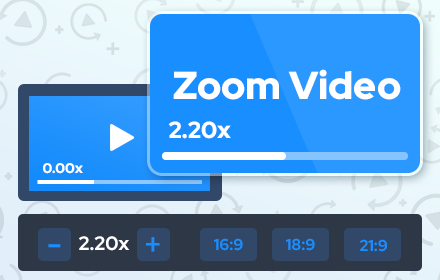
Zoom Video - UltraWide Video
Zoom video, change aspect ratio of any video, removing black bars on Netflix, Amazon Prime, YouTube, HBO. Ultrawide video.
400.0K
★ 4.6

UltraWide for YouTube: custom fullscreen ratios [QVI]
Go fullscreen on your ultrawide monitor. Fit the video to 21:9, 32:9, or custom ratio. Designed for YouTube platform.
2.0K
★ 3.9

Universal Video Hotkeys
A browser extension that brings YouTube-style keyboard shortcuts to all video players across the web
60
★ 5.0

Adaptive Video
Adaptive Video — Your Personalized Zoom Companion for Web Players
32

Video Window Fill
Make any video fill the browser window
23

Video Zen: Full Window Video Maximizer
Silence the noise. Amplify the video. Transform any web video into a focused, distraction-free experience.
78

Video Ustaad
Fine-Tune The Visual Settings Of Any Video On The Web To Your Liking. Adjust Brightness/Contrast/Saturation And Much More !!
188
★ 4.5

Ambient light for YouTube™
Immerse yourself in YouTube™ videos with ambient light!
10.0K
★ 4.8
Data sourced from the Chrome Web Store · last verified Jun 19, 2026.