
WikiPath
Find the shortest path between Wikipedia articles
As of June 2026, WikiPath has 7 users and a 5.00/5 rating from 2 reviews in the Productivity category.
Usersno change0%
7
7
Ratingno change0%
5.00
2 reviews
Reviewsno change0%
2
Version
1.0
Manifest V3
History
4 snapshotsTracking since Apr 18, 2026.
View as table
| Date | Users | Rating | Reviews | Version |
|---|---|---|---|---|
| Apr 18, 2026 | 7 | 5.00 | 2 | 1.0 |
| May 3, 2026 | 6 | 5.00 | 2 | 1.0 |
| May 12, 2026 | 6 | 5.00 | 2 | 1.0 |
| May 24, 2026 | 5 | 5.00 | 2 | 1.0 |
| Now | 7 | 5.00 | 2 | 1.0 |
Permissions & access
- Permissions
- activeTabstorage
- Host access
- https://*.wikipedia.org/*
Screenshots


About
Discover the shortest path between any two Wikipedia articles using wikipedia's "blue links" (hyperlinks).

WikiPath transforms Wikipedia browsing into an intelligent navigation experience. Find the fastest route from one article to another by following Wikipedia's built-in hyperlinks—making research more efficient and exploration more intuitive.

➤ How it works
Every Wikipedia article contains blue hyperlinks to related articles. WikiPath analyzes these connections across thousands of pages to map the shortest route between any two topics. Simply set your start and end points, and WikiPath will find which blue links to click on each page to reach your destination as quickly as possible.
Once a path is found, WikiPath highlights the exact blue link you should click next, displays a progress tracker showing your journey, and guides you step-by-step until you arrive at your target article.

➤ Core features
Instant Pathfinding: Discover connections in under 20 seconds*
Link Highlighting: The next blue link to click is highlighted in black on each Wikipedia page
Progress Tracker: On-page display shows where you are in your journey
Smart Memory: Automatically saves previous searches for instant recall
Search History: View and reload all your past searches in one organized view
Rich Help Center: Built-in guides covering features, troubleshooting, estimated search times, FAQs, and more!

➤ Perfect for
Students conducting research across interconnected topics
"Wikipedia game" lovers
Anyone curious about how different concepts connect

➤ Privacy first
WikiPath operates entirely in your browser. no tracking, no selling your information. Your searches stay private and secure.

➤ Getting started
Navigate to any Wikipedia article
Click "Set as Start"
Navigate to your destination article
Click "Set as End"
Click "Find Shortest Path"
Follow the highlighted links on each page until you reach your destination
* when connection occurs in 3 or less articles
Technical
- Version
- 1.0
- Manifest
- V3
- Size
- 2.81MiB
- Min Chrome
- 88
- Languages
- 1
- Featured
- No
Metadata
- ID
- ochghemclfghdojnmdfkjpaldcmghlgk
- Developer ID
- u8752c46ad4650c04d2707d8b5724a6df
- Developer Email
- [email protected]
- Created
- Oct 7, 2025
- Last Updated (Store)
- Oct 7, 2025
- Last Scraped
- Jun 6, 2026
- Website
- —
- Support URL
- —
- Privacy Policy
- —
Similar extensions
Alternatives to WikiPath, ranked by description similarity.

Wikipedia Adventure
Discover the internet's free encyclopedia by searching through Wikipedia!
78
★ 5.0

Wiki to Grokipedia
Automatically redirects Wikipedia pages to their corresponding Grokipedia pages
66
★ 5.0

WikiTrail
Map your Wikipedia rabbit holes
3

Grokipedia Redirect
Create links to Grokipedia pages
20
★ 5.0

WikiPeek
Hover over names and concepts to see Wikipedia previews.
3

w.wiki Shortener
Shorten current Wikimedia/Wikipedia URL to w.wiki and copy it.
5
★ 4.0

WikiPeek — Instant Wikipedia Previews Anywhere
Instant, free Wikipedia context for any text on the web. Hover, select, or click to unlock knowledge without leaving the page.
14
★ 5.0
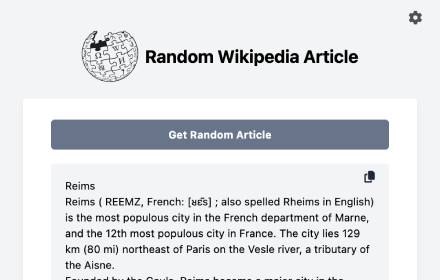
Random Wikipedia Article
Get random Wikipedia articles.
30
Data sourced from the Chrome Web Store · last verified Jun 6, 2026.