Random Wikipedia Article
Get random Wikipedia articles.
As of May 2026, Random Wikipedia Article has 30 users in the Productivity category.
Usersup 3.4 percent+3.4%
30
30
Ratingno change0%
—
— reviews
Reviewsno change0%
—
Version
1.0.1
Manifest V3
History
3 snapshotsTracking since Apr 1, 2026.
View as table
| Date | Users | Rating | Reviews | Version |
|---|---|---|---|---|
| Apr 1, 2026 | 29 | — | — | 1.0.1 |
| May 1, 2026 | 30 | — | — | 1.0.1 |
| May 31, 2026 | 32 | — | — | 1.0.1 |
| Now | 30 | — | — | 1.0.1 |
Permissions & access
- Permissions
- storage
- Host access
- *://*.wikipedia.org/
Screenshots
About
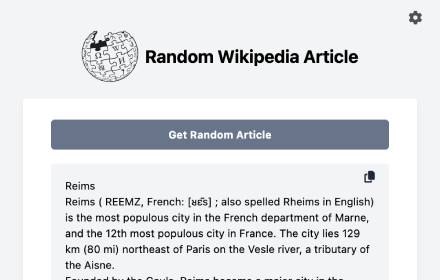
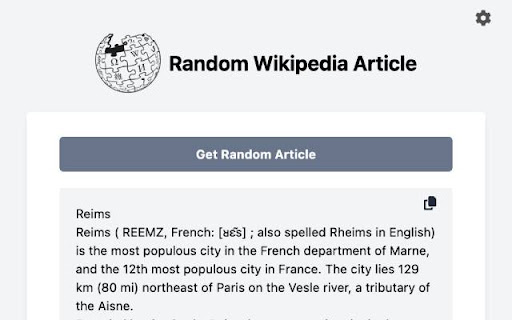
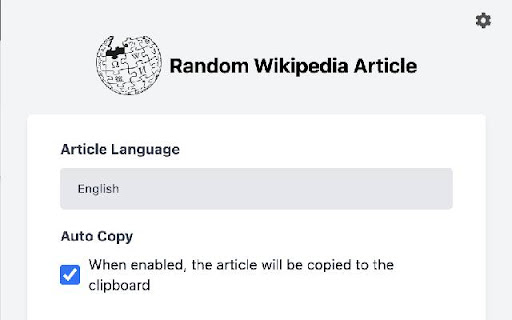
Random Wikipedia Articles is a handy Chrome extension designed to fetch random Wikipedia articles and automatically copy them to your clipboard. With features like selecting the language of the Wikipedia article and fetching random articles

Features:

Automatically fetches random Wikipedia articles.
Ability to select the language of the Wikipedia article.
Conveniently copies articles to your clipboard for easy sharing or saving.

Easy Access to Knowledge: Random Wikipedia Articles ensures you have access to a wide variety of topics with just a click, making it easy to expand your knowledge base.
Time-Saving: Save time by effortlessly copying interesting articles to your clipboard, allowing you to share or read them later at your convenience.
Customizable Experience: Choose the language of the articles you want to read, tailoring your browsing experience to suit your preferences.

Install Random Wikipedia Articles now and embark on a journey of exploration through the vast realm of Wikipedia!
Technical
- Version
- 1.0.1
- Manifest
- V3
- Size
- 104KiB
- Min Chrome
- 88
- Languages
- 1
- Featured
- No
Metadata
- ID
- bbecchponbmekbbcfhhigfkakidpjajh
- Developer ID
- u6a4792aca61a264f5ed19f4e221b140b
- Developer Email
- [email protected]
- Created
- Mar 23, 2024
- Last Updated (Store)
- Mar 25, 2024
- Last Scraped
- May 31, 2026
- Website
- —
- Support URL
- —
- Privacy Policy
- https://aybuga.com/privacy-policy-randomWiki.html
Similar extensions
Alternatives to Random Wikipedia Article, ranked by description similarity.

Wiki Glimpse
Search Wikipedia directly from the page and show a short extract
2

Wikipedia Summarizer
Summarizes Wikipedia pages and displays the summary in a pop-up box.
46
★ 4.0

Wikipedia Adventure
Discover the internet's free encyclopedia by searching through Wikipedia!
78
★ 5.0

Word Finder - Random Word Generator
Unlock words with ease using our Word Finder! This Word Generator helps you discover the perfect word for any situation.
111

Auto Copy
Automatically copy selected text to clipboard with configurable options
43

w.wiki Shortener
Shorten current Wikimedia/Wikipedia URL to w.wiki and copy it.
5
★ 4.0

Grey Cat - Randomizer
This extension extracts a specific number of data from the provided list at random.
21
★ 4.9

Speed Reader Pro
Professional speed reading extension with license system and crypto payments
3
★ 5.0
Data sourced from the Chrome Web Store · last verified May 31, 2026.