
WhatsApp Web Lock Free
Protects the WhatsApp Web version with a password when the user navigates to web.whatsapp.com
As of June 2026, WhatsApp Web Lock Free has 18 users and a 5.00/5 rating from 1 reviews in the Workflow & Planning category.
Usersup 20.0 percent+20.0%
18
18
Ratingno change0%
5.00
1 reviews
Reviewsno change0%
1
Version
1.0.3
Manifest V3
History
4 snapshotsTracking since Apr 18, 2026.
View as table
| Date | Users | Rating | Reviews | Version |
|---|---|---|---|---|
| Apr 18, 2026 | 15 | 5.00 | 1 | 1.0.3 |
| May 3, 2026 | 19 | 5.00 | 1 | 1.0.3 |
| May 12, 2026 | 21 | 5.00 | 1 | 1.0.3 |
| May 24, 2026 | 20 | 5.00 | 1 | 1.0.3 |
| Now | 18 | 5.00 | 1 | 1.0.3 |
Permissions & access
- Permissions
- webNavigationstorage
- Host access
- None declared
Screenshots


About
🛠️ How to Use WhatsApp Web Lock
1. Install the extension from the Chrome Web Store.
2. Open web.whatsapp.com.
3. The first time you visit, you’ll see a password prompt. A red warning will let you know that the default password is "111".
4. Click the extension icon in your browser – you’ll be taken to the “Set Password” page.
5. Set your own password, different from "111", to secure your WhatsApp Web.
6. Now, every time you go to web.whatsapp.com, you'll be asked to enter the password you’ve just set.

Forgot your password? No worries – just click the extension icon and set a new password.

🔐 Need more protection?
Check out the PRO version here:
https://solidgeeks.com/products/chrome-extensions/whatsapp-web-lock-with-password.html
Technical
- Version
- 1.0.3
- Manifest
- V3
- Size
- 10.71KiB
- Min Chrome
- 88
- Languages
- 1
- Featured
- No
Metadata
- ID
- obpddpefjdaoogeefpkfcmkbheabgmpb
- Developer ID
- u11d6578ee8f642b7b9a7d7fb4ff1639c
- Developer Email
- [email protected]
- Created
- Jun 9, 2025
- Last Updated (Store)
- Oct 8, 2025
- Last Scraped
- Jun 6, 2026
- Website
- solidgeeks.com
- Support URL
- https://solidgeeks.com
Similar extensions
Alternatives to WhatsApp Web Lock Free, ranked by description similarity.
Password Lock for WhatsApp™ Web
Automatically lock WhatsApp Web after a period of time or by pressing the action button
10.0K
★ 4.6

Privacy Guard for WhatsApp Web
Secure your WhatsApp Web with smart lock, panic button, and blur mode. Your privacy, your control.
26
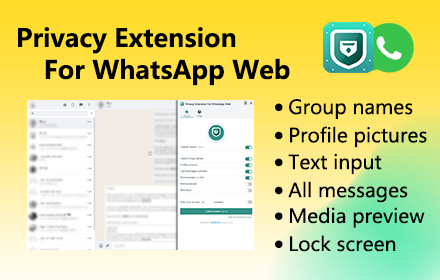
Privacy Extension For WhatsApp Web - wabulk.net
Protect your privacy on WhatsApp Web, lock your screen, and hide messages, images, profile, and more with blur effects.
200.0K
★ 4.7

Web Messenger 2.0
WhatsApp Messenger in a standalone sandboxed window in your browser.
52
★ 5.0

Disable WhatsApp Status: Privacy & Focus
Disable WhatsApp Status extension empowers users to regain control over WhatsApp. Focus on privacy and conversations.
76
★ 5.0

WA WorkFlow
Enhance your WhatsApp experience by incorporating additional tools for WhatsApp Web that prioritize security and reliability.
10.0K
★ 4.6

WAPI FREE - Free IA Web
Send personalized messages to your clients with our extension
3.0K
★ 5.0
blurrit
A web extension to make your WhatsApp safe and to make you feel safer.
354
★ 5.0
Data sourced from the Chrome Web Store · last verified Jun 6, 2026.