
NightShifter - Dark Mode and Wallpaper for Planner
Activate dark mode and customize the wallpaper on Planner.
As of May 2026, NightShifter - Dark Mode and Wallpaper for Planner has 314 users and a 5.00/5 rating from 2 reviews in the Workflow & Planning category.
Usersdown 0.3 percent−0.3%
314
314
Ratingno change0%
5.00
2 reviews
Reviewsno change0%
2
Version
1.1.11
Manifest V3
History
2 snapshotsTracking since Apr 24, 2026.
View as table
| Date | Users | Rating | Reviews | Version |
|---|---|---|---|---|
| Apr 24, 2026 | 315 | 5.00 | 2 | 1.1.11 |
| May 21, 2026 | 320 | 5.00 | 2 | 1.1.11 |
| Now | 314 | 5.00 | 2 | 1.1.11 |
Permissions & access
- Permissions
- storagescriptingtabs
- Host access
- *://*.tasks.office.com/*, *://*.planner.cloud.microsoft/*, *://planner.cloud.microsoft/*
Screenshots


About
NightShifter - Dark Mode and Wallpaper for Planner

I am still discovering the product, so if there are any style oversights, please do not hesitate to provide feedback via email preferably.

Discover a better way to work with Planner thanks to NightShifter, the extension that transforms your experience by integrating an elegant dark mode, available in black or blue, and customization of wallpapers. Whether you're looking to reduce eye strain during long hours of work or simply want to customize your planning space, NightShifter is the ideal tool for you.

• Main Features •

⤷ Automatic Dark Mode: Activate dark mode to improve readability and minimize eye strain, ideal for low-light environments or for those who prefer a darker aesthetic.
⤷ Wallpaper Customization: Choose a wallpaper that matches your style or current mood. With easy installation, you can upload your own image or remove it.
⤷ Ease of Use: An intuitive user interface allows you to activate dark mode and choose between two colors, or change your wallpaper with a few clicks.

Install NightShifter today to transform your planning experience and personalize your digital work environment!


Update 1.1.10 : Fix color and background issue due to Planner update
Technical
- Version
- 1.1.11
- Manifest
- V3
- Size
- 36.64KiB
- Min Chrome
- 88
- Languages
- 7
- Featured
- No
Metadata
- ID
- oandjdcnfeegkmnhlcmpmhkdohklfjfl
- Developer ID
- ufac1707da1a50259f39e9e8878604312
- Developer Email
- [email protected]
- Created
- Apr 18, 2024
- Last Updated (Store)
- Mar 11, 2025
- Last Scraped
- May 21, 2026
- Website
- —
- Support URL
- —
- Privacy Policy
- —
Similar extensions
Alternatives to NightShifter - Dark Mode and Wallpaper for Planner, ranked by description similarity.

One Day Planning - Visual Daily Scheduler & PiP Timer
Design your day with drag-and-drop ease. Stay focused with a sleek PiP timer that floats on top. Ultimate visual daily scheduler.
12

Daily Planner
Manage daily tasks with a beautiful calendar. Add tasks with date/time, view on monthly calendar, and mark as completed.
60
★ 5.0

Wonderwallpaper - Curated Wallpaper Calendar
Beautiful curated wallpapers with flexible calendar overlays for your new tab page
10
★ 5.0

Foci Planner
The Best Planner for Creators
63
★ 5.0

War Room Plus
Add bonus features to War Room!
7
★ 5.0

Time-Planning Hub
Say not to unmet or forgotten tasks with one stop solution.
11
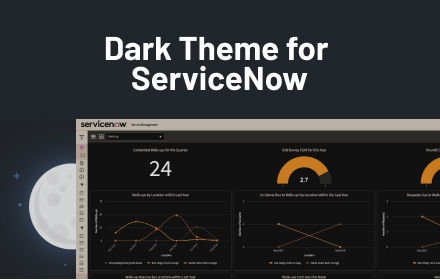
Dark Mode for ServiceNow
Take care of your eyes day and night using dark theme for ServiceNow tools and services.
585
★ 2.7

Planr
A simple calendar for planning your work day
1
Data sourced from the Chrome Web Store · last verified May 21, 2026.