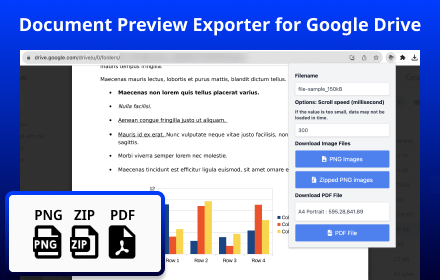
Document Preview Exporter for Google Drive
Adds Export Features for Google Drive Document Previews Document Preview Exporter helps you save pages displayed in Google Drive…
As of June 2026, Document Preview Exporter for Google Drive has 80,000 users and a 4.60/5 rating from 124 reviews in the Accessibility category.
Usersup 33.3 percent+33.3%
80.0K
80,000
Ratingup 0.2 percent+0.2%
4.60
124 reviews
Reviewsup 11.7 percent+11.7%
124
Version
1.4.1
Manifest V3
90-day change · In the last 90 days this extension gained 20.0K users, 1 version update.
History
10 snapshotsTracking since Apr 18, 2026.
View as table
| Date | Users | Rating | Reviews | Version |
|---|---|---|---|---|
| Apr 18, 2026 | 60.0K | 4.59 | 111 | 1.4.0 |
| Apr 28, 2026 | 70.0K | 4.59 | 110 | 1.4.0 |
| May 8, 2026 | 80.0K | 4.60 | 113 | 1.4.0 |
| May 15, 2026 | 70.0K | 4.61 | 114 | 1.4.0 |
| May 23, 2026 | 70.0K | 4.61 | 116 | 1.4.1 |
| May 26, 2026 | 70.0K | 4.58 | 117 | 1.4.1 |
| May 31, 2026 | 70.0K | 4.58 | 119 | 1.4.1 |
| Jun 3, 2026 | 70.0K | 4.58 | 120 | 1.4.1 |
| Jun 16, 2026 | 70.0K | 4.59 | 121 | 1.4.1 |
| Jun 23, 2026 | 80.0K | 4.59 | 122 | 1.4.1 |
| Now | 80.0K | 4.60 | 124 | 1.4.1 |
Changelog
- Jun 9, 2026description
Adds Export Feature for Google Drive Document Previews

This extension operates within Google Drive and the Document Sharing pages.
- https://drive.google.com/drive/*
- https://drive.google.com/file/d/*/view*
- https://drive.google.com/file/d/*/edit*

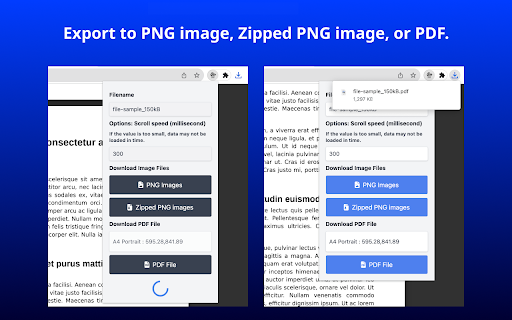
Once a document preview is open, click on this extension's icon to export the document in PNG, Zipped PNG, or PDF format.

Even view only documents that are restricted from downloading or printing can be exported with this extension.

Key Features:
* PNG image exportation. (If download is blocked by Chrome, let it allow multiple file downloads)
* ZIP file exportation. (This encompasses PNG Images)
* PDF exportation. (This involves PNG Images, with no text information included)
* Ability to specify a filename
* Ability to designate a PDF page size (A4, A3, and more) / Orientation (Portrait, Landscape)

Usage Notice:
Please verify the copyright and license of the content you wish to download to ensure compliance with applicable laws. We are not responsible for any issues arising from the use of this software. Use at your own risk.

Currently, preview display in Google Slides is not supported.

Release Notes:
2026-05-09 v1.4.1:
Minor improvements and dependency updates.

2025-11-19 v1.4.0:
Added support for new Google Drive preview layout.

2025-07-26 v1.3.0:
Added support for canvas-based document previews. We discovered that Google Drive renders some document previews using a canvas-based system instead of image elements. This update ensures the extension works correctly with both rendering methods.

2024-10-26 v1.2.4:
Support for original size PDF output has been added. By selecting "Original Size" in the PDF Settings, a PDF will be created using the size of the currently displayed image. If the resolution appears rough, please adjust by appropriately zooming in on Google Drive.

Icons by https://icons8.com/
Sample files by https://file-examples.com/
Adds Export Features for Google Drive Document Previews Document Preview Exporter helps you save pages displayed in Google Drive document previews as PNG images, a ZIP archive of PNG images, or a PDF file. This extension operates on Google Drive and document sharing pages: * https://drive.google.com/drive/* * https://drive.google.com/file/d//view * https://drive.google.com/file/d//edit Once a document preview is open in Google Drive, click the extension icon to export the currently displayed preview content. This extension works with content displayed in your browser. It does not provide access to documents you cannot already view. Please use it only for documents you are authorized to save, process, or archive. Key Features: * Export preview pages as PNG images * Export preview pages as a ZIP archive of PNG images * Export preview pages as a PDF file * PDF output is generated from preview images and does not include embedded text information * Specify an output filename * Choose PDF page size, such as A4, A3, and more * Choose PDF orientation: Portrait or Landscape Usage Notice: Please respect copyright, confidentiality, licensing terms, and your organization’s policies. You are responsible for ensuring that your use of this extension complies with applicable laws, agreements, and internal rules. Currently, preview display in Google Slides is not supported. Release Notes: 2026-05-09 v1.4.1: Minor improvements and dependency updates. 2025-11-19 v1.4.0: Added support for the new Google Drive preview layout. 2025-07-26 v1.3.0: Added support for canvas-based document previews. Google Drive may render some document previews using a canvas-based system instead of image elements. This update improves compatibility with both rendering methods. 2024-10-26 v1.2.4: Added support for original-size PDF output. When selecting “Original Size” in the PDF settings, the PDF is created using the size of the currently displayed preview image. If the output resolution appears rough, please adjust the zoom level in Google Drive before exporting. Icons by https://icons8.com/ Sample files by https://file-examples.com/ - Jun 9, 2026short_description
Adds Export Feature for Google Drive Document Previews

This extension operates within Google Drive and the Document Sharing pages.…
Adds Export Features for Google Drive Document Previews

Document Preview Exporter helps you save pages displayed in Google Drive…
- May 15, 2026description
Adds Export Feature for Google Drive Document Previews

This extension operates within Google Drive and the Document Sharing pages.
- https://drive.google.com/drive/*
- https://drive.google.com/file/d/*/view*
- https://drive.google.com/file/d/*/edit*

Once a document preview is open, click on this extension's icon to export the document in PNG, Zipped PNG, or PDF format.

Even view only documents that are restricted from downloading or printing can be exported with this extension.

Key Features:
* PNG image exportation. (If download is blocked by Chrome, let it allow multiple file downloads)
* ZIP file exportation. (This encompasses PNG Images)
* PDF exportation. (This involves PNG Images, with no text information included)
* Ability to specify a filename
* Ability to designate a PDF page size (A4, A3, and more) / Orientation (Portrait, Landscape)

Usage Notice:
Please verify the copyright and license of the content you wish to download to ensure compliance with applicable laws. We are not responsible for any issues arising from the use of this software. Use at your own risk.

Currently, preview display in Google Slides is not supported.

Release Notes:
2025-11-19 v1.4.0:
Added support for new Google Drive preview layout.

2025-07-26 v1.3.0:
Added support for canvas-based document previews. We discovered that Google Drive renders some document previews using a canvas-based system instead of image elements. This update ensures the extension works correctly with both rendering methods.

2024-10-26 v1.2.4:
Support for original size PDF output has been added. By selecting "Original Size" in the PDF Settings, a PDF will be created using the size of the currently displayed image. If the resolution appears rough, please adjust by appropriately zooming in on Google Drive.

2024-09-01 v1.2.0:
- Implemented automatic orientation detection (portrait/landscape) when downloading PDFs.
- Added option to specify page range for downloading.
- Updated several dependency packages.


Icons by https://icons8.com/
Sample files by https://file-examples.com/
Adds Export Feature for Google Drive Document Previews

This extension operates within Google Drive and the Document Sharing pages.
- https://drive.google.com/drive/*
- https://drive.google.com/file/d/*/view*
- https://drive.google.com/file/d/*/edit*

Once a document preview is open, click on this extension's icon to export the document in PNG, Zipped PNG, or PDF format.

Even view only documents that are restricted from downloading or printing can be exported with this extension.

Key Features:
* PNG image exportation. (If download is blocked by Chrome, let it allow multiple file downloads)
* ZIP file exportation. (This encompasses PNG Images)
* PDF exportation. (This involves PNG Images, with no text information included)
* Ability to specify a filename
* Ability to designate a PDF page size (A4, A3, and more) / Orientation (Portrait, Landscape)

Usage Notice:
Please verify the copyright and license of the content you wish to download to ensure compliance with applicable laws. We are not responsible for any issues arising from the use of this software. Use at your own risk.

Currently, preview display in Google Slides is not supported.

Release Notes:
2026-05-09 v1.4.1:
Minor improvements and dependency updates.

2025-11-19 v1.4.0:
Added support for new Google Drive preview layout.

2025-07-26 v1.3.0:
Added support for canvas-based document previews. We discovered that Google Drive renders some document previews using a canvas-based system instead of image elements. This update ensures the extension works correctly with both rendering methods.

2024-10-26 v1.2.4:
Support for original size PDF output has been added. By selecting "Original Size" in the PDF Settings, a PDF will be created using the size of the currently displayed image. If the resolution appears rough, please adjust by appropriately zooming in on Google Drive.

Icons by https://icons8.com/
Sample files by https://file-examples.com/
Permissions & access
- Permissions
- None declared
- Host access
- None declared
Screenshots


About
Adds Export Features for Google Drive Document Previews

Document Preview Exporter helps you save pages displayed in Google Drive document previews as PNG images, a ZIP archive of PNG images, or a PDF file.

This extension operates on Google Drive and document sharing pages:

* https://drive.google.com/drive/*
* https://drive.google.com/file/d//view
* https://drive.google.com/file/d//edit

Once a document preview is open in Google Drive, click the extension icon to export the currently displayed preview content.

This extension works with content displayed in your browser. It does not provide access to documents you cannot already view. Please use it only for documents you are authorized to save, process, or archive.

Key Features:

* Export preview pages as PNG images
* Export preview pages as a ZIP archive of PNG images
* Export preview pages as a PDF file
    * PDF output is generated from preview images and does not include embedded text information
* Specify an output filename
* Choose PDF page size, such as A4, A3, and more
* Choose PDF orientation: Portrait or Landscape

Usage Notice:
Please respect copyright, confidentiality, licensing terms, and your organization’s policies. You are responsible for ensuring that your use of this extension complies with applicable laws, agreements, and internal rules.

Currently, preview display in Google Slides is not supported.

Release Notes:
2026-05-09 v1.4.1:
Minor improvements and dependency updates.

2025-11-19 v1.4.0:
Added support for the new Google Drive preview layout.

2025-07-26 v1.3.0:
Added support for canvas-based document previews. Google Drive may render some document previews using a canvas-based system instead of image elements. This update improves compatibility with both rendering methods.

2024-10-26 v1.2.4:
Added support for original-size PDF output. When selecting “Original Size” in the PDF settings, the PDF is created using the size of the currently displayed preview image. If the output resolution appears rough, please adjust the zoom level in Google Drive before exporting.

Icons by https://icons8.com/
Sample files by https://file-examples.com/
Technical
- Version
- 1.4.1
- Manifest
- V3
- Size
- 283KiB
- Min Chrome
- 88
- Languages
- 1
- Featured
- No
Metadata
- ID
- npapjbliocdhineglcjkmmmaddpgeono
- Developer ID
- u8d4126491152c974428a4370f74eb9d2
- Developer Email
- [email protected]
- Created
- Jan 9, 2023
- Last Updated (Store)
- Jun 8, 2026
- Last Scraped
- Jun 23, 2026
- Website
- findgrep.app
- Support URL
- —
- Privacy Policy
- —
Similar extensions
Alternatives to Document Preview Exporter for Google Drive, ranked by description similarity.

PrettyDrive
A pretty Google Drive theme
5

Open Image in New Tab for Google Drive
Adds an 'Open in New Tab' button to Google Drive image previews, making it easy to copy images.
102

Google Drive Sidepanel - Tabbee
Use Google Drive visible on every page in the side panel.
239
★ 4.0

Enhancer 4 Google
Improves the UI of various Google services, taking these already user-friendly services to the next level.
80.0K
★ 4.8

G URL Switcher
Switch URL for Google Workspace services
18

PrevTool – Gofile™ Download & Link Preview
Download and preview Gofile links instantly. Hover to see files, sizes & status. Download All in one click. Detect dead links. Free.
1.0K
★ 4.4

Ez Images
Download an image by hovering over it's button!
1

PDF Dark Theme
Applies a dark theme to your PDF viewer
9.0K
★ 3.0
Data sourced from the Chrome Web Store · last verified Jun 23, 2026.