
X Bot Cleaner
Manually identify and bulk remove bot followers from your X (Twitter) account while preserving legitimate followers.
As of June 2026, X Bot Cleaner has 27 users in the Productivity category.
Usersup 58.8 percent+58.8%
27
27
Ratingno change0%
—
— reviews
Reviewsno change0%
—
Version
0.3.0
Manifest V3
History
6 snapshotsTracking since Apr 1, 2026.
View as table
| Date | Users | Rating | Reviews | Version |
|---|---|---|---|---|
| Apr 1, 2026 | 17 | — | — | 0.3.0 |
| Apr 19, 2026 | 16 | — | — | 0.3.0 |
| Apr 29, 2026 | 18 | — | — | 0.3.0 |
| May 8, 2026 | 20 | — | — | 0.3.0 |
| May 25, 2026 | 19 | — | — | 0.3.0 |
| Jun 6, 2026 | 23 | — | — | 0.3.0 |
| Now | 27 | — | — | 0.3.0 |
Permissions & access
- Permissions
- storageactiveTabwebNavigationtabs
- Host access
- https://x.com/*, https://*.x.com/*, https://twitter.com/*, https://*.twitter.com/*
Screenshots


About
X Bot Cleaner gives you control over your Twitter follower list. It’s designed to help you spot and remove bot accounts manually, while making sure your real followers stay safe.

Main Features

You can mark followers as “Real” or “Bot” using easy buttons. The app uses colors to make things clear: green means real, red means bot. Your choices are saved in your browser, so they won’t disappear.

It can automatically capture and save every follower’s profile. It scrolls through your whole follower list and collects details like username, display name, profile photo, bio, and verification status.

You review and classify followers using a swipe interface. Swipe right if someone is real, swipe left if you think they’re a bot. You can do this in groups, which makes it faster, and you can undo any mistakes.

For deleting bots, you can remove all accounts you marked as bot with one click. You can watch the progress in real time. The app protects you from Twitter’s rate limits and asks for confirmation before removing anything.

Smart filters let you show or hide real followers or verified accounts. You can also just focus on followers you haven’t classified yet.

You always see live stats, like how many trusted followers you have, how many bots you marked, how many profiles have been captured, and what percent you’ve classified.

Privacy is important. Everything happens locally in your browser—nothing goes to outside servers. There are no trackers, and your data stays with you. Chrome sync is available if you want it, but it’s your choice.

How it works:

First, click “Capture All” to collect every follower’s profile.
Next, use the swipe controls to quickly classify everybody.
Then, filter your view to focus on certain groups.
Finally, remove all marked bot accounts in one batch and track how much is done.

Safety and privacy:

Everything runs locally—no info leaves your browser.
No data is ever sent outside.
No trackers or analytics are used.
Only the accounts you mark are removed.
The tool is open source, so anyone can check how it works.

Who it’s perfect for:

If you have a lot of followers,
If your account is full of bots,
If you want to keep your follower list clean,
If you care about privacy and want all your data processed locally.

Please note: This extension automates actions in Twitter’s interface. Always use it responsibly, follow Twitter’s rules, and don’t forget to check each account before marking it as a bot. When you use bulk removal, it can’t be undone.
Technical
- Version
- 0.3.0
- Manifest
- V3
- Size
- 847KiB
- Min Chrome
- 88
- Languages
- 1
- Featured
- No
Metadata
- ID
- noehdijpennlbfmaohlhdhhjgdjmofjl
- Developer ID
- ud8dec1200747b28f47e68808e5a13409
- Developer Email
- [email protected]
- Created
- Nov 12, 2025
- Last Updated (Store)
- Nov 23, 2025
- Last Scraped
- Jun 6, 2026
- Website
- ibrahimuzun.com
- Support URL
- https://x-bot-cleaner.ibrahimuzun.com
- Privacy Policy
- https://x-bot-cleaner.ibrahimuzun.com/privacy
Similar extensions
Alternatives to X Bot Cleaner, ranked by description similarity.

XBlockBot
XBlockBot - Mass Blocking Bots and Managing Your Twitter Account.
12

X(Twitter) ortak blok listesi
Botsuz hava sahası! Spam ve bot hesapları blok eder.
—

Mass Unfollow for X (Twitter)
Mass unfollow tool for X (Twitter). Manage your following list with smart filters and safe rate limits.
30
★ 3.5

Twitter/X SuperUnfollow
Unfollow Twitter/X profiles in bulk, by keyword.
17
★ 2.0
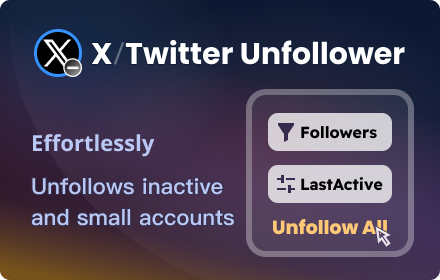
X Unfollower - Twitter Unfollower
A smart X/Twitter unfollow tool effortlessly unfollows inactive and small accounts, focusing on quality connections.
1.0K
★ 3.9

Twitter Auto Unfollow Tool
Helps you identify and safely unfollow users who don't follow you back.
10
★ 5.0

X/TwitBot Pro - Auto Like, Comment, Follow
Automate X/Twitter engagement: extract users, auto-like, auto-comment, bulk follow/unfollow
156
★ 5.0

Mass Unfollow for X
Bulk unfollow tool for Twitter/X with filters and whitelist. Free: 10/day, Pro: unlimited.
107
★ 4.6
Data sourced from the Chrome Web Store · last verified Jun 6, 2026.