
Twitter/X SuperUnfollow
Unfollow Twitter/X profiles in bulk, by keyword.
As of June 2026, Twitter/X SuperUnfollow has 17 users and a 2.00/5 rating from 2 reviews in the Productivity category.
Usersdown 19.0 percent−19.0%
17
17
Ratingno change0%
2.00
2 reviews
Reviewsno change0%
2
Version
1.01
Manifest V3
History
3 snapshotsTracking since Apr 23, 2026.
View as table
| Date | Users | Rating | Reviews | Version |
|---|---|---|---|---|
| Apr 23, 2026 | 21 | 2.00 | 2 | 1.01 |
| May 13, 2026 | 19 | 2.00 | 2 | 1.01 |
| Jun 8, 2026 | 22 | 2.00 | 2 | 1.01 |
| Now | 17 | 2.00 | 2 | 1.01 |
Permissions & access
- Permissions
- tabsstorage
- Host access
- https://*.twitter.com/*, https://*.x.com/*
Screenshots



About
Unfollowing a lot of accounts on Twitter/X doesn't have to take a few hours. With this extension you now have a way to clean up your following list, and it does it automatically. Just let the extension gather all the profiles you follow, then choose which ones to unfollow, click a button and thats it!

Key Features:

1. 🔍  Smart Search: Easily find accounts to unfollow based on usernames, handles, or bio content.
2. ✅ Bulk Unfollow: Select multiple accounts and unfollow them in one go, saving you time and effort.
3. 👤 Profile Collection: Automatically gathers details of accounts you follow, even for large following lists.
4. 🫙 Persistent Data: Stores collected profile information locally, reducing the need for frequent data fetching.
5. 👬 User-Friendly Interface: Intuitive modal dialog for easy interaction and management.
6. 📈 Twitter Stats: View your Twitter account statistics at a glance.
7. 🛟 Safe Unfollowing: Implements a gradual unfollow process to avoid triggering Twitter's rate limits.

How It Works:

1. Click the extension icon to open your Twitter following page.
2. Click the 'SuperUnfollow' button at the top of Following section
3. Use the "Collect" button to gather profile information. This is important because it is necessary to gather all account info like bio, handle, etc.
4. Search for accounts using keywords or view your Twitter stats.
5. Select accounts to unfollow and click 'Unfollow' to start! It will gradually scroll down the page and unfollow the accounts you selected.

Twitter SuperUnfollow helps you clean up your feed and manage your following list more effectively. Whether you're looking to unfollow inactive accounts, remove unwanted content, or simply streamline your Twitter experience, this extension has got you covered.
Note: Use responsibly and in accordance with Twitter's terms of service.
Technical
- Version
- 1.01
- Manifest
- V3
- Size
- 85.73KiB
- Min Chrome
- 88
- Languages
- 1
- Featured
- No
Metadata
- ID
- mmjlnobgkmpibpddhndplklpljdfcamp
- Developer ID
- u3b38c7855ad2ff7fd1b585b22615d313
- Developer Email
- [email protected]
- Created
- Jul 25, 2024
- Last Updated (Store)
- Jul 26, 2024
- Last Scraped
- Jun 8, 2026
- Website
- —
- Privacy Policy
- —
Similar extensions
Alternatives to Twitter/X SuperUnfollow, ranked by description similarity.

Mass Unfollow for X
Bulk unfollow tool for Twitter/X with filters and whitelist. Free: 10/day, Pro: unlimited.
107
★ 4.6

Mass Unfollow for X (Twitter)
Mass unfollow tool for X (Twitter). Manage your following list with smart filters and safe rate limits.
30
★ 3.5
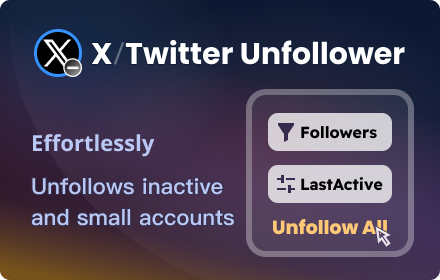
X Unfollower - Twitter Unfollower
A smart X/Twitter unfollow tool effortlessly unfollows inactive and small accounts, focusing on quality connections.
1.0K
★ 3.9

Twitter Auto Unfollow Tool
Helps you identify and safely unfollow users who don't follow you back.
10
★ 5.0

Twitter Auto Unfollow
Auto unfollows inactive accounts, accounts with followers within a specific range, and accounts that don't follow you back.
—
★ 5.0

Twitter AutoFollow Pro
Automatically follow and unfollow users to easily grow your Twitter/X followers.
2.0K
★ 5.0

Twitter Auto Unfollow Tool
Automatically unfollow inactive accounts, small accounts, and accounts that don't follow you back.
3.0K
★ 4.9

X Unfollow Radar
Seni takip etmeyen kullanıcıları otomatik tespit edip takipten çıkarır
—
★ 5.0
Data sourced from the Chrome Web Store · last verified Jun 8, 2026.