
LIO's Batch Image Compressor
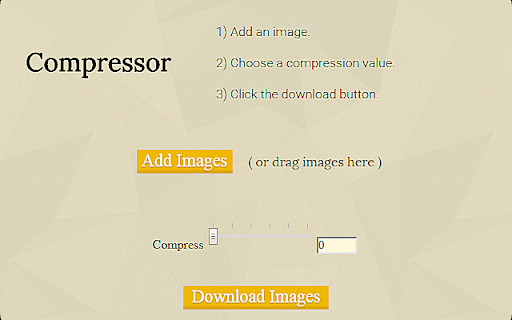
Preparing images for the web should be a quick process. We want to make it quick. Note: many more features are coming.
As of June 2026, LIO's Batch Image Compressor has 14 users and a 2.00/5 rating from 1 reviews in the art category.
Usersdown 6.7 percent−6.7%
14
14
Ratingno change0%
2.00
1 reviews
Reviewsno change0%
1
Version
1.1.1 alpha
Manifest V2
History
3 snapshotsTracking since Apr 1, 2026.
View as table
| Date | Users | Rating | Reviews | Version |
|---|---|---|---|---|
| Apr 1, 2026 | 15 | 2.00 | 1 | 1.1.1 alpha |
| May 2, 2026 | 12 | 2.00 | 1 | 1.1.1 alpha |
| Jun 1, 2026 | 12 | 2.00 | 1 | 1.1.1 alpha |
| Now | 14 | 2.00 | 1 | 1.1.1 alpha |
Permissions & access
- Permissions
- storagenotificationscontextMenusfileSystemsyncFileSystemcommands
- Host access
- None declared
Screenshots
About
With the up-most consideration to providing a user friendly design, we present to you the perfect solution for compressing your images.

I'm a photographer, and I get annoyed at the time it takes to open up Photoshop just to compress a picture. The solution? -- LIO. LIO is a lightweight batch image optimizer.

I want to help others be able to spend more time editing, and less time preparing pictures for the web. Right now LIO can only compress pictures, but in future releases it will be able downsize, sharpen, and apply minor adjustments to pictures.
Technical
- Version
- 1.1.1 alpha
- Manifest
- V2
- Size
- 1.76MiB
- Min Chrome
- 42
- Languages
- 1
- Featured
- No
Metadata
- ID
- nnjcdebdgmmobaigncamnoaoepkbgkfh
- Developer ID
- u8a0859902c52b689e668e5408d1d26a7
- Developer Email
- —
- Created
- Apr 18, 2015
- Last Updated (Store)
- May 9, 2015
- Last Scraped
- Jun 1, 2026
- Website
- http://mrme.me/
- Support URL
- https://github.com/mrme44/LIO/issues
- Privacy Policy
- —
Similar extensions
Alternatives to LIO's Batch Image Compressor, ranked by description similarity.

iPiccy Photo Editor
iPiccy makes your photo awesome with many easy to use photo tools. Edit pictures, apply beautiful photo effects, add text and paint!
100.0K
★ 4.5

Photo resize compress and Zip
It's free tool to compress and zip all Images together in very impressive, simple and super fast speed!
1.0K
★ 3.5

CheetahO Image Compression and Optimizer
This plugin allows you to optimize and compress images through CheetahO Image optimizer API.
—
★ 5.0

Quick Image Tools
Edit images instantly, right from your browser.
—

Image editor
Image resizing,resolution adjustment,image rotation,image watermarking,image compression,image to PDF,poster generation,and more.
106
★ 5.0

Fast & Easy Photo Resizer
Effortless and private photo resizing in seconds
58

SageHuz Image Resizer
A simple tool to resize and crop images directly in your browser.
5

Pixlr Express
Pixlr Express is a powerful photo editor that lets you crop, resize, and fine-tune any picture, in a completely ad-free experience.
100.0K
★ 4.4
Data sourced from the Chrome Web Store · last verified Jun 1, 2026.