
Imgify – Powerful Image Converter
Professional tool to convert images locally between all popular formats with advanced quality options.
As of June 2026, Imgify – Powerful Image Converter has — users in the Developer Tools category.
Usersno change0%
—
—
Ratingno change0%
—
— reviews
Reviewsno change0%
—
Version
3.0.3
Manifest V3
History
6 snapshotsTracking since Apr 1, 2026.
View as table
| Date | Users | Rating | Reviews | Version |
|---|---|---|---|---|
| Apr 1, 2026 | 1 | — | — | 3.0.3 |
| Apr 16, 2026 | — | — | — | 3.0.3 |
| Apr 26, 2026 | 1 | — | — | 3.0.3 |
| May 22, 2026 | 1 | — | — | 3.0.3 |
| Jun 1, 2026 | — | — | — | 3.0.3 |
| Jun 9, 2026 | 1 | — | — | 3.0.3 |
| Now | — | — | — | 3.0.3 |
Permissions & access
- Permissions
- storage
- Host access
- None declared
Screenshots


About
Imgify is the ultimate browser-based image converter designed for speed, privacy, and quality. Convert your images instantly between all major formats without ever uploading them to a server.

Unlike other converters that upload your files to the cloud (risking privacy and taking time), Imgify processes everything locally within your browser. This means instant conversions with zero quality loss.

Key Features:

- Universal Format Support: Handles all widely used image types seamlessly.
- Ultra-Quality Engine: Advanced encoding ensures your images look crisp, even at lower file sizes.
- Privacy First: Your images never leave your computer. Everything runs 100% offline.
- Advanced Controls:
   * Adjust Quality Percentage (1% - 100%)
   * Preserve Transparency
   * Auto-Resize (2x upscaling)
   * Strip Metadata (EXIF) to reduce size
   * Grayscale filter
- Drag & Drop Interface: Simply drag your files to convert them in seconds.
- Modern UI: A clean, professional interface designed for creators.

Who is this for?
- Designers needing quick format swaps.
- Developers optimizing images for websites.
- Social Media Managers reducing file sizes without losing quality.
- Privacy-conscious users who don't want to upload personal photos to the internet.

Install Imgify today and experience the fastest way to convert images!
Technical
- Version
- 3.0.3
- Manifest
- V3
- Size
- 24.5KiB
- Min Chrome
- 88
- Languages
- 1
- Featured
- No
Metadata
- ID
- nngdoaffpapngegdomobikpfmbchjnjj
- Developer ID
- uc878901866dfabf5b4c41b5003787f1d
- Developer Email
- [email protected]
- Created
- Jan 3, 2026
- Last Updated (Store)
- Jan 3, 2026
- Last Scraped
- Jun 9, 2026
- Website
- —
- Support URL
- —
Similar extensions
Alternatives to Imgify – Powerful Image Converter, ranked by description similarity.

File Convert
Convert image files to different formats
8
★ 5.0

Mutable Butterfly
Convert images locally using the Canvas API. Encode messages with the steganography tool
2

Image to WebP Converter
Convert common images (such as JPG & PNG) to WebP format locally. No internet needed & guaranteed privacy.
56
★ 5.0

Image Converter
The most elegant image converter with beautiful UI. Convert images to PNG, JPG, WebP, and AVIF formats in bulk with a single click.
178
★ 5.0

Bulk WebP Converter
Convert and compress multiple images into WebP format with support for individual and bulk ZIP download.
75
★ 5.0
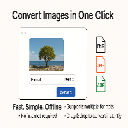
Image Converter Pro
Convert HEIC, JPG, PNG, GIF, and BMP images to your desired format locally.
—
★ 5.0

Image Formatter Pro
Format images for Chrome Extension uploads with ease. Pro features include bulk processing and custom resolutions.
33

OptimizeX - WebP Converter
Automatically converts downloaded images (JPG, PNG, JPEG) to WebP format for better compression and quality.
19
★ 5.0
Data sourced from the Chrome Web Store · last verified Jun 9, 2026.